

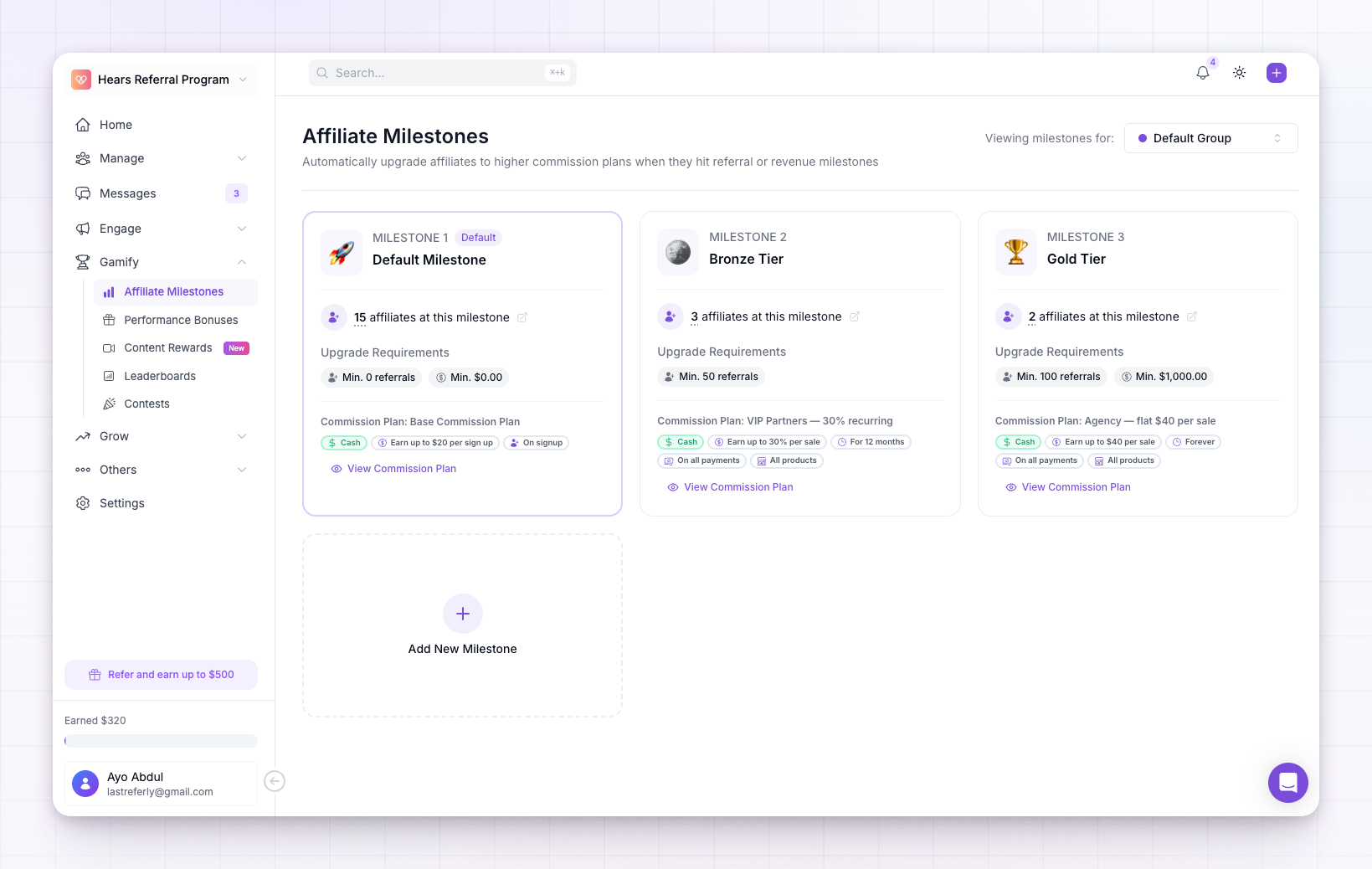
How milestones work
Each milestone is a rung on a ladder. It has two parts:- Upgrade requirements — what an affiliate has to reach to unlock it: a minimum number of referrals, a minimum amount of revenue, or both.
- A commission plan — the terms the affiliate earns under once they get there. This can pay more, run for longer, or switch to a different kind of reward entirely.
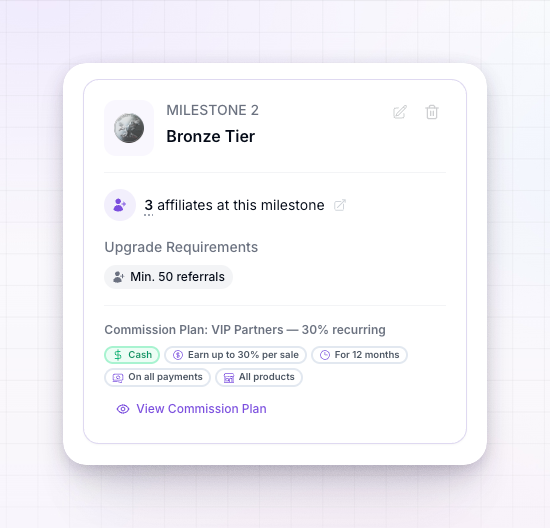
If both a referral goal and a revenue goal are set on a milestone, you choose whether the affiliate needs to meet any of them or all of them. See Create a milestone.
The default milestone
Milestone 1 is always your default milestone. It’s where every affiliate starts, so it has no requirements to reach — zero referrals and zero revenue — and it uses your program’s default commission plan. You can rename it and give it an emoji, but its requirements and plan stay fixed, because it’s the baseline everyone begins from. Every milestone you add above it is one your affiliates work their way up to.What reaching a milestone changes
When an affiliate crosses into a new milestone, their commission plan updates right away, and every commission they earn from then on follows the new plan’s terms. Because a milestone’s reward is a full commission plan, it can be a higher rate, a longer payout period, or even a non-cash reward like a coupon or account credits — whatever that plan is set to. The affiliate is told about it, too. They get a notification in their portal letting them know their commission plan was upgraded, so the win doesn’t go unnoticed.Milestones for specific groups
By default, your milestones apply to your whole program. If you run different terms for different affiliate groups, you can give a group its own set of milestones instead — useful when, say, your influencers climb a different ladder than your regular affiliates. Use the group selector at the top right of the page to switch between the Default Group and any group you’ve created. A group needs at least one commission plan of its own before you can build milestones for it.What your affiliates see
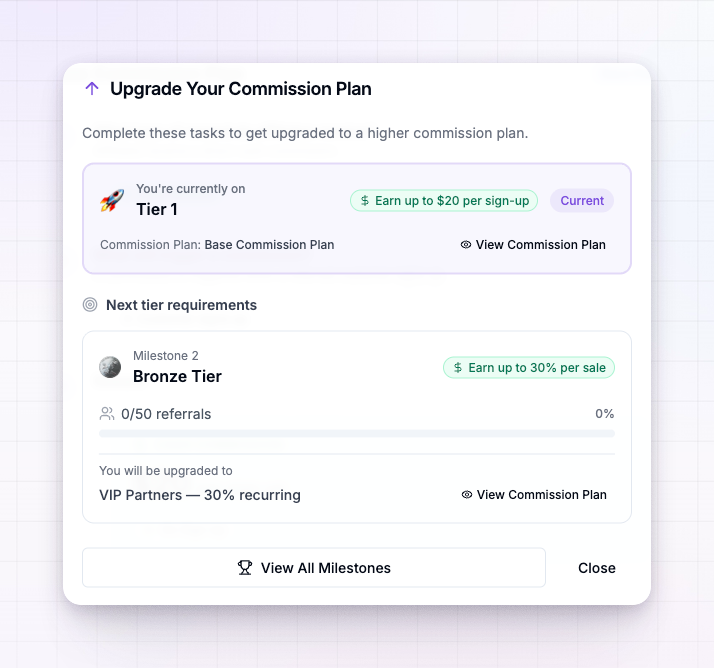
Milestones are visible to affiliates in their portal, which is part of what makes them motivating. On their commission plan view they see:- The plan they’re currently on and how much it earns them.
- The next milestone and exactly what it takes to reach it, with progress bars showing how close they are — for example, how many of the required referrals or how much of the required revenue they’ve reached so far.
- The plan they’ll be upgraded to when they get there.
Exempting an affiliate
Sometimes you’ve set an affiliate’s commission plan by hand and don’t want a milestone to move them off it. Open the affiliate’s detail page and turn on Exempt from Milestone Changes in their sidebar. While it’s on, milestones won’t upgrade or change that affiliate — their plan stays exactly as you’ve set it.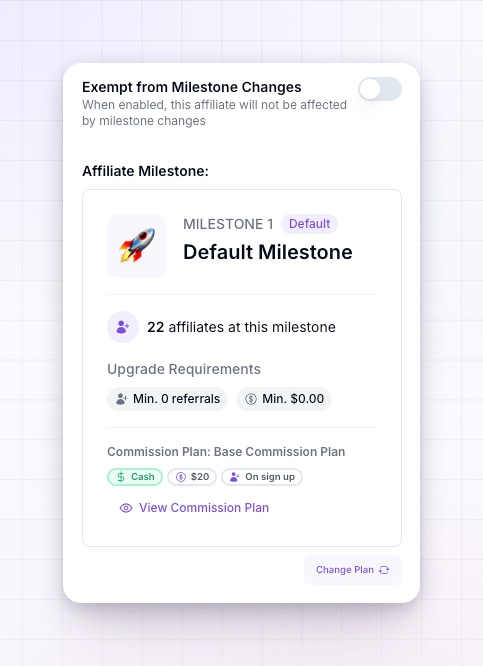
Related
Create a milestone
Set the requirements and choose the commission plan for a new milestone.
Setting up commissions
Build the commission plans your milestones upgrade affiliates onto.
Affiliate groups
Give different groups of affiliates their own milestones.
Gamification overview
See the other ways to reward affiliates for performance.