

The three steps
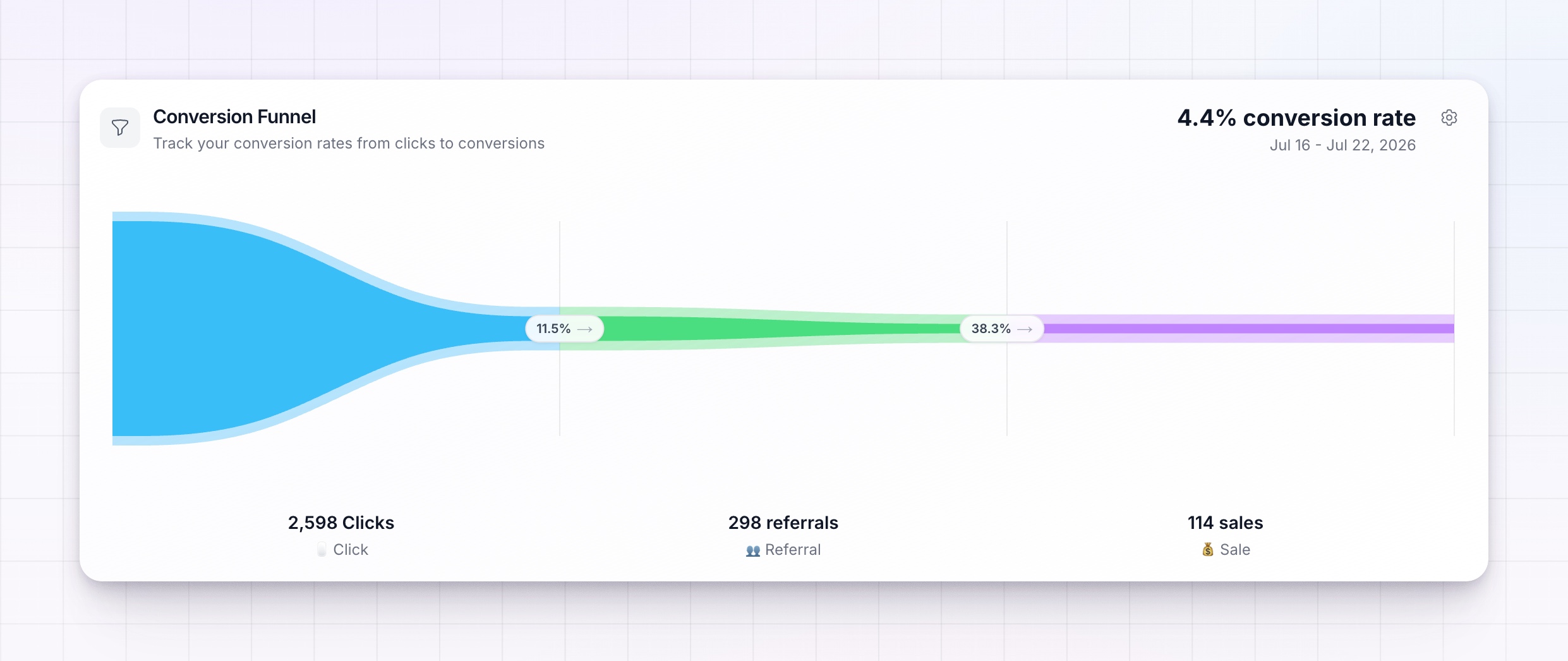
The funnel has three stages, shown as bars that narrow as fewer people make it through:- Clicks — everyone who clicked an affiliate link.
- Referrals — the visitors who became tracked referrals (the middle step; you can change this — see below).
- Sales — the referrals who went on to buy.
See the detail behind each step
Hover over any step to open its details. For each one you’ll see:- The conversion rate from the previous step — for example, how many of your clicks became referrals.
- How many dropped off — the number of people lost between that step and the one before it.
- Value per action — the average revenue behind each click, referral, or sale at that step.
- Top affiliates and countries — who and where is driving that step.
Choose the middle step
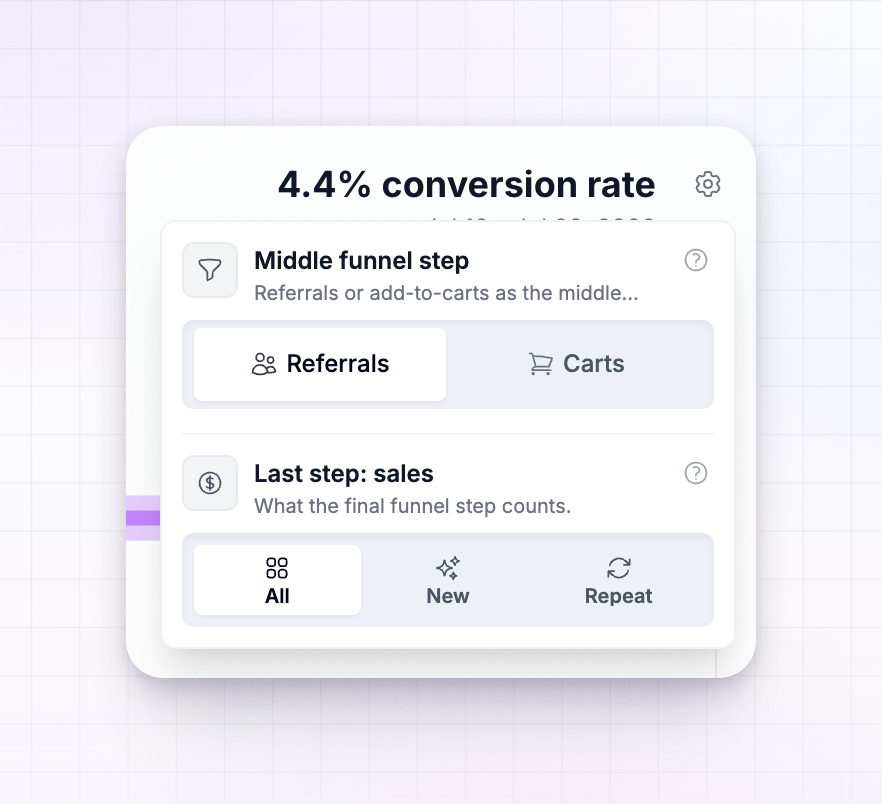
Select the gear icon in the top-right of the funnel card to open its settings. The Middle funnel step toggle lets you choose what the middle stage counts:- Referrals — visitors who became tracked referrals in the period. This is the default.
- Carts — unique add-to-cart events tied to affiliate clicks, so you can see how many shoppers added a product before buying.
Choose what the sales step counts
The same settings popover has a Last step: sales toggle that changes which sales the final step includes:- All — every sale in the period.
- New — only each referred customer’s first-ever purchase.
- Repeat — only the sales that came after a customer’s first purchase, such as renewals.
Related
Performance
Track clicks, referrals, revenue, and commission.
Analytics overview
A tour of the whole Analytics area.
Affiliate acquisition
See where your affiliates come from and how they onboard.
Date ranges and granularity
Change the period and resolution of your charts.