

Find your leaderboard
Open Leaderboards from the left sidebar of your dashboard. You’ll land on the Default Leaderboard tab, with a status pill next to the title that tells you whether it’s currently Live for affiliates or Hidden from affiliates. Each contest you run shows up as its own tab next to the default leaderboard, so everything competitive lives in one place.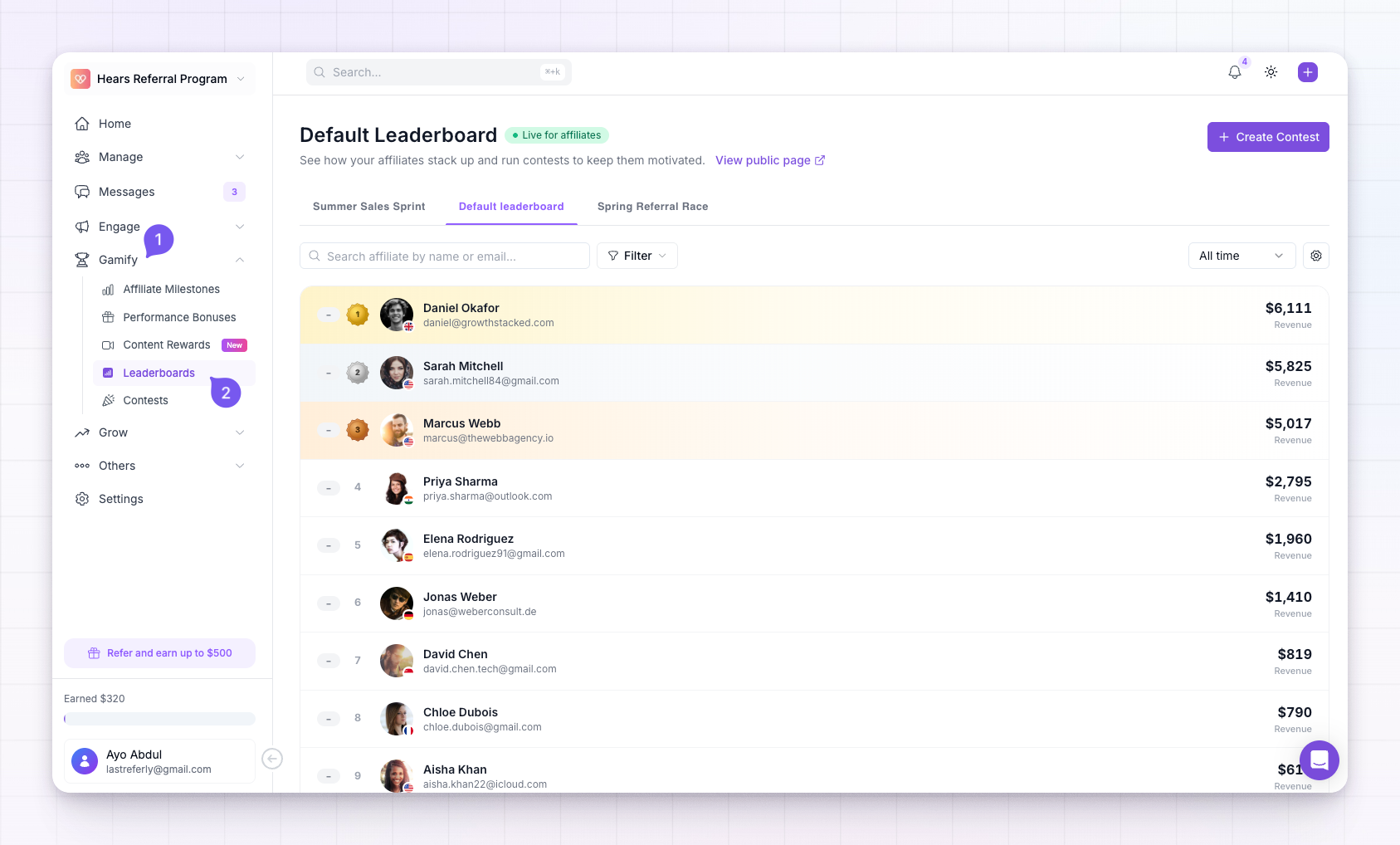
How affiliates are ranked
The leaderboard sorts affiliates by a single metric you choose — the ranking criteria. You can rank by number of referrals, revenue generated, number of sales, affiliate earnings, or conversion rate. The default is number of referrals. Whatever you pick applies to the whole leaderboard, and the metric column updates to match. See Choose ranking criteria for what each option measures and when to use it.Change the time window
Above the table is a time filter that decides which period the rankings cover. Switch between Today, This week, This month, This year, and All time to see who’s on top right now versus over the long run. It’s a quick way to spot a fast-rising affiliate who hasn’t yet climbed the all-time board.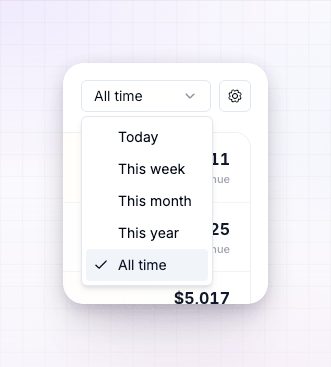
Find a specific affiliate
Use the search box to look up an affiliate by name or email, or open the filters to narrow the board down — by group, country, and more. When a filter is active, you can switch between ranking an affiliate only among those who match your filters or by their global position across everyone. Select any row to jump straight to that affiliate’s profile.Decide who sees it, and where
The default leaderboard’s settings let you control its reach:- Show it to your affiliates inside their portal, or turn it off entirely.
- Publish a public page anyone can view without logging in — a nice recruiting and social-proof tool. See Publish a leaderboard.
- Feature it on the affiliate dashboard home so it’s the first thing affiliates see when they log in.
- Mask names and emails so affiliates (or the public) can see the rankings without seeing each other’s identities.
Run a contest
A leaderboard runs continuously with no end date. When you want a competition with a clear start, finish, and prizes, create a contest — it appears as its own leaderboard tab, ranks affiliates the same way, and awards winners automatically. Select Create Contest at the top right to set one up, or read the Contests overview.Related
Choose ranking criteria
Pick the metric your leaderboard ranks by.
Publish a leaderboard
Share your leaderboard as a public page.
Contests overview
Run a time-boxed competition with prizes.
Gamification overview
All the ways to motivate your affiliates.