

How a contest is different from the leaderboard
Default leaderboard
Always on, never ends. Shows current standings by a single metric. No prizes or winners.
Contest
Runs for a set period. Rewards specific ranks with cash or non-cash prizes. Picks and awards winners automatically.
What you decide when you run one
Every contest is built from a few choices, all covered in Create a contest:- Who competes — everyone, or a filtered set of affiliates and groups.
- The metric — the same ranking options as the leaderboard: referrals, revenue, sales, earnings, or conversion rate.
- The prizes — a reward for each top rank, either cash or something physical.
- The schedule — when it ends, and whether winners are picked once at the end or on a repeating cycle.
- Visibility — where the contest shows up and whether affiliate identities are masked.
The contest lifecycle
1
Draft
A new contest starts as a Draft. It’s saved but not visible to affiliates, so you can set it up and fine-tune it in private.
2
Active
When you publish it, the contest goes live and starts counting from that moment. Affiliates can see it and start climbing. You can pause and resume an active contest at any time.
3
Completed
When the final period ends, Referly picks the winners, awards the prizes, and marks the contest Completed. See Pick winners.
Find your contests
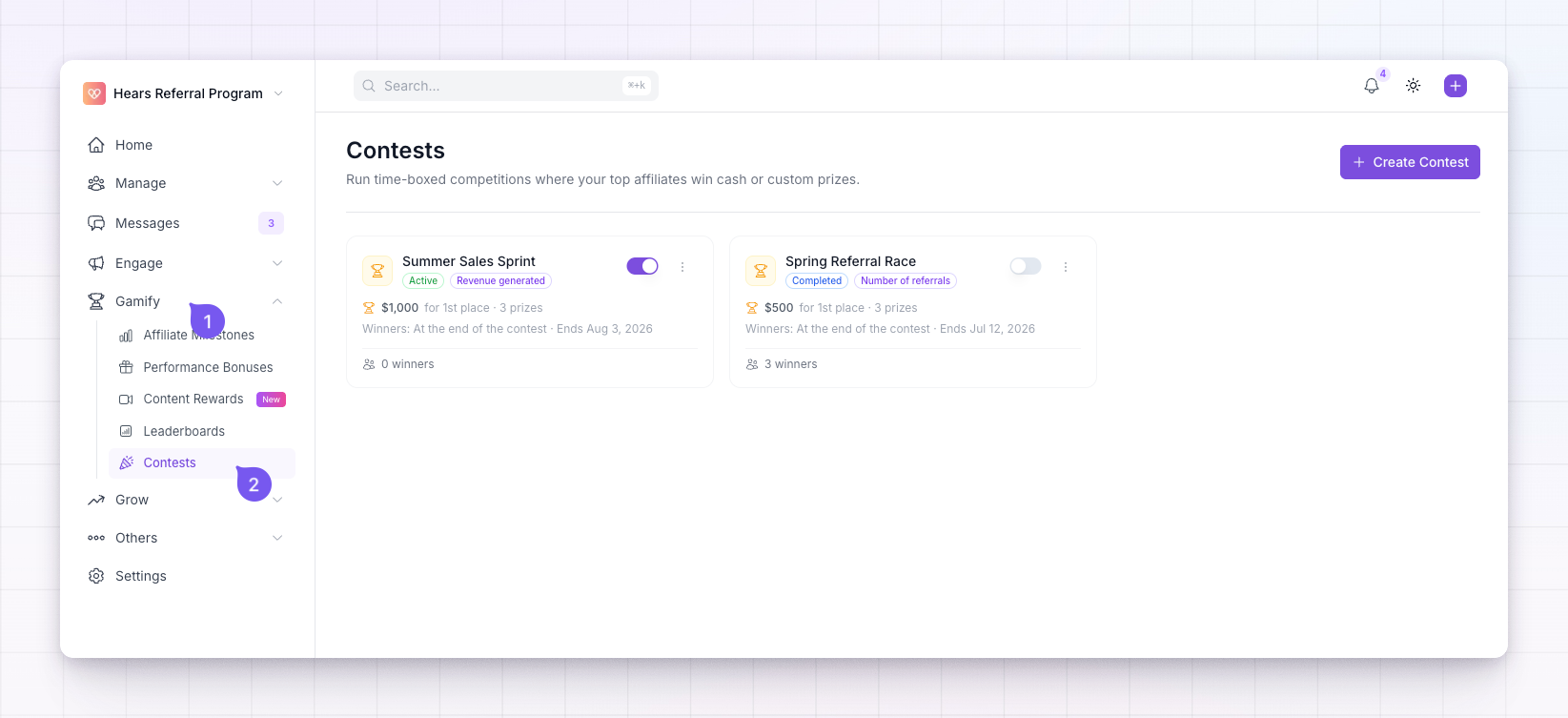
Contests live in two places, and both stay in sync:- Open Contests from the left sidebar for the full list, with each contest’s status, prizes, and a way to view winners.
- Open Leaderboards to see each active contest as its own tab next to the default leaderboard.
Creating and drafting a contest is free. Publishing a contest to make it live requires the Gamification add-on or an Enterprise plan. See Add-ons.
Related
Create a contest
Set the dates, prizes, and how winners are picked.
Pick winners
How winners are chosen and prizes awarded.
Leaderboards overview
The always-on leaderboard contests run alongside.
Give a bonus
How cash prizes reach your affiliates.