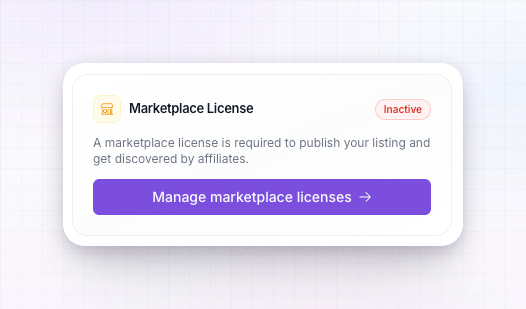
What a license unlocks
A license is more than a switch for one listing. It opens up Referly’s growth tools as a set:A verified marketplace listing
Publish your program to the live marketplace, where affiliates browse and join you.
Influencer Discovery
Search the network of vetted affiliates and influencers and invite them to your program. See Influencer discovery overview.
Affiliate managers
Reach the affiliate program managers on Referly. See Affiliate managers overview.
The affiliate newsletter
Get featured in the newsletter that goes out to thousands of affiliates.
A license is per program
Each license covers one program’s listing. If you run several programs and want each of them live in the marketplace, each needs its own license. This is why the license lives in a program’s billing settings rather than as a single account-wide setting.Where to get one
Open Settings, go to Billing, and select Marketplace licenses. There you’ll see what the license includes and your options for getting one.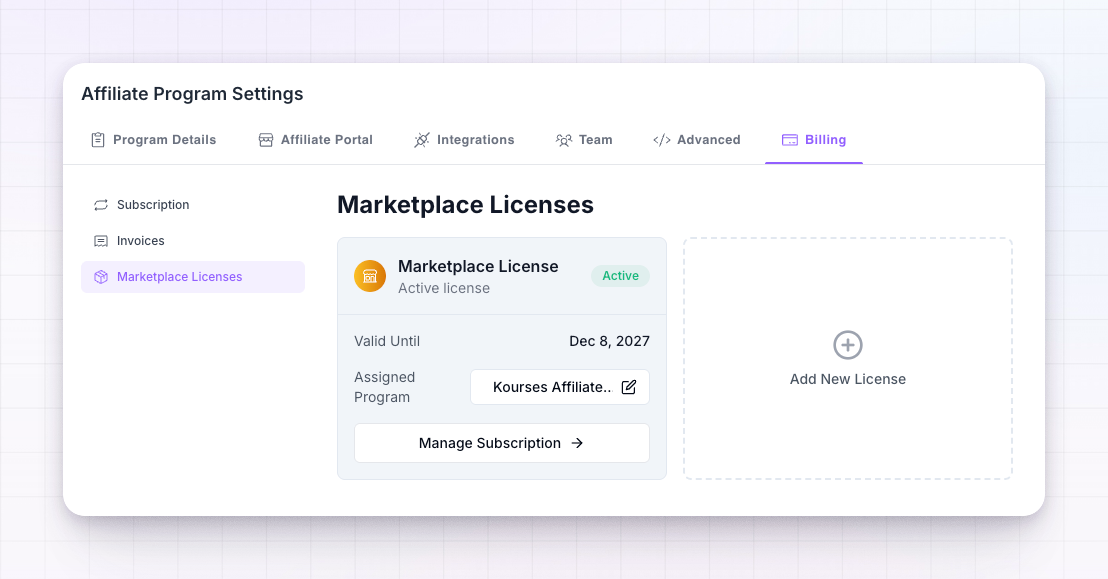 You can license a program on a monthly or annual basis — annual is offered at a lower effective rate. The current pricing is shown on the page, since offers change from time to time.
On agency plans, you get a number of free marketplace licenses included (up to five), so you can list several of your programs at no extra cost. If a free license is available to you, the page shows a
$0 option and you can activate it directly. See Agency billing.What happens without an active license
Nothing you build is lost — it’s simply held back until you license the program:- Your listing stays a draft. If you try to publish without an active license, your changes are saved and you’re prompted to get one. Nothing goes live yet.
- The Grow tools stay locked. Influencer Discovery and the other license-gated tools show an option to upgrade rather than their full content.
Manage or cancel
Your marketplace licenses are managed alongside the rest of your billing. From the Marketplace licenses page you can see which of your programs are licensed and change or cancel a license. If a license lapses, that program’s listing returns to draft and drops out of the marketplace until it’s renewed — your listing content is kept, so re-publishing later is quick.Related
Marketplace overview
What a license lets you publish into.
Build your listing
Prepare your listing for free, then license to publish.
Influencer discovery overview
One of the tools a license unlocks.
Billing and plans
How marketplace licenses fit with your subscription.