

What you can do here
Influencer Discovery gives you one place to run your whole recruiting workflow:- Browse and search a network of vetted creators, filtered down to the ones that fit your niche, audience size, and revenue history.
- Read a match score on every creator — an estimate of how well they’d do in your program specifically.
- Save the ones worth a closer look into folders, so you can build a shortlist before you reach out.
- Invite creators to join your program, and track who accepted.
Where to find it
Open the Grow section in your dashboard sidebar and select Influencer Discovery. It opens on the Discover tab, with a toolbar for searching and filtering at the top and a grid of creator cards below.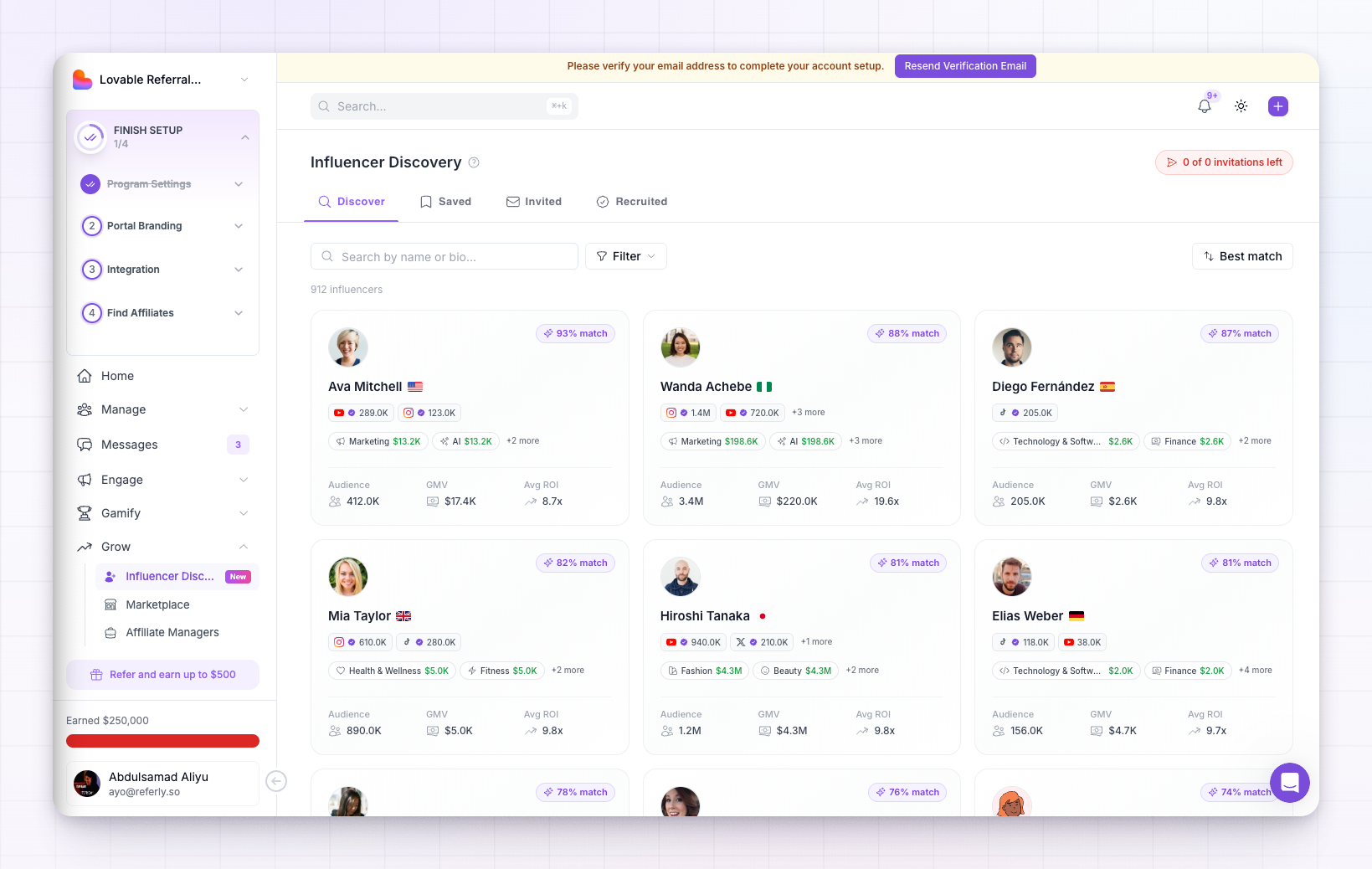
Influencer Discovery is part of Referly’s Grow tools. If you don’t see it in your sidebar, your current plan may not include it yet — you’ll be shown an option to upgrade when you open the page.
How the tabs are organized
The page is split into four tabs that follow a creator from first sighting to fully recruited. The number on each tab shows how many creators are in it.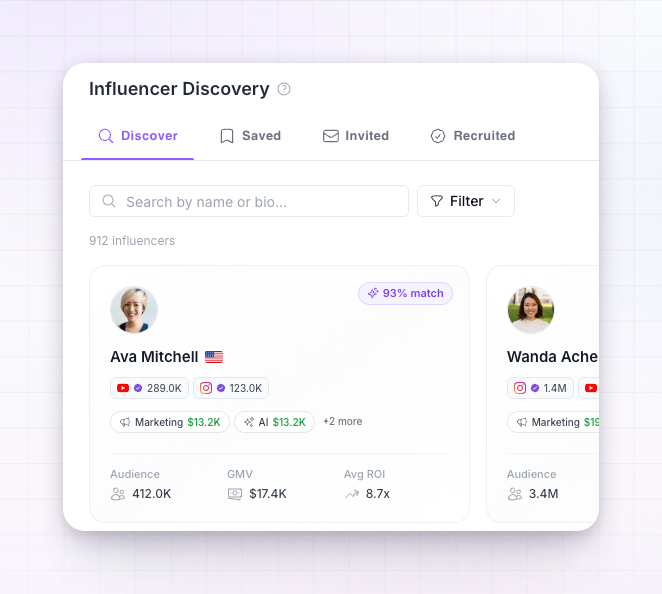
- Discover — the full directory. This is where you search, filter, and find new creators.
- Saved — creators you’ve bookmarked, organized into folders. Your shortlist lives here.
- Invited — creators you’ve invited to your program, including any who declined.
- Recruited — creators who accepted your invitation and are now affiliates in your program.
What each card tells you
Every creator in the directory is shown as a card, so you can compare people at a glance before opening anyone’s full profile.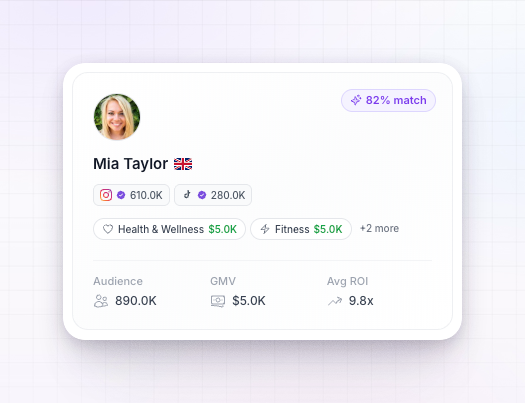 On each card you’ll see:
- Their name and photo, plus a country flag showing where they’re based.
- A status badge, so you always know whether you’ve already saved, invited, or recruited this person.
- A
% matchchip in the top right — how well this creator fits your program. Select it to see the full breakdown of how that number is calculated. See How the match score works. - Social channels — chips for the platforms they’ve connected (such as YouTube, Instagram, TikTok, or X), with a check mark on verified accounts.
- Categories — the niches they create in and have earned in, so you can tell whether they’re a fit for your product.
- A stats footer — headline numbers like total audience, revenue they’ve generated across programs, and their return on investment.
A typical workflow
Most programs use Influencer Discovery in the same rhythm:1
Narrow the directory
On the Discover tab, search and filter down to creators in your niche, at the audience size and revenue level you’re after. See Search and filter.
2
Check the fit
Sort by Best match and open the creators that look strongest. Their match score tells you who’s most likely to perform in your program.
3
Build a shortlist
Save the promising ones into folders so you can review them as a group before reaching out. They’ll show up on your Saved tab.
4
Invite your picks
Send an invitation to the creators you want. See Invite an influencer.
5
Welcome the ones who join
Anyone who accepts moves to your Recruited tab and becomes an affiliate in your program, ready to start promoting.
Where the data comes from
The creators you see aren’t scraped from the open web — they’re real affiliates who joined programs on Referly and connected their own social accounts. Their audience and performance numbers are refreshed daily, and their match score is calculated live against your program’s categories, customers, and revenue. That means the directory stays current, and the fit you’re shown reflects your program as it looks today.Related
Search and filter
Narrow the directory by niche, platform, audience size, and revenue.
How the match score works
See the criteria behind every creator’s fit score.
Invite an influencer
Reach out and bring a creator into your program.
Saved, invited, and recruited
Track creators as they move through your recruiting pipeline.