

Open the invite
Open a creator’s profile — select their card from the Discover tab — and select Send invitation. This opens the invite dialog, where you set the terms of your offer and write your first message.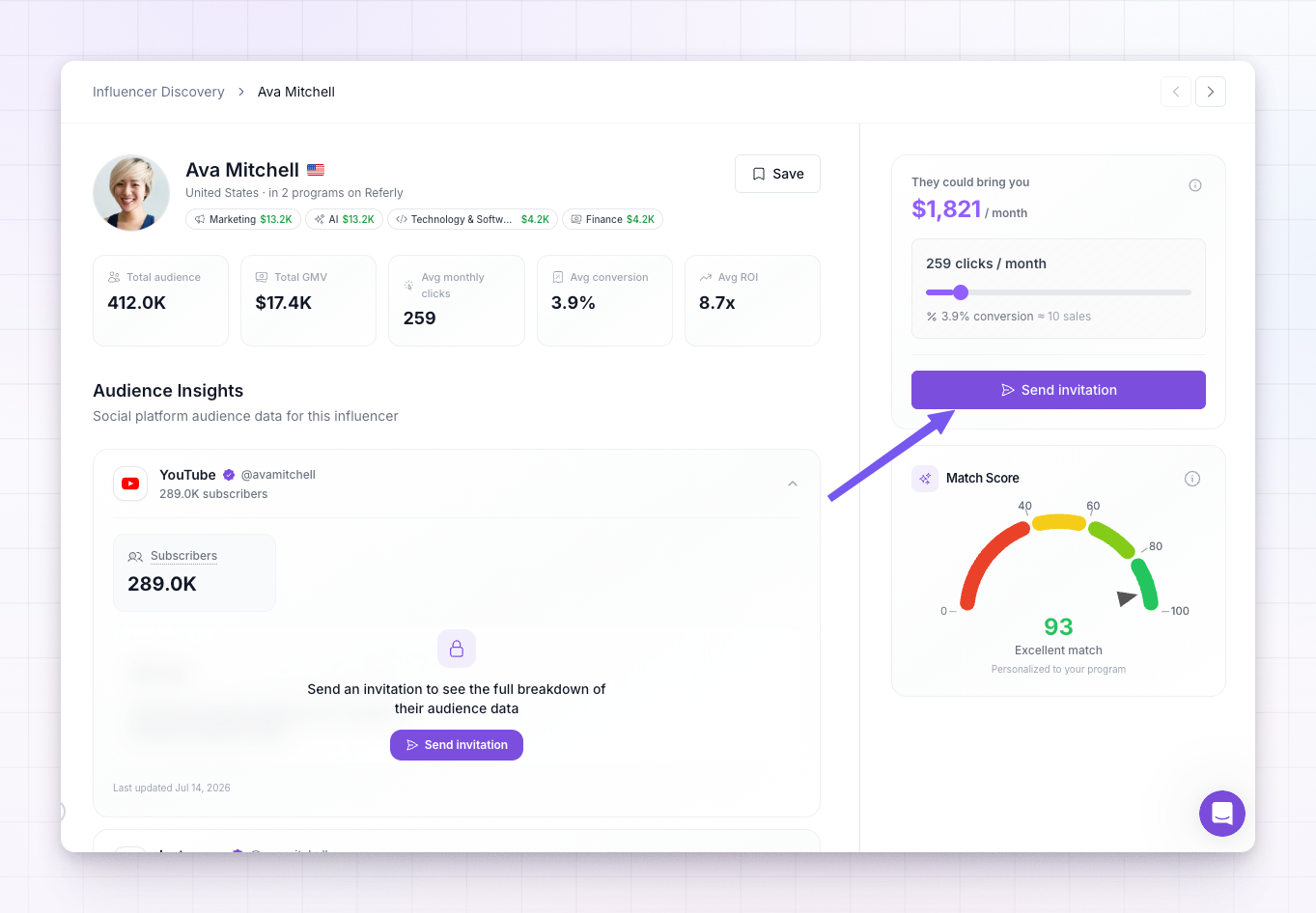
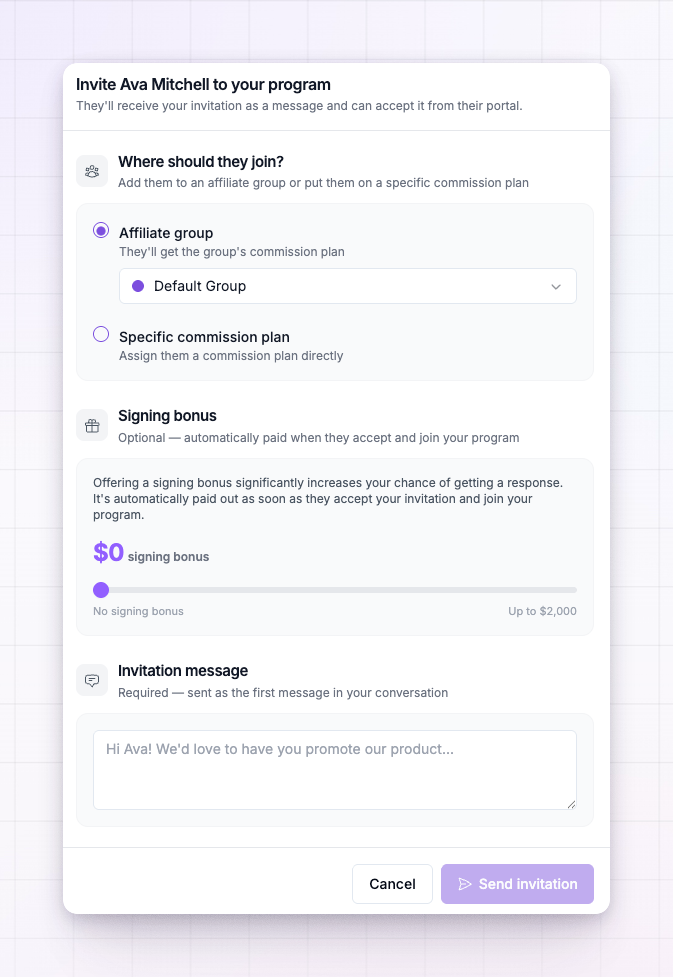
Choose where they join
The first section, Where should they join?, sets the terms the creator starts on the moment they accept. You have two choices.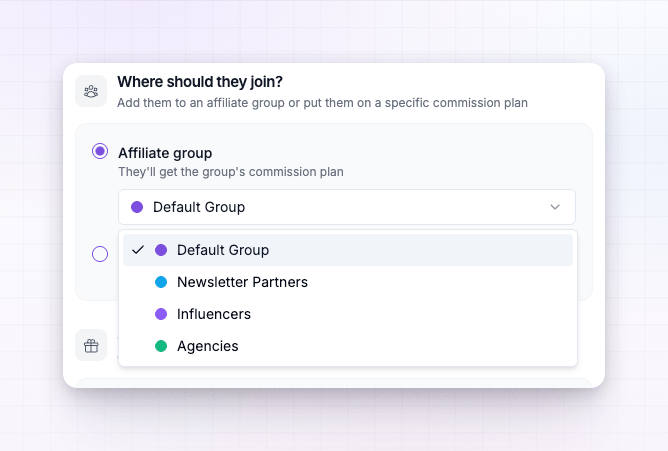
- Add to an affiliate group
- Put them on a commission plan
Put the creator into one of your affiliate groups — your Default Group is preselected. They inherit that group’s commission plan and terms. Choose this when you want them on shared terms that can change as the group changes.
Add a signing bonus (optional)
The Signing bonus section lets you sweeten the offer with a one-time reward that’s paid automatically when the creator accepts and joins. Drag the slider to set the amount, or leave it at zero for no bonus. A signing bonus is optional, but it’s one of the strongest ways to get a yes — it shows the creator you’re serious and rewards them just for coming on board. The amount is in your program’s currency.Write your invitation message
The Invitation message is required. It’s sent as the first message in your conversation with the creator, so write it like the opening of a real outreach — who you are, what you’d love them to promote, and why they’re a fit. A warm, specific message gets far better responses than a generic one.The message is only part of a brand-new invitation. If you later edit an invitation you’ve already sent, you can change the offer — the group, plan, or bonus — but not resend the opening message, since your conversation has already started.
Send it
Select Send invitation. The creator is notified, your message opens the conversation, and they move to your Invited tab. The footer of the dialog shows how many invitations you have left this month — something like “18 of 25 invitations left this month”. Each invitation you send draws down that monthly allowance, so once it’s used up you’ll need to wait for it to reset before inviting more.What happens next
- The creator appears on your Invited tab, so you can keep track of everyone you’ve reached out to. See Saved, invited, and recruited.
- If they accept, they join your program on the terms you chose, any signing bonus is paid, and they move to your Recruited tab as a working affiliate.
- If they decline, they stay on your Invited tab marked as declined, so you know not to keep waiting.
- You can keep talking either way — the conversation you started with your invitation message stays open, so you can answer questions and follow up.
Related
Saved, invited, and recruited
Track invitations and see who accepted.
How the match score works
Check fit before you spend an invitation.
Affiliate groups
How groups set the terms a creator joins on.
Commission plans overview
The plans you can assign an invited creator to.