

Saved
Your private shortlist, organized into folders. Nobody is contacted yet.
Invited
Creators you’ve sent an invitation to, including any who declined.
Recruited
Creators who accepted and are now affiliates in your program.
Saved: build your shortlist
Saving a creator bookmarks them so you can come back later. It’s completely private — the creator isn’t notified and nothing is sent. Use it to gather a list of candidates while you browse, then review them as a group before you decide who to invite.Save a creator
Select the save (bookmark) button on any creator’s card or profile. If you’ve made folders, a picker opens so you can choose which folder to drop them into — and you can create a new folder right there without leaving the page.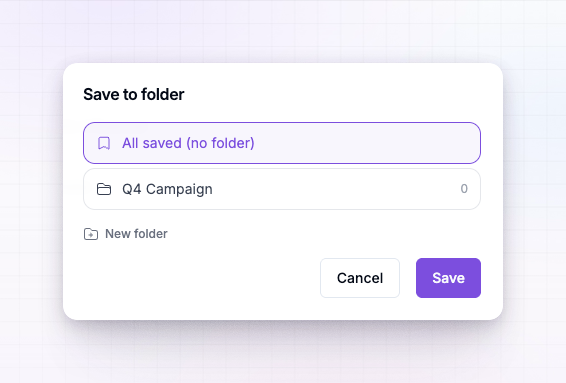
Organize with folders
The Saved tab is built around folders, so you can keep different shortlists apart — by campaign, by niche, by priority, however you work. At the top of the tab you’ll find your folders as tiles, with an All saved view that shows everyone.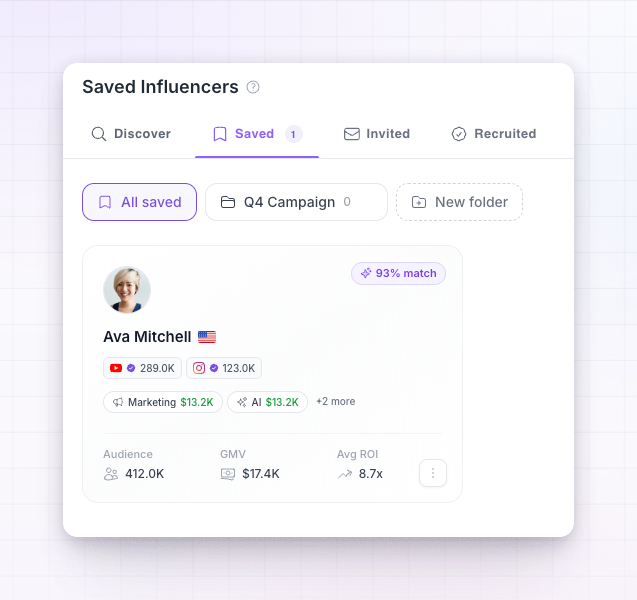 You can:
- Create a folder — select the new-folder tile, give it a name.
- Rename or delete a folder — from the folder’s own controls. Deleting a folder doesn’t unsave the creators inside it; they simply return to All saved.
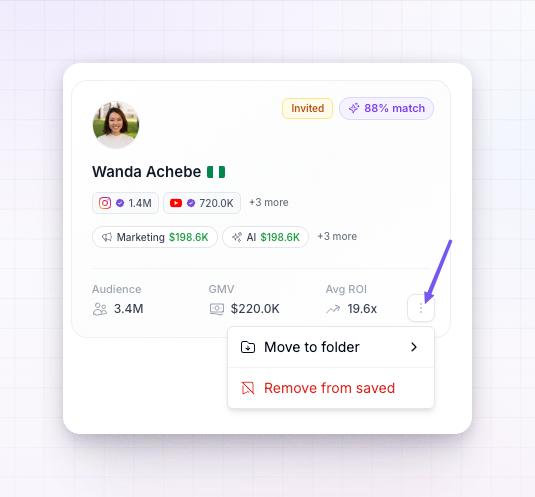
- Move a creator between folders — open the card’s overflow (three-dot) menu and move it.
- Remove a creator from saved — from the same overflow menu, when they’re no longer a candidate.
Invited: track your outreach
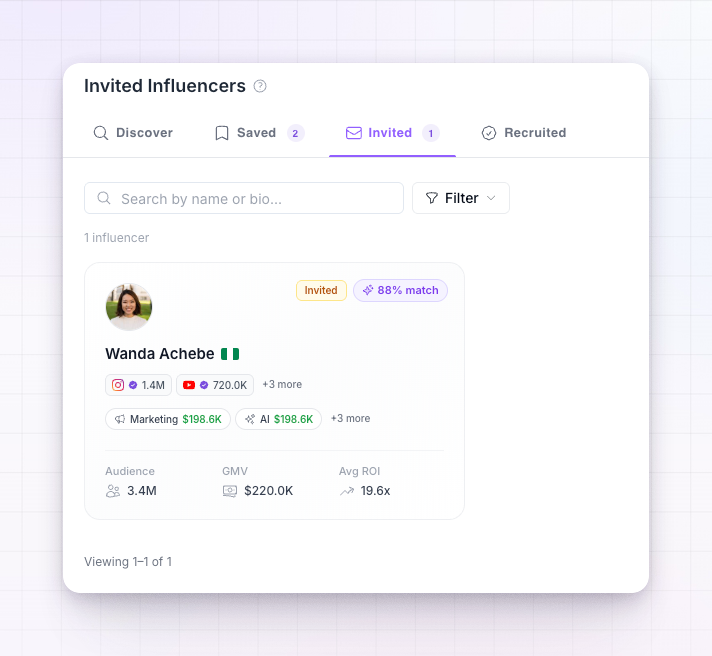
When you invite a creator, they move to the Invited tab. This is where you keep an eye on everyone you’ve reached out to and what’s happened since. Cards here carry a status badge:- Invited — your invitation is out and you’re waiting to hear back. Your conversation with them stays open, so you can follow up.
- Declined — the creator turned the invitation down. They stay on this tab marked Declined, so you know where things stand and don’t keep waiting.
Saving and inviting are independent. You can invite a creator you never saved, and saving a creator never contacts them. Saved is your notepad; Invited is the outreach you’ve actually sent.
Recruited: your new affiliates
When a creator accepts your invitation, they move to the Recruited tab with a Recruited badge — and, more importantly, they become a real affiliate in your program on the terms you offered. Any signing bonus you attached is paid, and they’re ready to start promoting. From here on they behave like any other affiliate: they show up in your main affiliates list, earn commissions, and appear in your reports. The Recruited tab is simply the record of who joined this way, so you can see the return on your discovery efforts at a glance.How a creator moves through the pipeline
1
Saved
You bookmark a promising creator into a folder. Private to you.
2
Invited
You send them an invitation. They move to Invited and your conversation begins.
3
Recruited (or Declined)
If they accept, they become an affiliate and move to Recruited. If they decline, they stay on Invited marked Declined.
Related
Invite an influencer
Send an invitation and set the terms.
Search and filter
Find creators worth saving in the first place.
Influencer discovery overview
How the whole discovery section fits together.
Affiliate statuses
What happens once a recruited creator is an affiliate.