

 The score is a shortcut, not a verdict. It points you at the most promising creators first, but it’s still worth opening a profile and using your own judgment before you reach out.
See the full breakdown
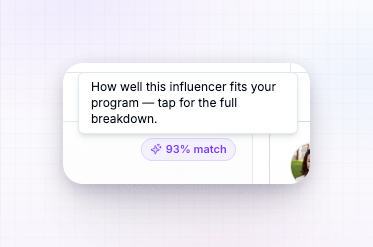
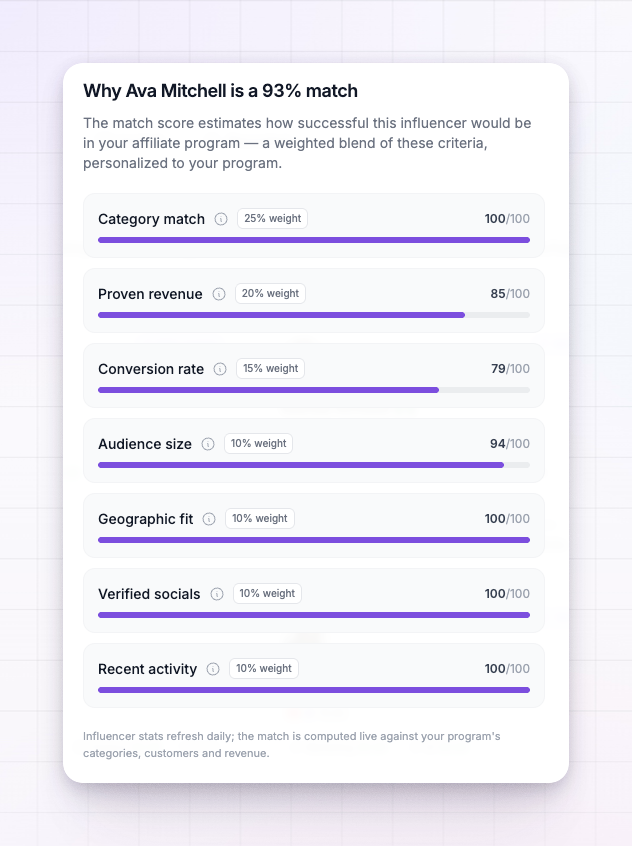
Select the% match chip on any card (or on a creator’s profile) to open the breakdown. It shows every criterion that goes into the score, each with its own sub-score and how much weight it carries, so you can see why someone scored the way they did — not just the final number.
What goes into the score
The match score is a weighted blend of seven things. Category match counts for the most, because a creator whose audience cares about your niche matters more than one who’s simply big.
Each criterion is scored on its own, then combined by weight into the single number you see. A creator can be weak on one and still score well overall if they’re strong where it counts most.
Why the score is personalized
The same creator can show a different match score in two different programs — and that’s the point. Three of the criteria are measured against your program:- Category match compares the creator’s niches to your categories.
- Geographic fit checks whether they’re in your best-selling countries.
- Both are drawn from your program’s own customers and revenue.
How fresh the numbers are
A creator’s stats — audience, revenue, conversion rate, activity — refresh daily. The match itself is calculated live against your program’s current categories, customers, and revenue each time you view it. As your program grows and its best categories and countries shift, the scores you see shift with it, so the directory keeps recommending people who fit the program you have now.Using the score well
1
Sort by Best match
On the Discover tab, leave the sort on Best match to float the strongest-fitting creators to the top. See Search and filter.
2
Open the breakdown before you commit
A high overall score driven entirely by audience size is a different bet than one driven by category match and proven revenue. The breakdown tells you which.
3
Combine it with filters
Filter to your niche and a revenue floor first, then let the match score rank what’s left. Filtering plus sorting beats either one alone.
Related
Search and filter
Filter the directory, then sort by best match.
Influencer discovery overview
How the directory and its tabs fit together.
Invite an influencer
Reach out to your best-matched creators.
Saved, invited, and recruited
Track the creators you decide to pursue.