

Find the campaigns you can enter
In the left sidebar of the affiliate portal, select Content Rewards. Every campaign open to you appears as a card.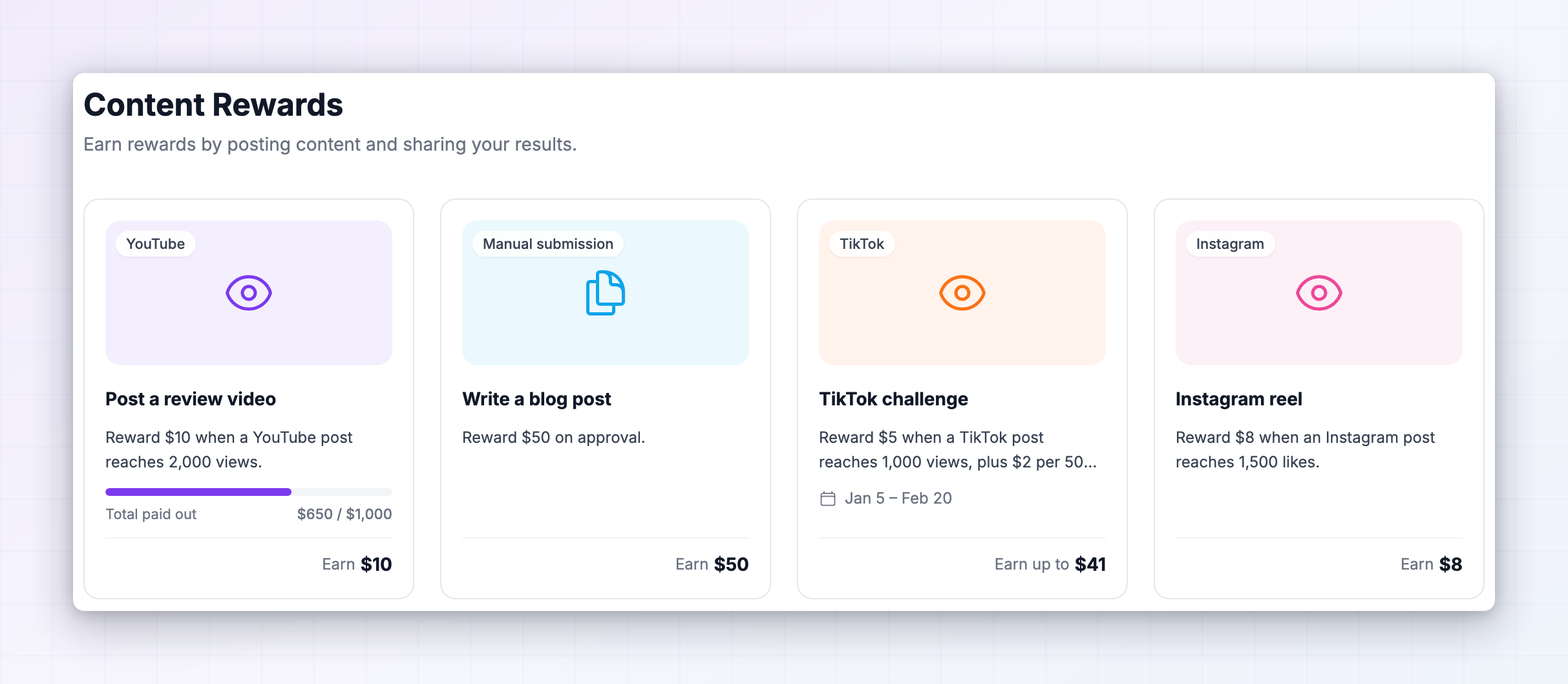 Each card shows what you can earn, how many submissions you’ve used out of your allowance, and when the campaign ends. If the page says there are no campaigns available right now, the brand either hasn’t launched one or hasn’t opened this one to you.
Select a card to open it.
Each card shows what you can earn, how many submissions you’ve used out of your allowance, and when the campaign ends. If the page says there are no campaigns available right now, the brand either hasn’t launched one or hasn’t opened this one to you.
Select a card to open it.
Read the rules before you post
This is the step worth slowing down for. Once your post is live it’s hard to change, and a post that misses a requirement gets turned down. Inside a campaign, the How it works panel lists everything the brand has set: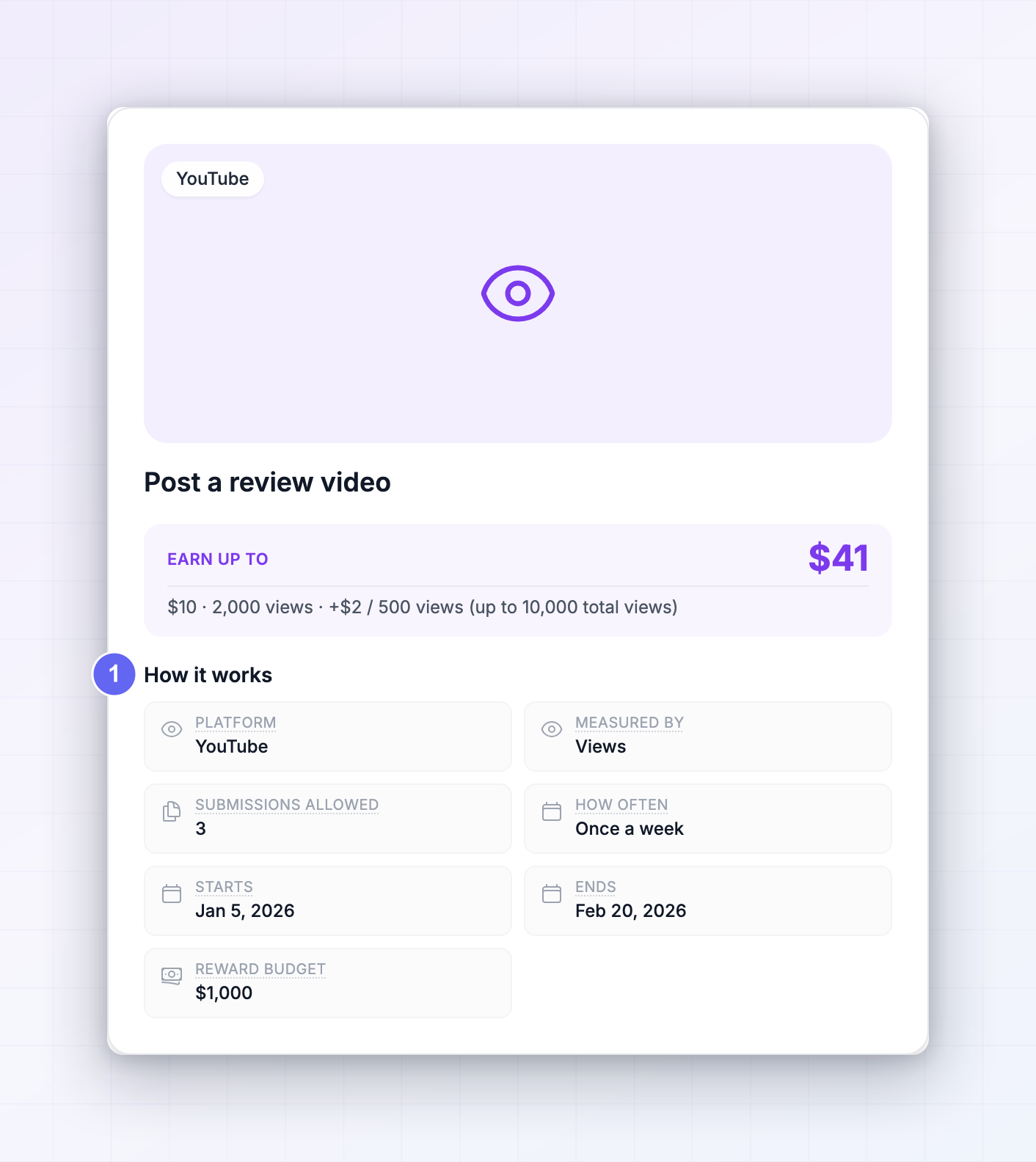
Read the campaign description above it too. That’s where the brand puts the creative brief, the hashtags and anything they want you to say or avoid.
Connect your social account
Campaigns measured by views or likes need to know the post is really yours. The first time you try to submit to one, you’ll be asked to connect and verify the account you post from.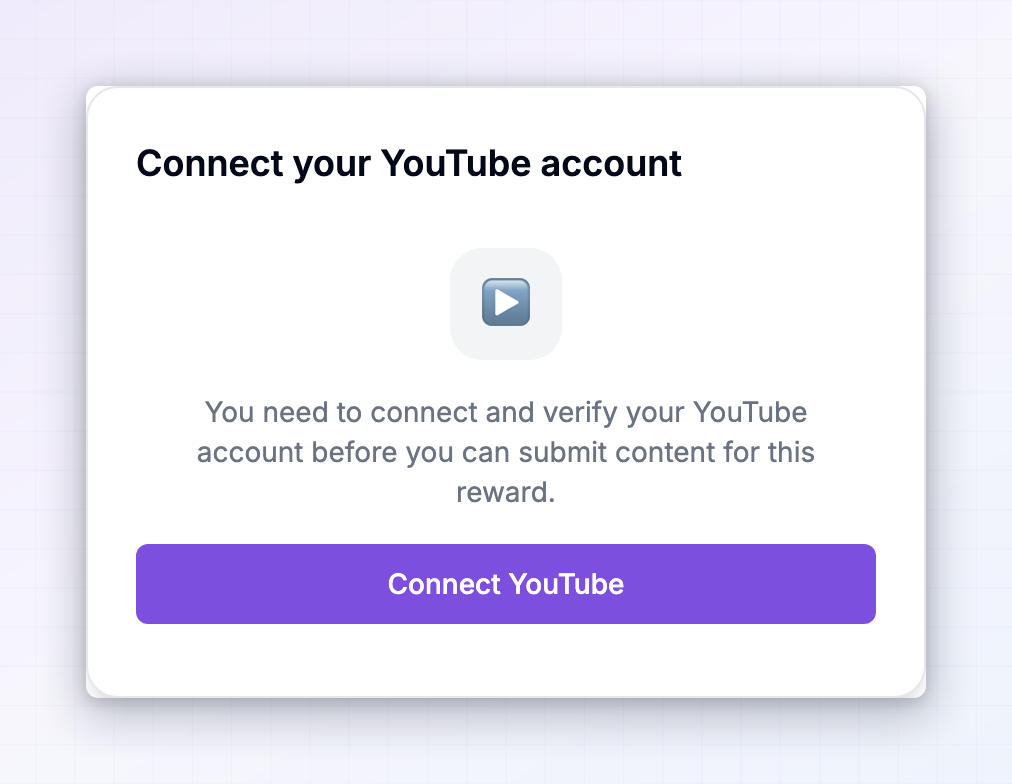 Select the connect button and follow the prompts on the platform. You come straight back to the campaign afterwards, ready to submit.
You only do this once per platform. After that, every campaign on that platform lets you submit right away.
Select the connect button and follow the prompts on the platform. You come straight back to the campaign afterwards, ready to submit.
You only do this once per platform. After that, every campaign on that platform lets you submit right away.
Submit posts from the account you connected. A post from a different account, or from an account you haven’t verified, can’t be matched to you.
Submit your post
Select Submit on the campaign. What you fill in depends on how the brand set it up.For a campaign measured by views or likes
Paste the address of your live post into the post field and select Submit. That’s the whole form.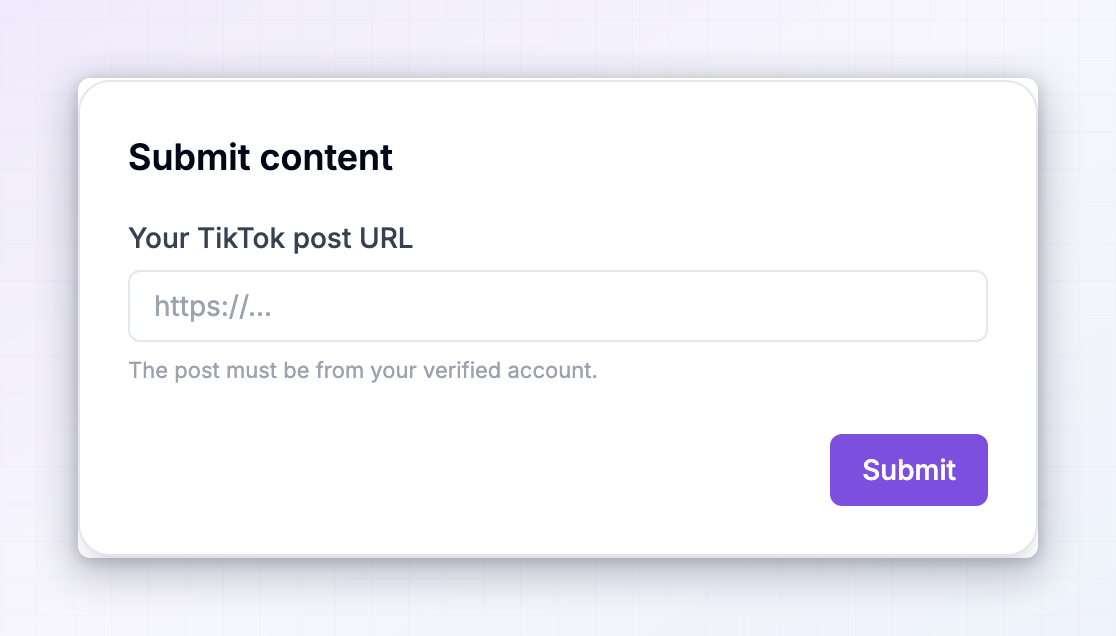 Grab the address from the post itself rather than from your profile, so it points at the single post. Once it’s in, the view and like counts are picked up automatically and refreshed over time, so you don’t have to report numbers yourself.
LinkedIn works slightly differently: instead of the address, the form asks for the post’s embed code. Open your post on LinkedIn, select the ••• menu at its top right, choose Embed this post, copy the code, and paste it in.
Grab the address from the post itself rather than from your profile, so it points at the single post. Once it’s in, the view and like counts are picked up automatically and refreshed over time, so you don’t have to report numbers yourself.
LinkedIn works slightly differently: instead of the address, the form asks for the post’s embed code. Open your post on LinkedIn, select the ••• menu at its top right, choose Embed this post, copy the code, and paste it in.
For a campaign judged by hand
Some campaigns ask you to show your work instead of tracking a metric. The form asks for whichever of these the brand requires:1
Attach images
Upload a screenshot or photo as proof. Files can be SVG, JPG, PNG or WEBP and no larger than 5MB each.
2
Add links
Paste the address of what you posted. Use Add URL for more than one. If the brand only accepts links from certain sites, those are listed under the field.
3
Add any details
An optional box for explaining what you did. Worth filling in — it’s what the reviewer reads first.
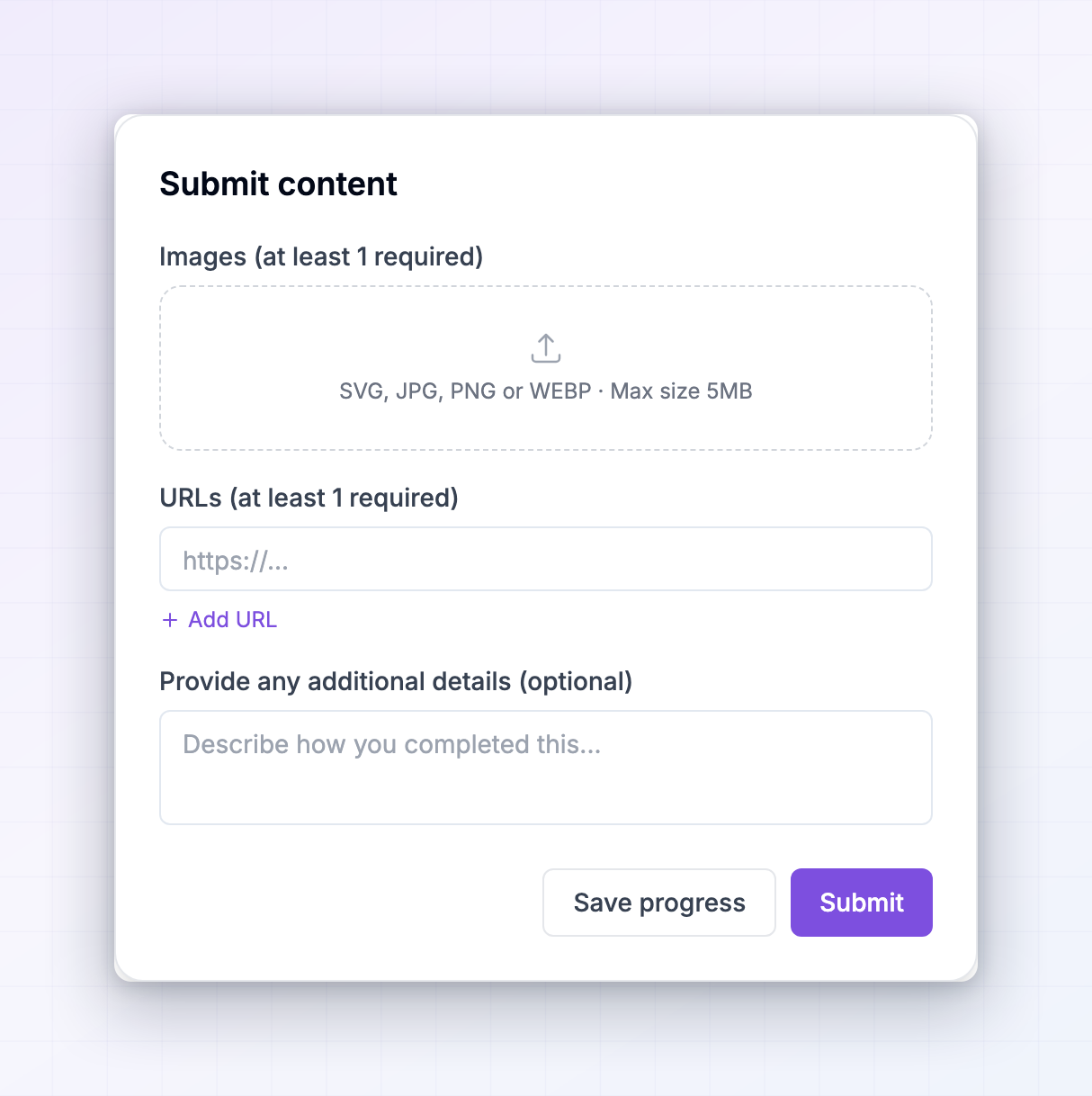 Save progress keeps what you’ve entered as a draft so you can come back and finish it. A draft doesn’t use up one of your submissions and isn’t seen by the brand until you select Submit.
Track what happens next
After you submit, your entry appears under My submissions inside the campaign, with its current views or likes, what it’s earned, and where it’s up to.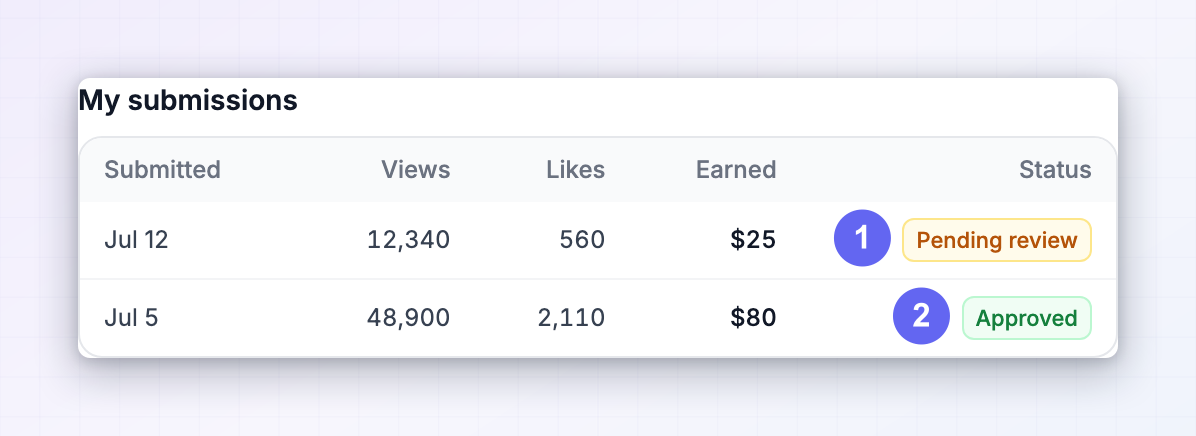
Select any submission to open its full detail, including a preview of the post, whatever proof you attached, and the amount earned.
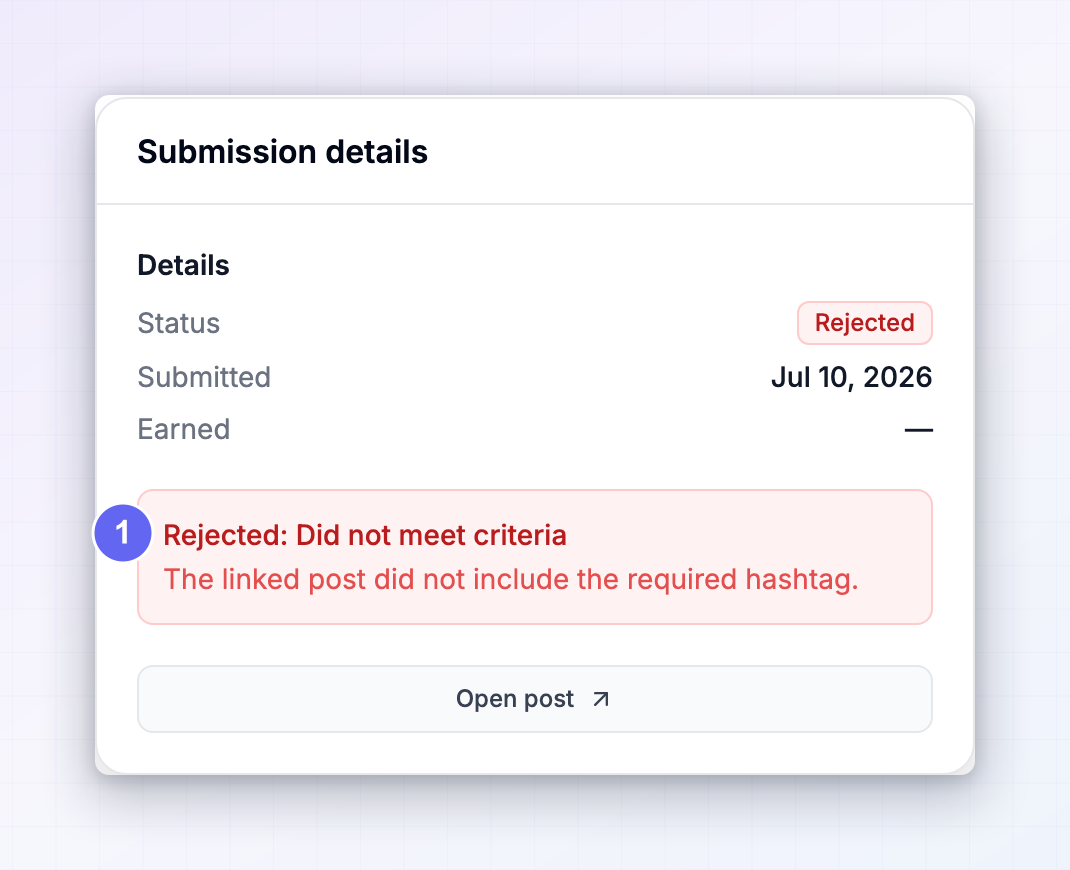 If a submission was turned down, the reason shows here — Invalid proof, Duplicate submission, Out of time window, Did not meet criteria or Other — along with any note the reviewer left. Read the note before trying again, because it usually says exactly what to change.
How your reward is worked out
There are three shapes a reward can take, and the campaign tells you which one applies at the top of the page.- A set amount on approval. You get the same figure whatever the post does, as soon as the brand approves it.
- Something other than money. Some campaigns offer a product or a perk instead, described in the reward line.
- An amount that grows with your numbers. You earn a base reward once the post passes a threshold, such as 10,000 views. If the brand added a bonus on top, you earn an extra amount for every so many views beyond that, sometimes up to a ceiling.
If you can’t submit right now
When the Submit button is unavailable, the reason is written underneath it.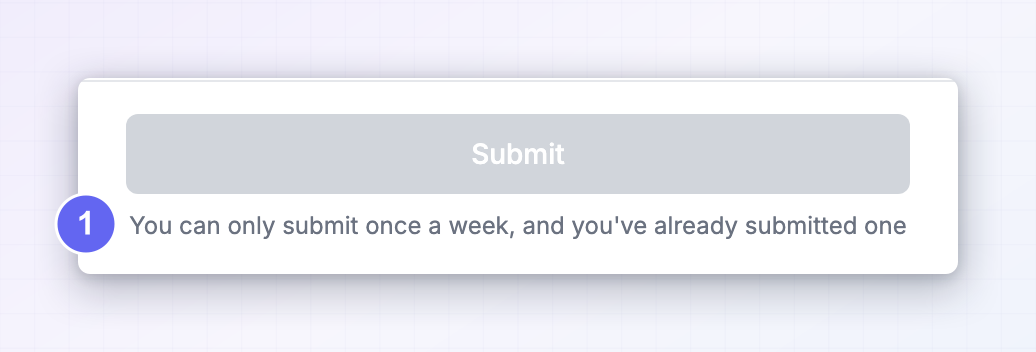
- This content reward hasn’t started yet — come back on the start date.
- This content reward has ended — the end date has passed.
- Submissions open x days before it ends — the brand only accepts entries near the finish.
- This content reward has used up its reward budget — the pot has run out.
- Limit reached — you’ve used all your submissions.
- You can only submit once a day (or week, or month) — you’re inside the cooldown after your last one.
Find campaigns across every program
The Influencer dashboard at influencers.referly.so has a Content Rewards section in the Marketplace that gathers campaigns from every brand on the network, not only the ones you’ve already joined.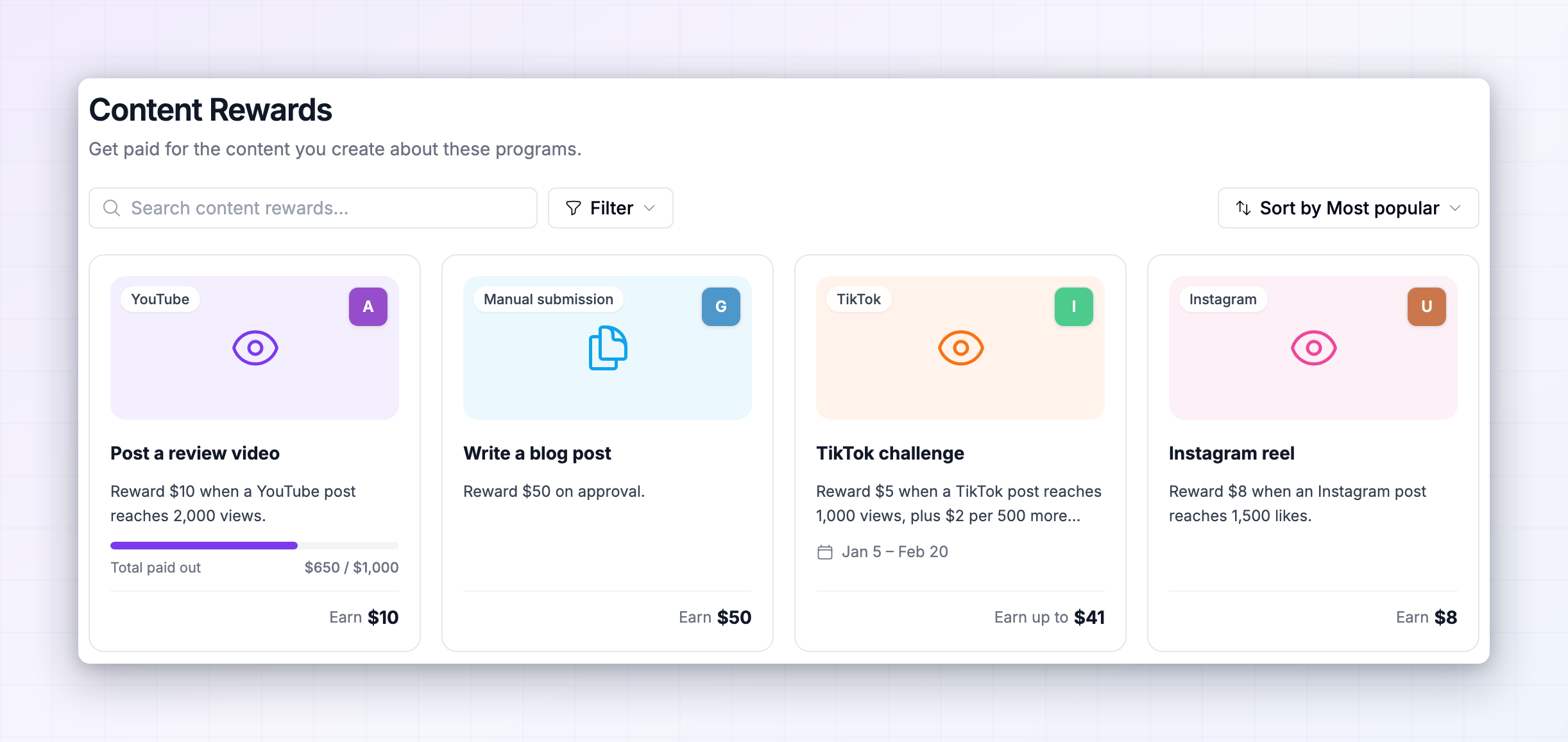 Search it, filter by platform, or sort by how much a program has paid out so far. Open any campaign to see the same reward details and rules as inside a portal.
If a campaign belongs to a program you’re not in yet, you’ll see a Join button. Joining signs you up to that program and drops you straight into the campaign, ready to submit.
This is the fastest way to find paid content work you’re eligible for. More on the dashboard in your programs.
Search it, filter by platform, or sort by how much a program has paid out so far. Open any campaign to see the same reward details and rules as inside a portal.
If a campaign belongs to a program you’re not in yet, you’ll see a Join button. Joining signs you up to that program and drops you straight into the campaign, ready to submit.
This is the fastest way to find paid content work you’re eligible for. More on the dashboard in your programs.
Related
Marketing assets
Get the approved creative and brand rules before you post.
Performance bonuses
Extra rewards for hitting sales targets.
Your programs
Browse and join more programs from one dashboard.
Getting paid
See how an approved reward turns into a payout.