

Find your link
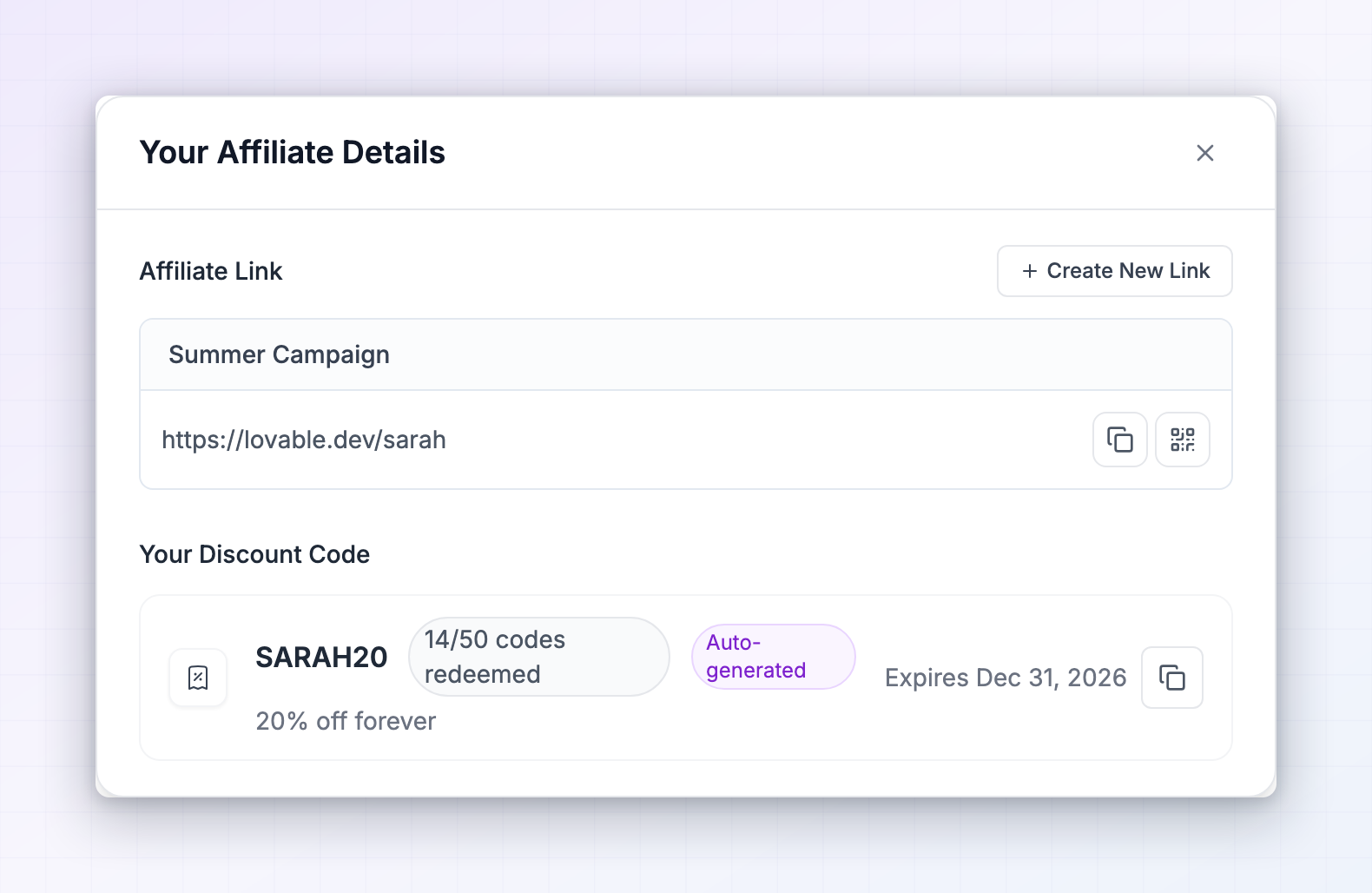
There are two places to grab a link, and they show the same thing. The fastest is the Promote button in the top right of the affiliate portal. Select it and the Your Affiliate Details window opens with your link ready to copy, along with your discount code if you have one.
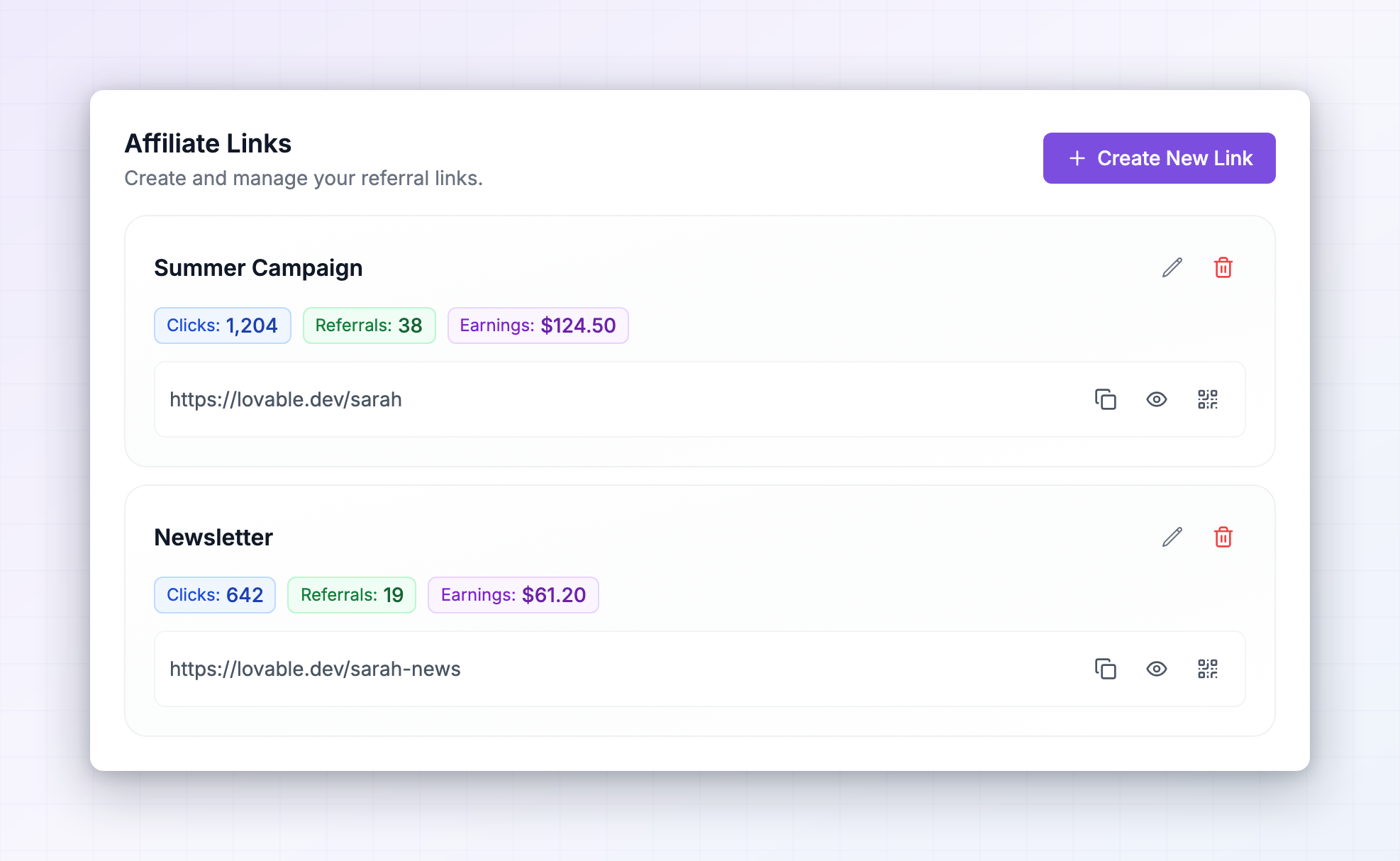
 The other place is Settings in the left sidebar, then the Personal Information tab, then Affiliate Links. This view is roomier and adds a performance summary for each link, so it’s the better one when you want to compare how your links are doing.
 On the dashboard you’ll also see a Links & Promo Codes shortcut under Quick Links, which opens the same window as the Promote button.
If you don’t see a links section at all, the program you joined tracks referrals by discount code instead of by link. In that case see your promo codes.
Understand what your link is made of
Each link has a short name, shown in bold at the top of the card, likesarah or spring-promo. That name is what identifies you.
Underneath it are one or more full web addresses. Each one is a page the program wants you to send people to, with your name attached at the end. It usually looks like this:
- The tag can be named something other than
ref. Programs choose their own, so yours might readvia=sarah,partner=sarahoraff=sarah. Whatever it says, keep it exactly as it is. - There may be extra tags you didn’t add. Some programs attach their own so they can tell where a visitor came from. Leave those in place too.
- You may see several addresses under one link. That means the program has set up more than one landing page for you to promote, such as a home page and a pricing page. Each has its own copy button, so pick whichever suits the post you’re writing.
Copy, shorten or turn a link into a QR code
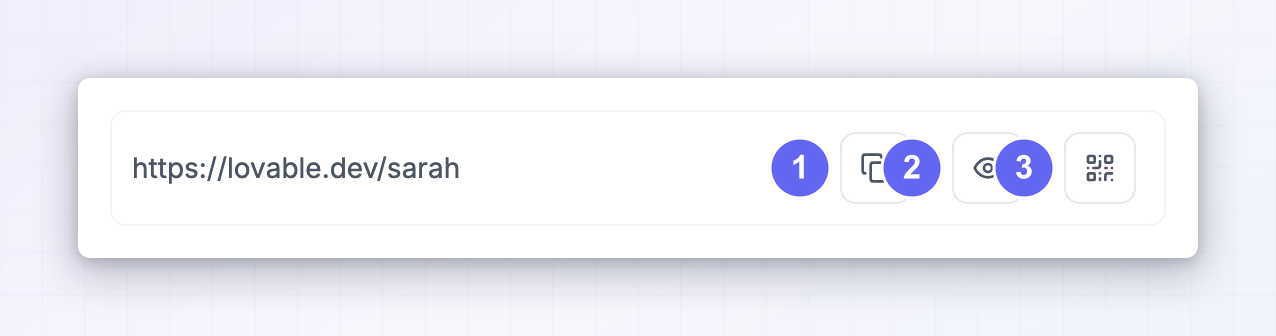
The icons on the right of each address do three things.Copy the link
The first icon copies the address to your clipboard. You’ll see a Link copied! confirmation. Always copy rather than retyping, because a single missing character means the visit won’t be credited to you.Switch between the short and long version
If the program has short links turned on, an eye icon appears between the copy and QR buttons. Select it to swap the row between the short version and the full one, and select it again to swap back. Short links are tidier for bios, captions and printed material, and they track exactly the same way. Use the full version when you want to add your own tracking tags, which is covered further down.Generate a QR code
The QR icon turns whichever address is currently showing into a QR code. Use it for slides, packaging inserts, event stands or anything printed. Select Print QR Code in the window that opens to send it straight to a printer at full size.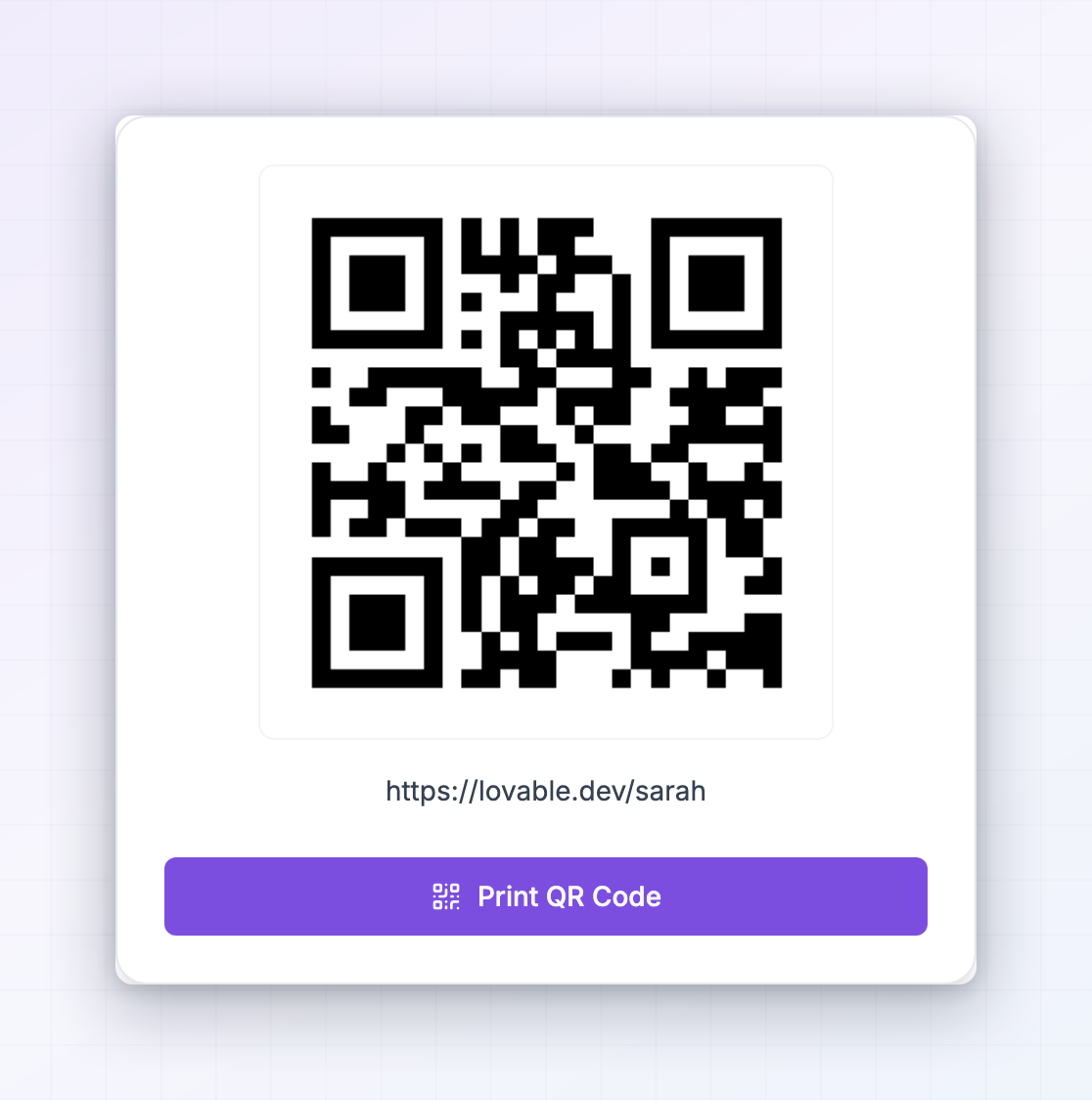
See how each link is performing
On the Affiliate Links page, every link carries three badges: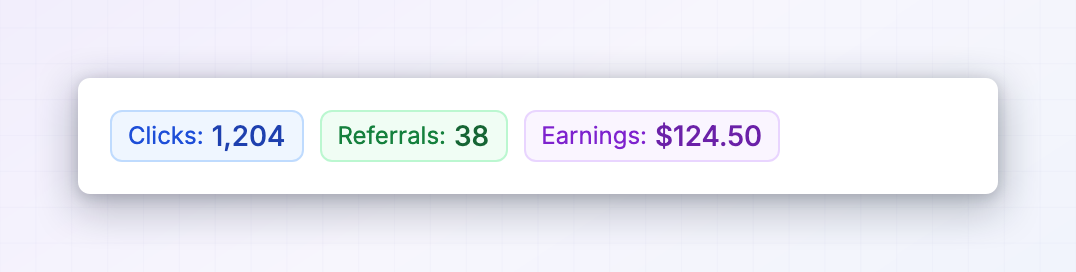 This is the reason to keep more than one link. Give each channel its own, and the numbers tell you where your audience actually converts. For the full picture across every link, open Referrals and Rewards in the left sidebar.
Create your own links
Some programs let you make and name your own links. If yours does, a Create Link button sits at the top right of the Affiliate Links page. If you can’t see it, the program manages links for you, and you can ask them to add one.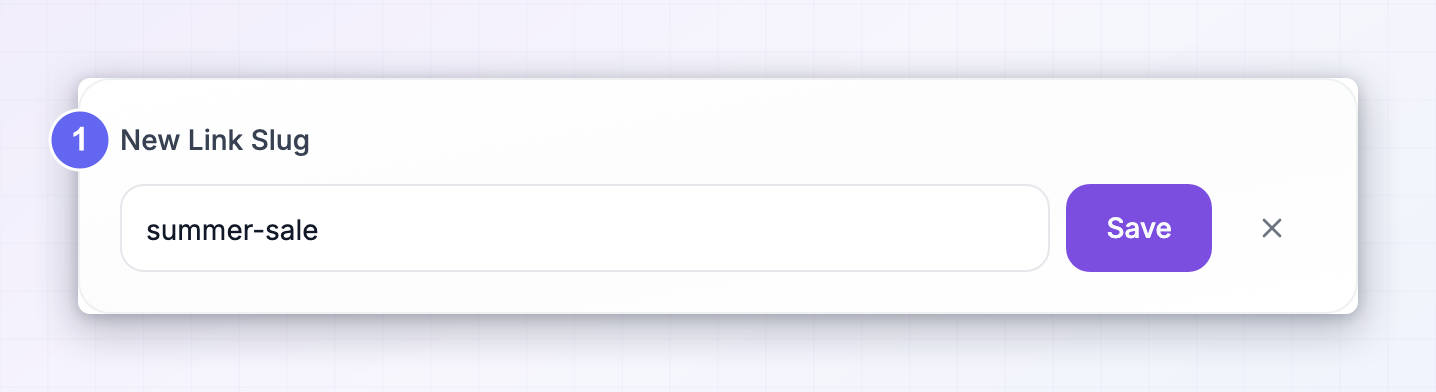
1
Select Create Link
A New Link Slug field opens underneath.
2
Type a name
Use letters, numbers and hyphens only, like
youtube or spring-sale. Anything else is stripped out as you type. Pick something you’ll recognise in a few months, because this is the name that shows next to your stats.3
Select Save
Your new link appears in the list straight away, with an address for every landing page the program offers.
Send people to a specific page
You aren’t limited to the landing pages listed in your portal. As long as the tag stays on the end, you can point the link at any page on the program’s website. Take the tag from a link you already have and add it to the page you want:Build deep links from the full version of your link, not the short one. Short links already point at a fixed page.
Add your own tracking tags
If you want to know which post or channel a visit came from, add standard campaign tags to the end of your link:How a click gets credited to you
When someone opens your link, the program’s website quietly stores your name in that person’s browser. From then on it doesn’t matter which pages they browse or whether they leave and come back later. If they buy within the program’s tracking window, the sale is credited to you. That window is set by each program and is commonly 60 days. Where a program lists itself in the marketplace, you’ll see its exact window on the listing. A few things that stop tracking working:- The tag was removed. Some social platforms and link shorteners strip everything after the question mark. Post the link, then open it yourself and check the tag survived.
- They opened it in private browsing, or cleared their browser data. Nothing is stored, so there’s nothing to credit.
- Someone else’s link came after yours. Most programs credit the most recent link a person used.
- They were already a customer. Existing customers usually can’t be referred again.
Promoting several programs at once
If you promote more than one brand, the Influencer dashboard at influencers.referly.so puts them all in one place, so you don’t have to sign in to each portal separately. My Programs lists every program you’ve joined with your earnings for each. Each card has two buttons: Promote opens that program’s link and discount code right there, and Go to program takes you into its full portal.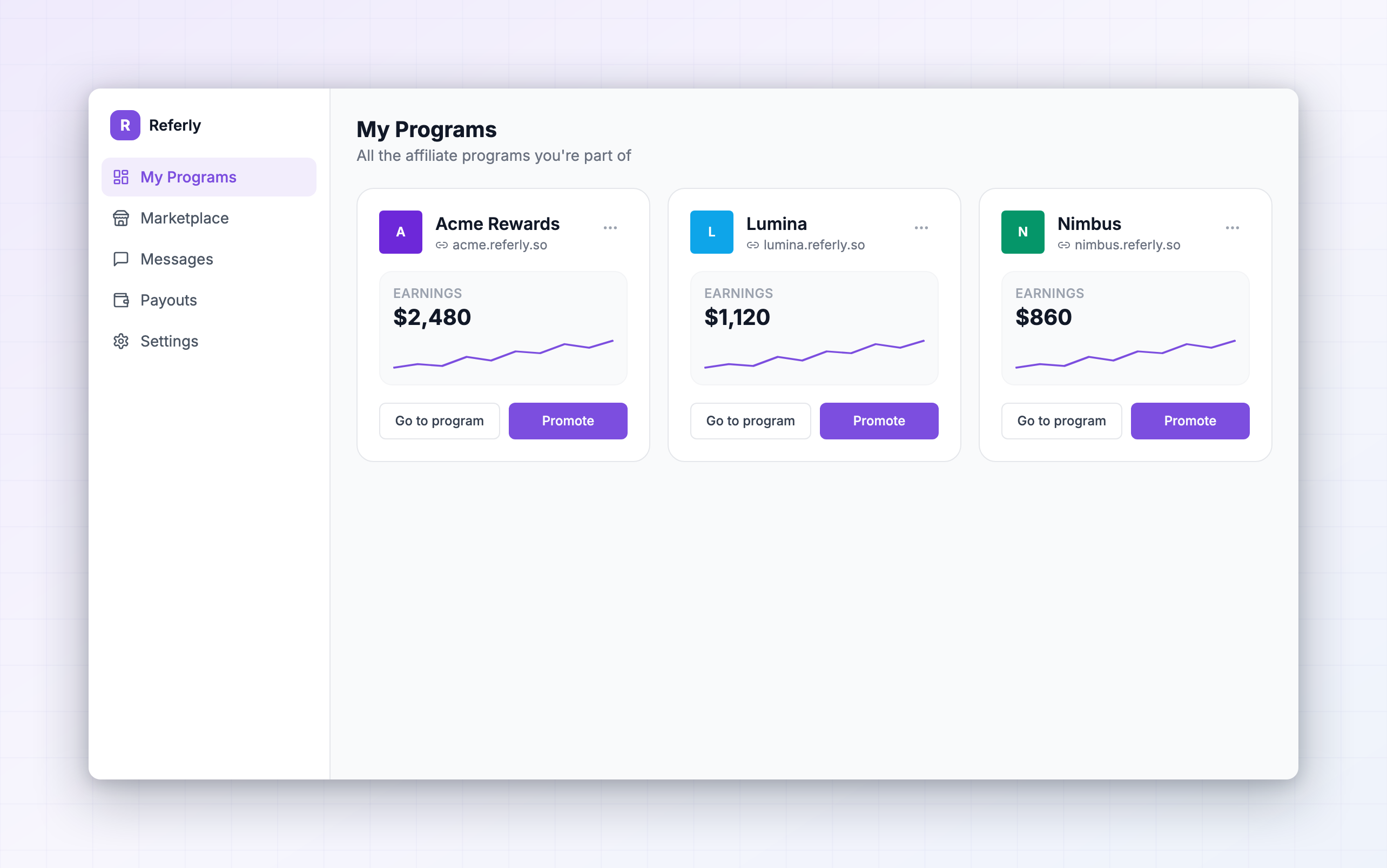
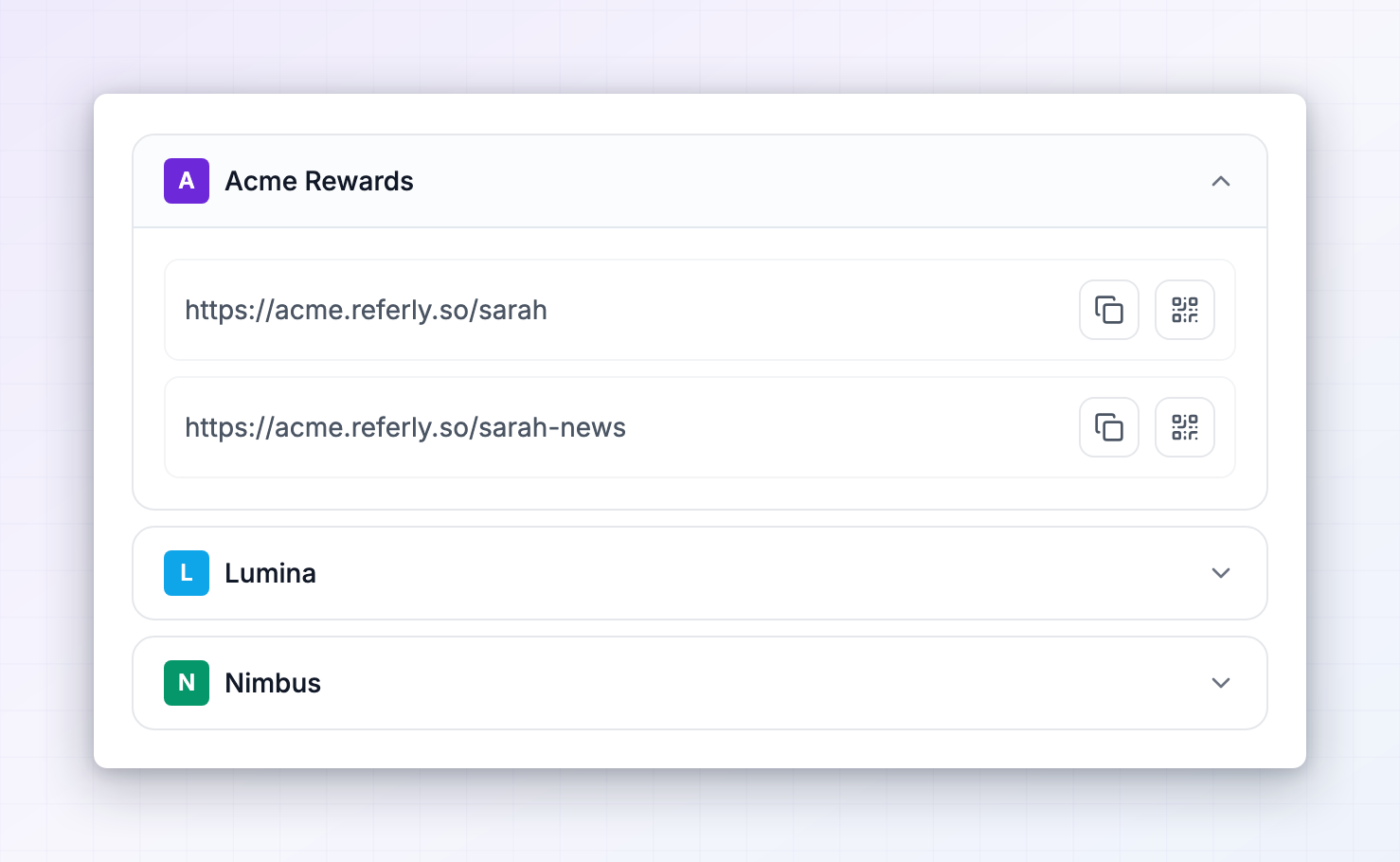 To see all your links side by side, open Settings, then Personal Information, then Affiliate Links. Every program you have links in gets its own section. Expand one and you get the same list, copy buttons, short link toggle and QR codes as in that program’s own portal, with earnings shown in that program’s currency.
More on the dashboard in your programs.
To see all your links side by side, open Settings, then Personal Information, then Affiliate Links. Every program you have links in gets its own section. Expand one and you get the same list, copy buttons, short link toggle and QR codes as in that program’s own portal, with earnings shown in that program’s currency.
More on the dashboard in your programs.
Related
Your promo codes
Share a discount code alongside your link.
Marketing assets
Grab approved images, videos and copy to post with your link.
Your programs
Manage every program you promote from one dashboard.
The affiliate portal
A tour of everything you can do as an affiliate.