

Set your non-cash rewards email
Open Settings in the left sidebar, choose the Payouts tab, then Non-Cash Payouts. There’s one setting here: Non-Cash Rewards Email. Enter the address where you’d like coupon codes and credits to reach you in the Email Address field, then select Save Changes. It starts out as the email on your account, so you only need to change it if you’d rather use a different one.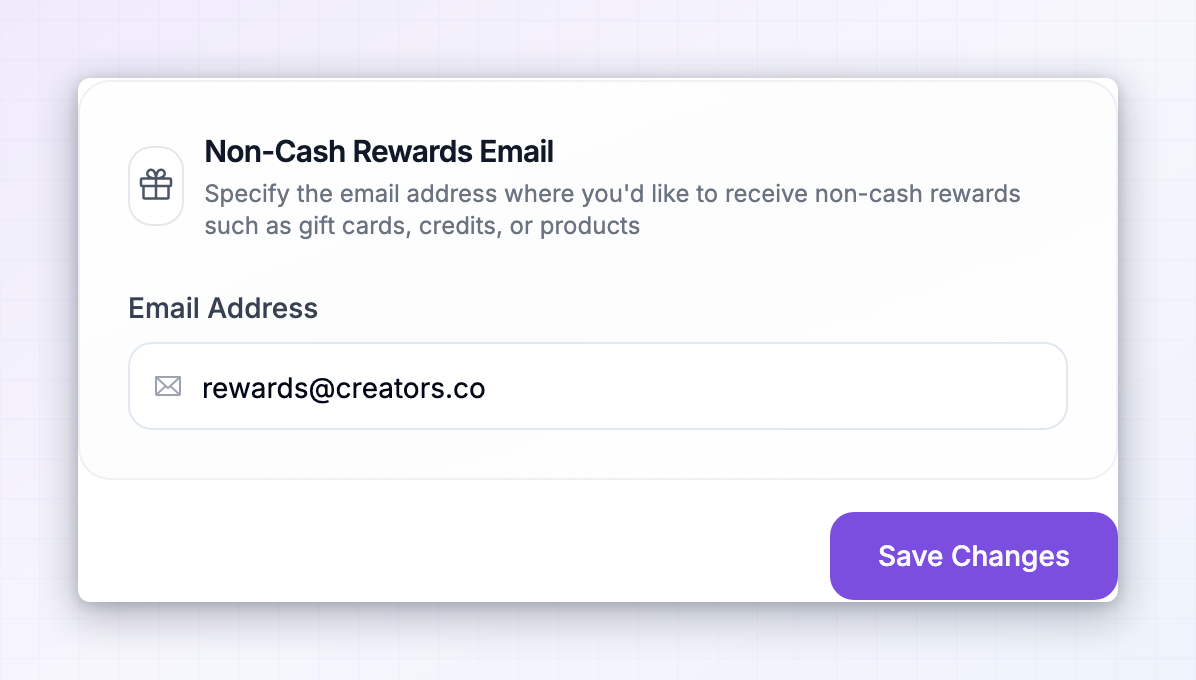 You don’t need to add bank details, a Wise account, or a PayPal address to receive non-cash rewards. Those are only for cash.
Coupon rewards
When you earn a coupon, the program’s store creates a real discount code for you and it becomes available in your portal. What the code is worth, and how long it lasts, is set by the program.Find and copy a code
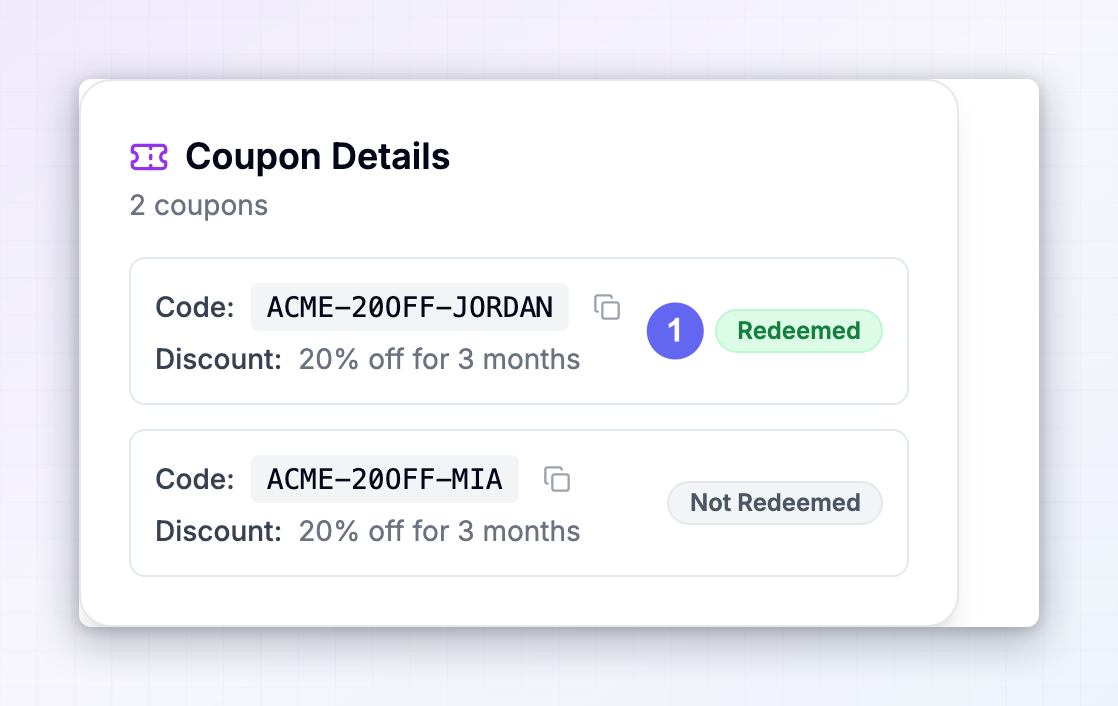
Open Payouts in the left sidebar and look in your payout history for a row with a purple coupon chip in the Reward column. Select that row to open Coupon Details. For each coupon you’ll see:- Code — the code itself, with a copy button next to it.
- Discount — what it takes off, for example 20% off or $10 off.
- A badge showing Redeemed or Not Redeemed, so you can tell at a glance which codes you’ve already used.
See the terms of a coupon
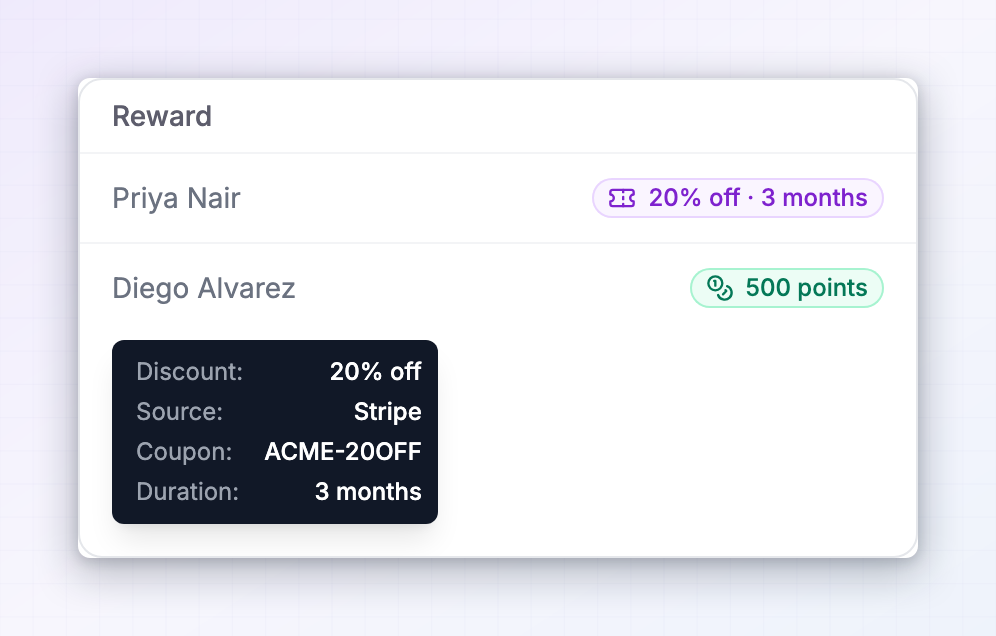
Open Rewards in the left sidebar to see the individual sale each coupon came from. In the Reward column, a coupon shows as a purple chip summarising the discount and how long it lasts, such as20% off · 3 months or $10 off · One-time use.
Hover the chip for the full picture: the Discount, the Source it was created in, the Coupon name, and its Duration.
Credit rewards
Credits are an amount added to your account with the program. Every program names its own unit, so you might see points, coins, store credit, or something specific to that company. On the Rewards page, credits show as a green chip with the amount and unit, for example500 points. Hovering it shows the amount again and the Source the credit comes from. Where that credit actually lands depends on the program: it may be store credit on your customer account with them, a balance on their payment system, a single-use code sent to your non-cash rewards email, or something on their own platform they top up by hand.
If you can’t find credit you’ve been awarded, check that your non-cash rewards email matches the account you use as their customer, then message the program through Messages in the left sidebar.
When your rewards reach you
Non-cash rewards travel the same route as cash, with two useful differences. Like cash, they still have to be approved by the program, and they’re still gathered up on the program’s payout schedule rather than the instant you earn them. A reward sitting at On Hold on your Rewards page hasn’t been approved yet. See How you get paid for the full journey. Unlike cash, they aren’t held back by a minimum payout amount. A program can set a threshold you have to reach before money is sent, but that threshold applies only to cash, so a single coupon or a small amount of credit reaches you on schedule regardless. On the Payouts page, your coupons and credits are counted separately from money. Small chips under Total Earned, Total Paid, Next Payout, and Last Payout show how many coupons and how much credit each figure includes, so the cash number stays readable.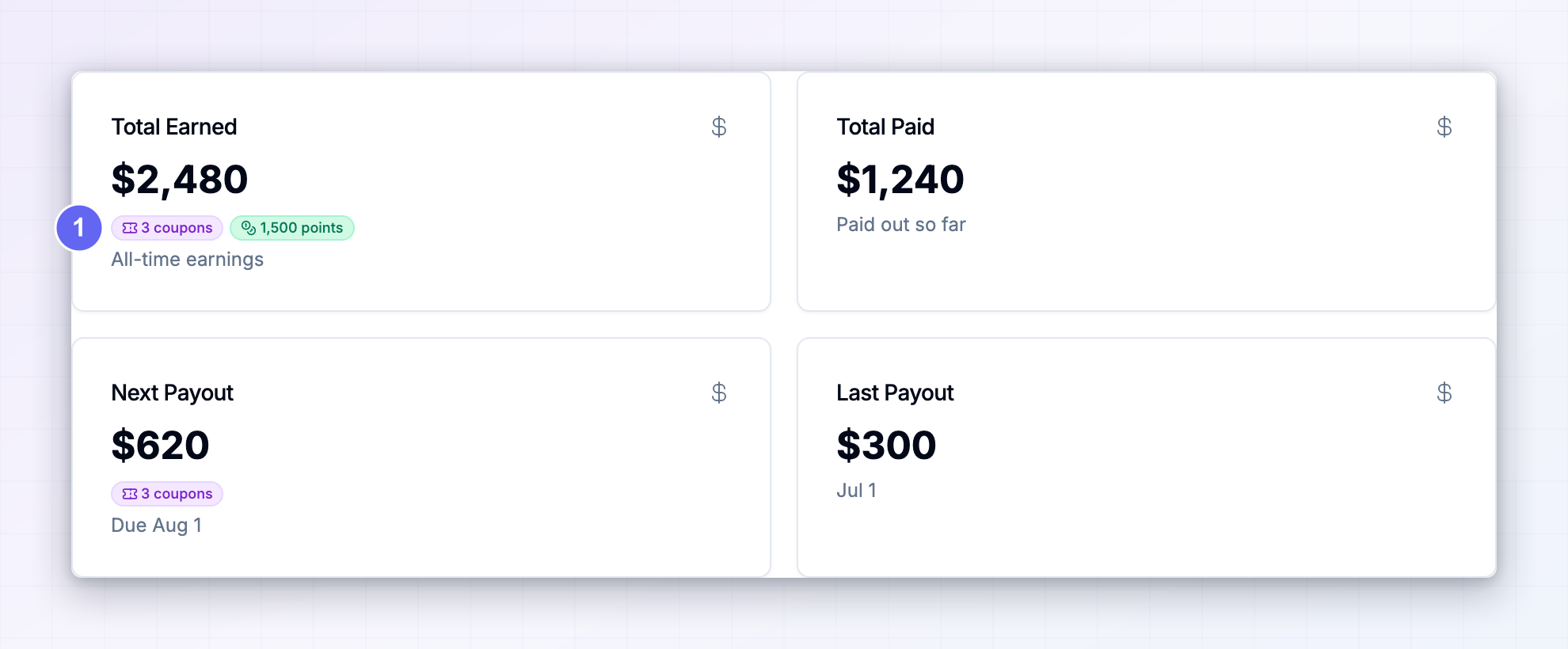
If you’re in more than one program
Sign in to the Influencer dashboard atinfluencers.referly.so with the same email you use for your programs, and open Payouts. The summary cards add up across every program you’ve joined, coupons and credits included, and a Program column shows which program each reward came from.
Opening a coupon row there works exactly as it does in a single program’s portal, so you can copy any code without switching accounts. See My programs for more.
Related
How you get paid
Follow a reward from referral to payout and see what each status means.
Cash payouts
Set up how you receive money when a program pays in cash.
Invoice details
Add the details that appear on the invoices for your payouts.
Promo codes
The codes you share with your audience, which are a different thing from coupons you earn.