

Open the integration picker
In the left sidebar, select Settings, open Affiliate Portal, then Email Settings. Select Connect Email Integration to open the Choose Email Integration window, then pick your provider.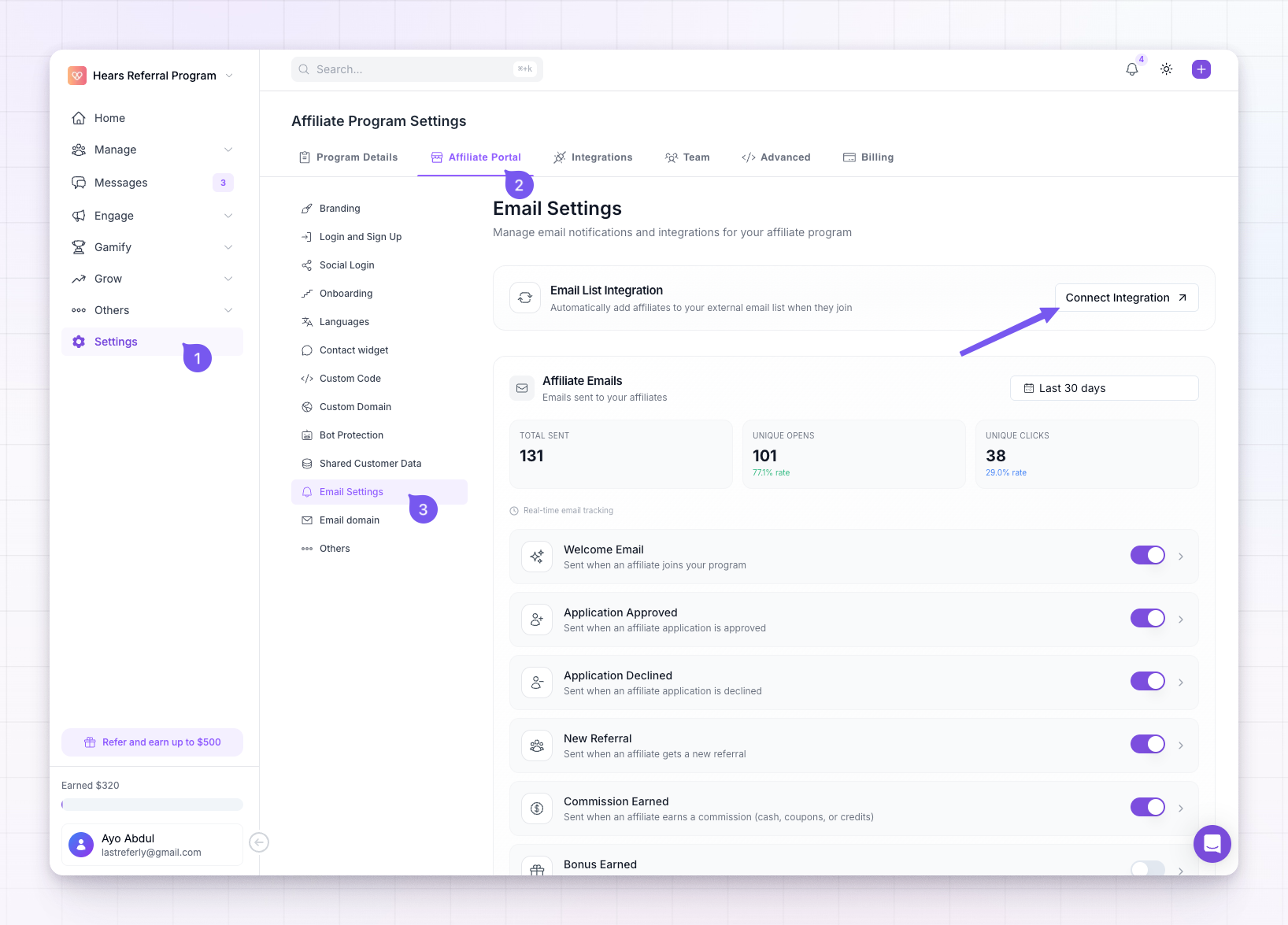
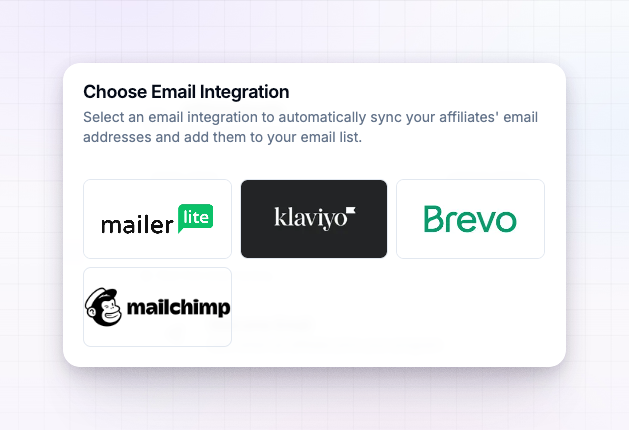
Connect your tool
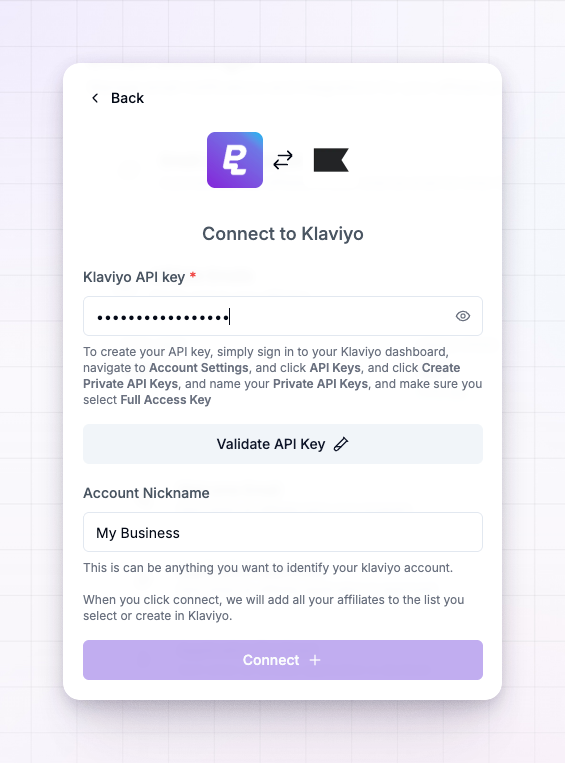
Each provider connects the same way — with an API key, which is a secret code that lets Referly add contacts to your account on your behalf.1
Get your API key
Sign in to your email tool and find its API key. The exact spot differs by provider:
- Klaviyo — Account settings, then API keys, then create a private API key.
- Mailchimp — Account, then Extras, then API keys.
- MailerLite — Integrations, then API.
- Brevo — the SMTP & API settings area.
2
Paste and validate it
Back in Referly, paste the key into the API key field and validate it. Referly checks the key and loads the lists in your account.
3
Choose or create a list
Pick an existing list, audience, or group to add your affiliates to — or type a name to have Referly create a new one for you. Some providers also ask for an account name so you can recognise the connection, and Brevo asks which folder the list lives in.
4
Connect
Select Connect. Referly adds all of your current affiliates to the list you chose.
What gets synced
When you connect, Referly adds every affiliate you already have to the chosen list. From then on, each new affiliate is added automatically as they join your program, so your list stays up to date without any manual exports. Referly syncs your affiliates’ contact details — it does not sync your customers.Disconnect
To stop syncing, open the same window, select the connected provider, and choose to disconnect. Your affiliates already in the list stay there; Referly just stops adding new ones.Provider guides
For step-by-step help with a specific tool, see its guide:Klaviyo
Connect Klaviyo and sync affiliates to a list.
Mailchimp
Connect Mailchimp and sync affiliates to an audience.
MailerLite
Connect MailerLite and sync affiliates to a group.
Brevo
Connect Brevo and sync affiliates to a list.
Related
Email settings overview
See how all of Referly’s email settings fit together.
Emails your affiliates receive
The transactional emails Referly sends on its own.