

Change the plan for one customer
1
Open the customer's actions
In your Customers list, find the customer and open their actions menu on the right of their row. Choose Change Commission Plan.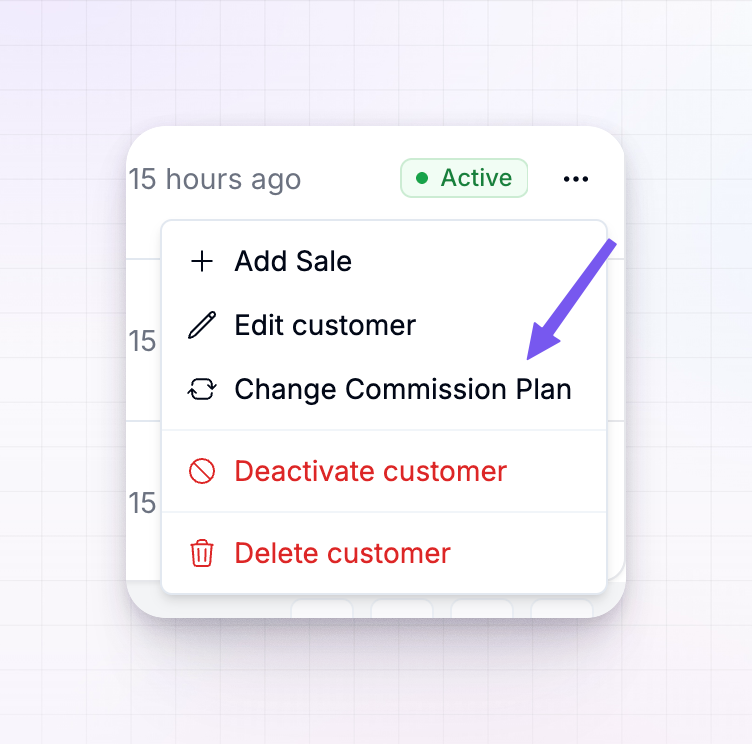
2
Pick a plan
In the Commission Plan box, search for and select the plan you want this customer on. You can choose any plan you’ve set up, or pick your program’s default plan to put the customer back on the standard terms.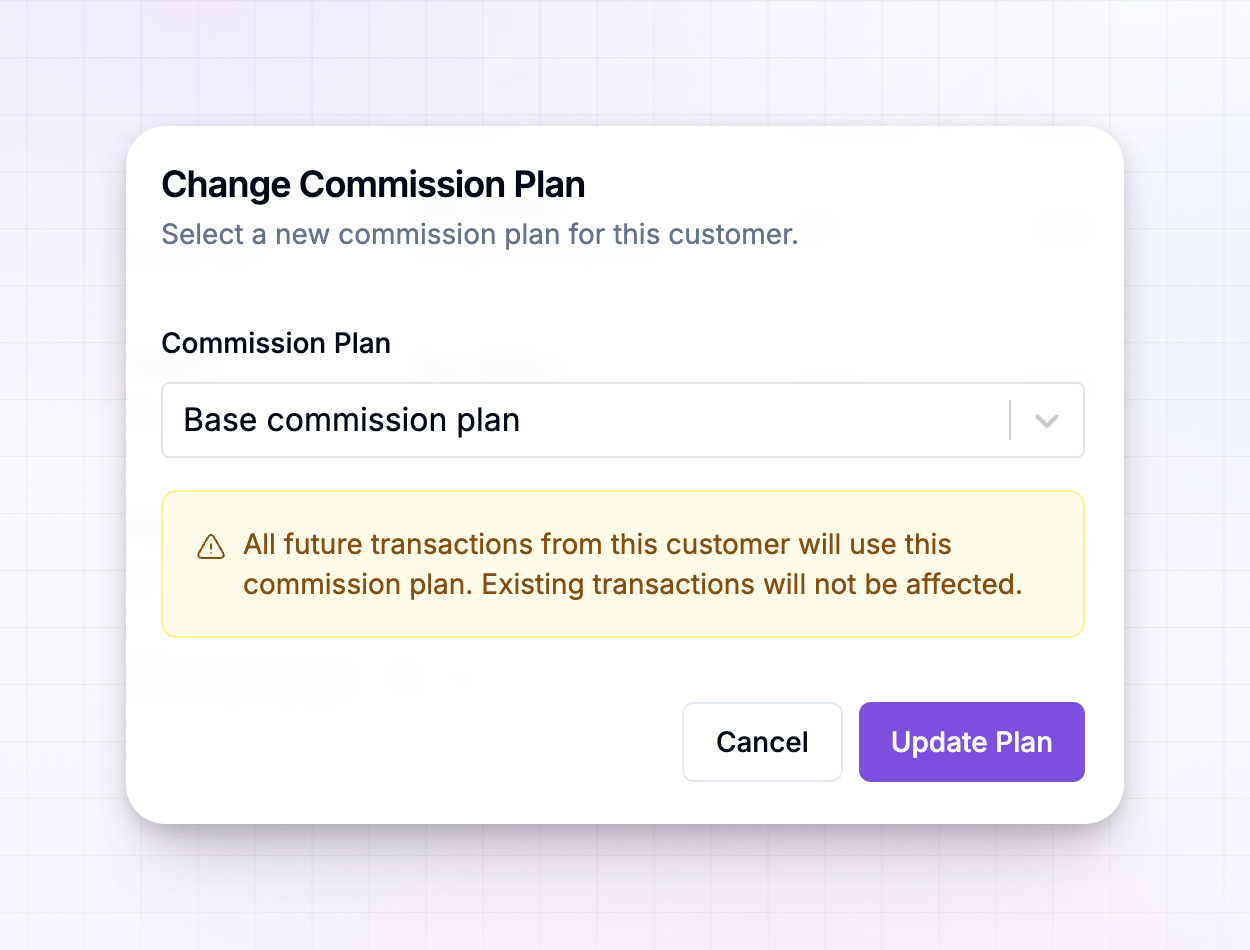
3
Save the change
Select Update Plan. The customer moves to the plan straight away.
What the change affects
Changing a plan only looks forward:- Future sales from this customer are worked out using the new plan.
- Sales already recorded keep the commission they were given — past transactions are never recalculated.
Change several customers at once
If a group of customers should all move to the same plan, select them with the checkboxes on their rows and use the bulk Change Commission Plan action. Every selected customer moves to the plan you choose, with the same forward-only rule — future sales use the new plan, past ones stay as they are.Related
Add a sale
Record a sale — change the plan first if it should apply.
Customers overview
A tour of the Customers screen and everything it shows.
Commission plans overview
Learn how commission plans decide what your affiliates earn.
Customer statuses
See how Active, Submitted, and Rejected affect commission.