

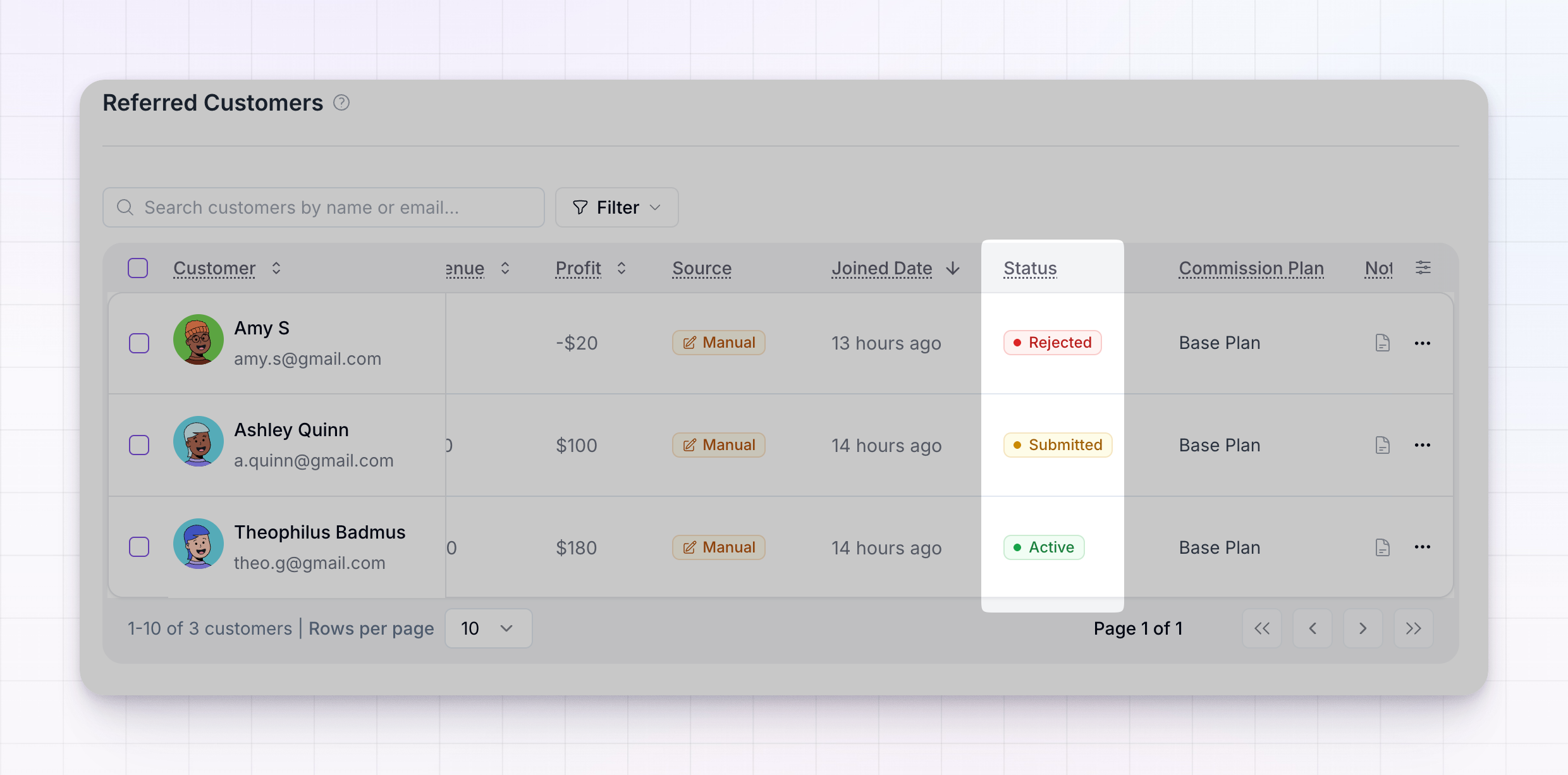
 There are three statuses.
Active
An Active customer (green) is accepted and counting. Their referring affiliate earns commission on the sales recorded against them, and the customer shows up in your totals and reports. Most customers are Active from the moment they’re created. When someone is tracked automatically — through an integration like Stripe or Shopify, or your site’s tracking snippet — the referral comes in Active straight away, because you’ve already decided to trust that source.Submitted
A Submitted customer (yellow) is waiting for your review. Nothing is credited yet — the referral sits in a pending state until you accept or reject it. This usually happens when an affiliate submits a referral themselves from their portal. Rather than crediting it automatically, Referly holds it for you to check first, so an affiliate can’t claim a customer you don’t recognize. To clear it, hover the Submitted badge and choose Accept to make the customer Active, or Reject to turn it away.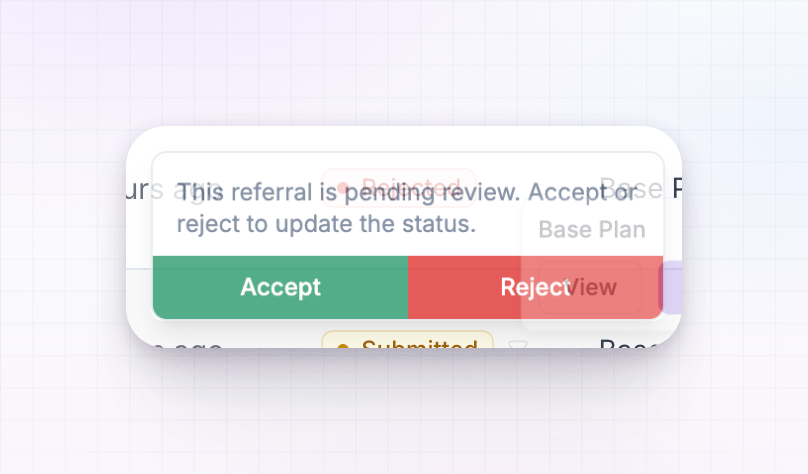
Rejected
A Rejected customer (red) is one you turned away. No commission is credited, and the customer is kept out of your active totals. You might reject a referral that looks like a duplicate, a test, or one an affiliate shouldn’t be credited for. Rejecting isn’t permanent. If you change your mind, hover the Rejected badge and choose Accept to move the customer back to Active.Change a customer’s status
You can change a status from the Status badge on any row — hover it and pick the option you want. A Submitted customer offers Accept and Reject; a Rejected customer offers Accept to reactivate it. To handle several at once, select customers using the checkboxes on their rows. The bulk action bar lets you Accept, Reject, or Reactivate every selected customer together — handy when a batch of submissions comes in and you want to clear them in one pass.
Related
Customers overview
A tour of the Customers screen and everything it shows.
Add a sale
Record a purchase against an active customer.
Notes
Keep a private note on a customer — useful when reviewing submissions.
Import customers
Bring referrals in from a CSV or another platform.