

Where to find your customers
From your campaign dashboard, open Referrals in the left sidebar. This is your customers list: one row per referred customer, newest first.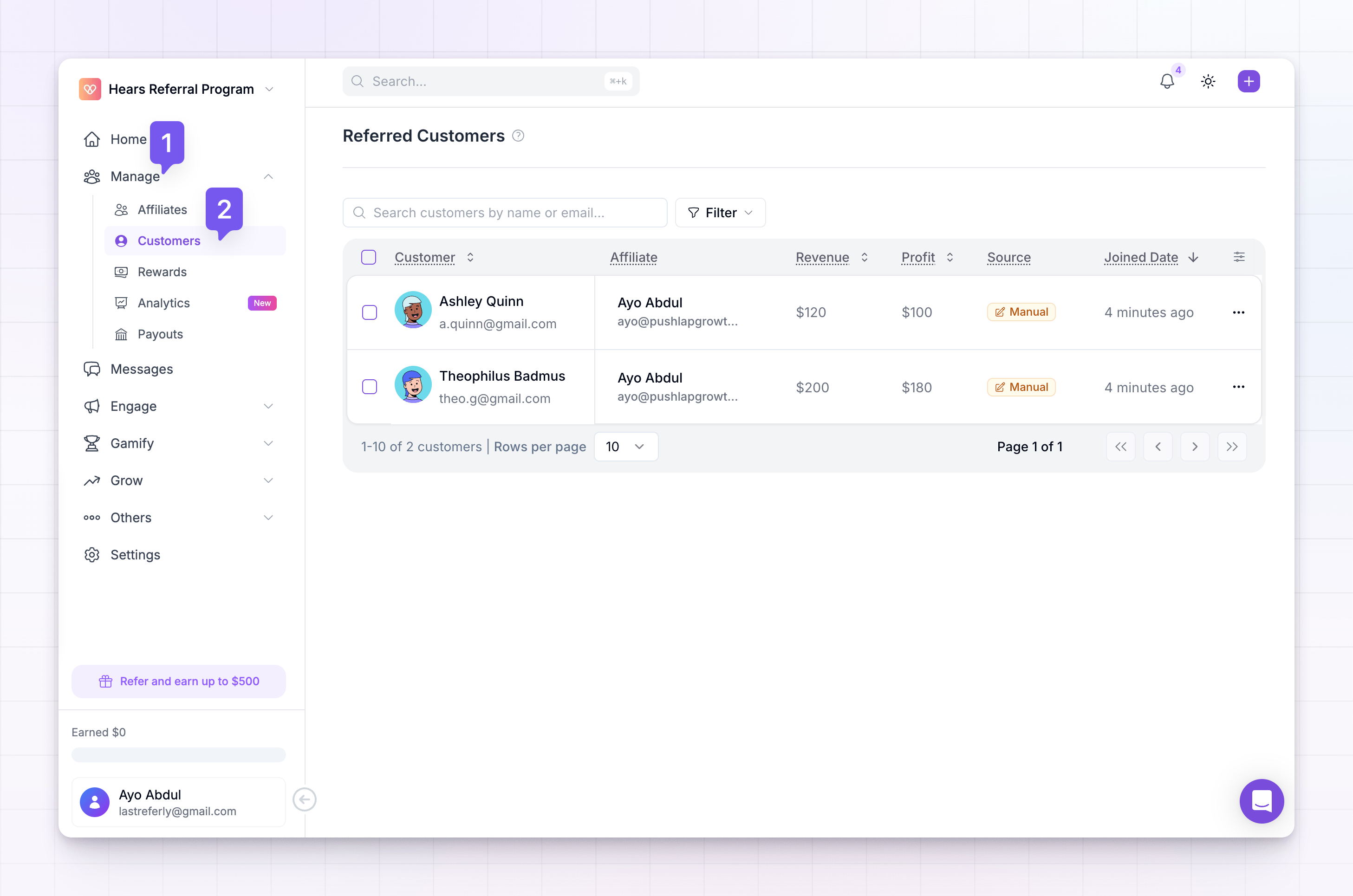 Across the top you’ll find a search box and filters for narrowing the list, a way to choose which columns show, and the controls for adding a customer or importing in bulk.
What the table shows
Each row is one customer, and the columns tell you the story of that referral at a glance:
You don’t have to show every column. Use the columns control in the toolbar to turn any of them on or off, and drag them into the order you prefer — your choice is remembered the next time you open the page.
How customers get added
Most customers arrive on their own. When someone follows an affiliate’s link and signs up or buys, Referly records the referral automatically. The Source column shows exactly how each one came in:- Integration — created automatically through a connected tool like Stripe, Shopify, or Zapier when a customer subscribes or pays.
- JavaScript — captured by the tracking snippet on your own site.
- Affiliate — submitted by an affiliate themselves from their portal.
- Manual — added by hand from this dashboard.
- Imported — brought in from a spreadsheet upload.
- API — created through Referly’s developer API.
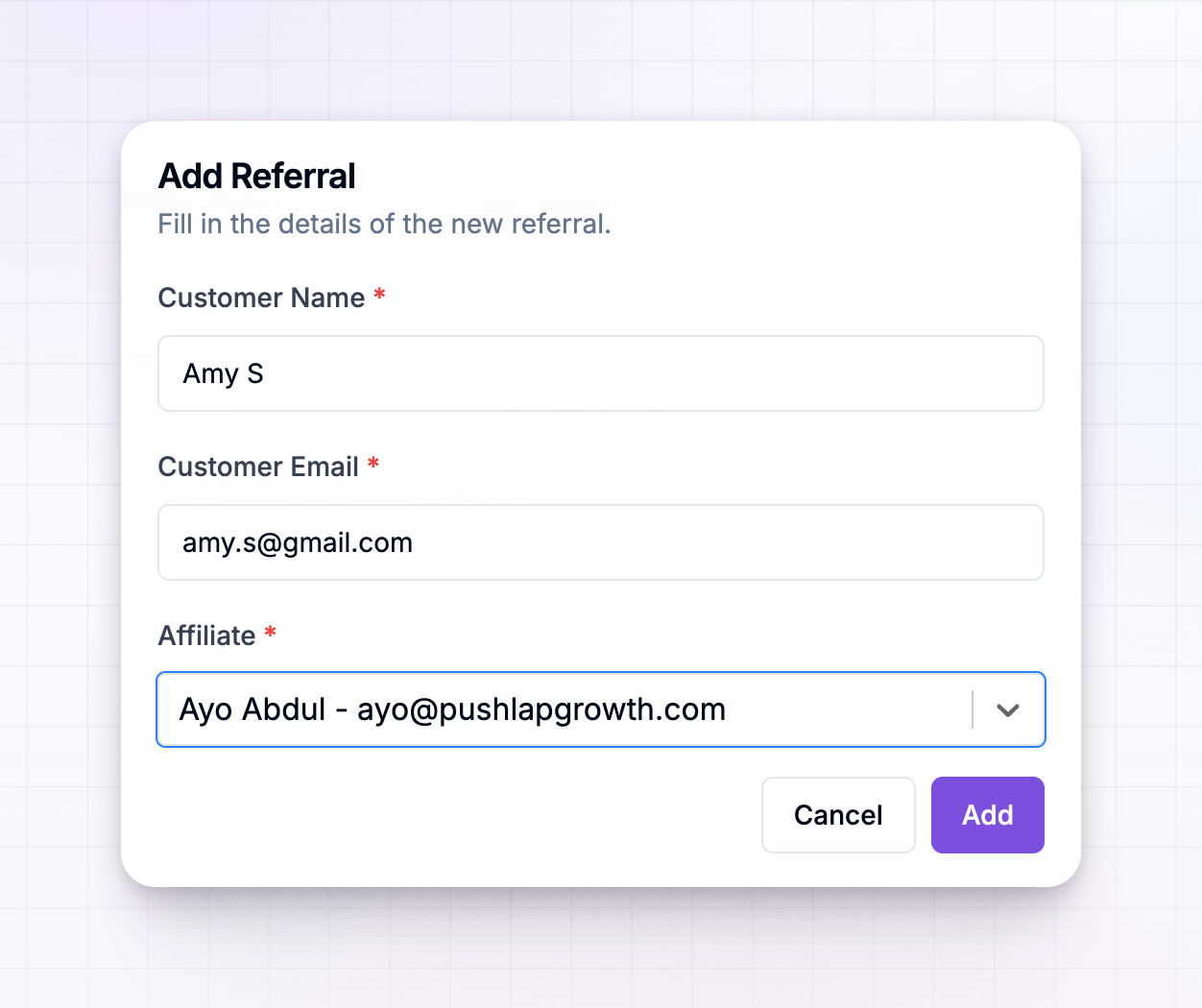
What you can do from here
Open a customer’s actions menu on their row to work with a single referral.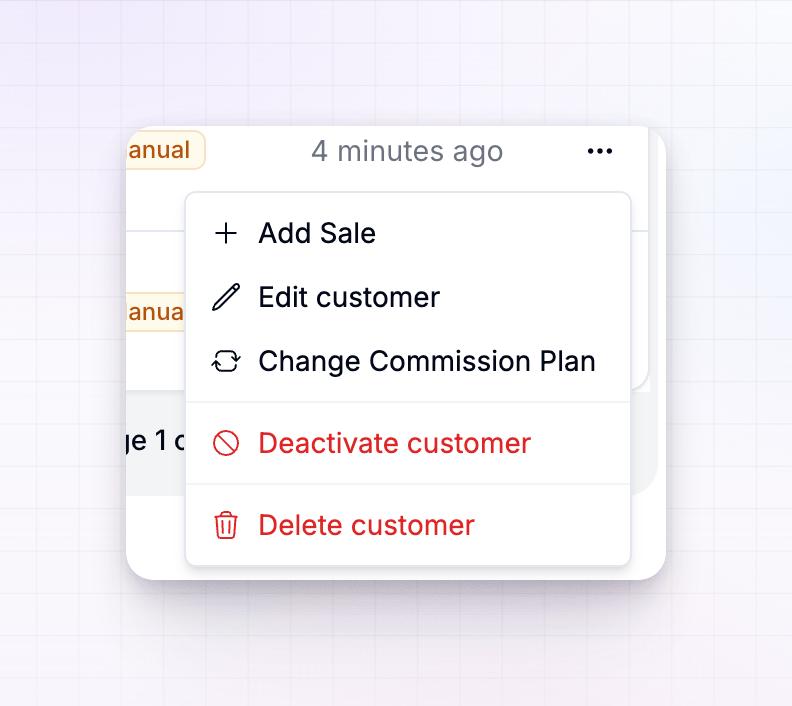 From here you can:
- Record a sale against the customer so the right commission is credited to their affiliate. See Add a sale.
- Change the commission plan for just that customer, without touching anyone else. See Change a customer’s commission plan.
- Leave a note to keep context that only your team sees. See Notes.
- Edit the customer to fix a name or email, or move them to a different status.
Related
Customer statuses
What Active, Submitted, and Rejected mean, and when each is used.
Add a sale
Record a purchase against a customer to credit their affiliate.
Change a customer's commission plan
Override the plan for a single referral.
Import customers
Bring referrals in from a CSV or another platform.