

Open the importer
From your affiliates list, select Import Affiliates. You can also open the importer from the plus (+) button in the top bar and choose Import Data, then Create New Import and pick Affiliates as the type.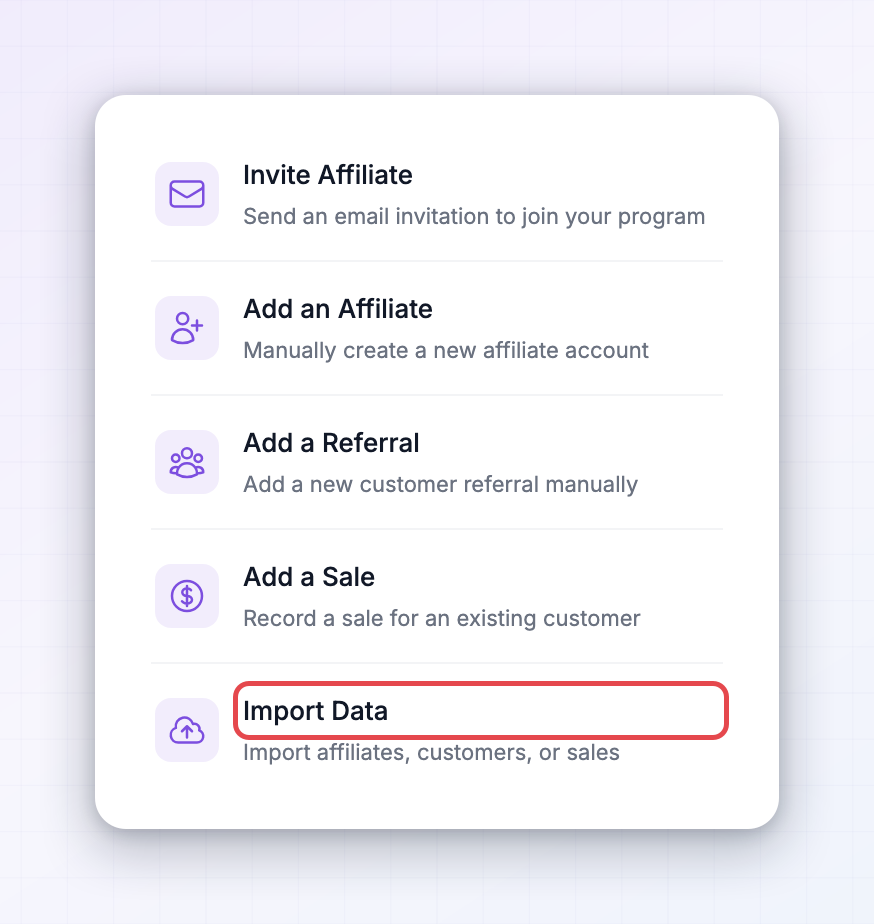 Next, choose where your affiliates are coming from: a CSV file, or another affiliate platform you connect and pull from.
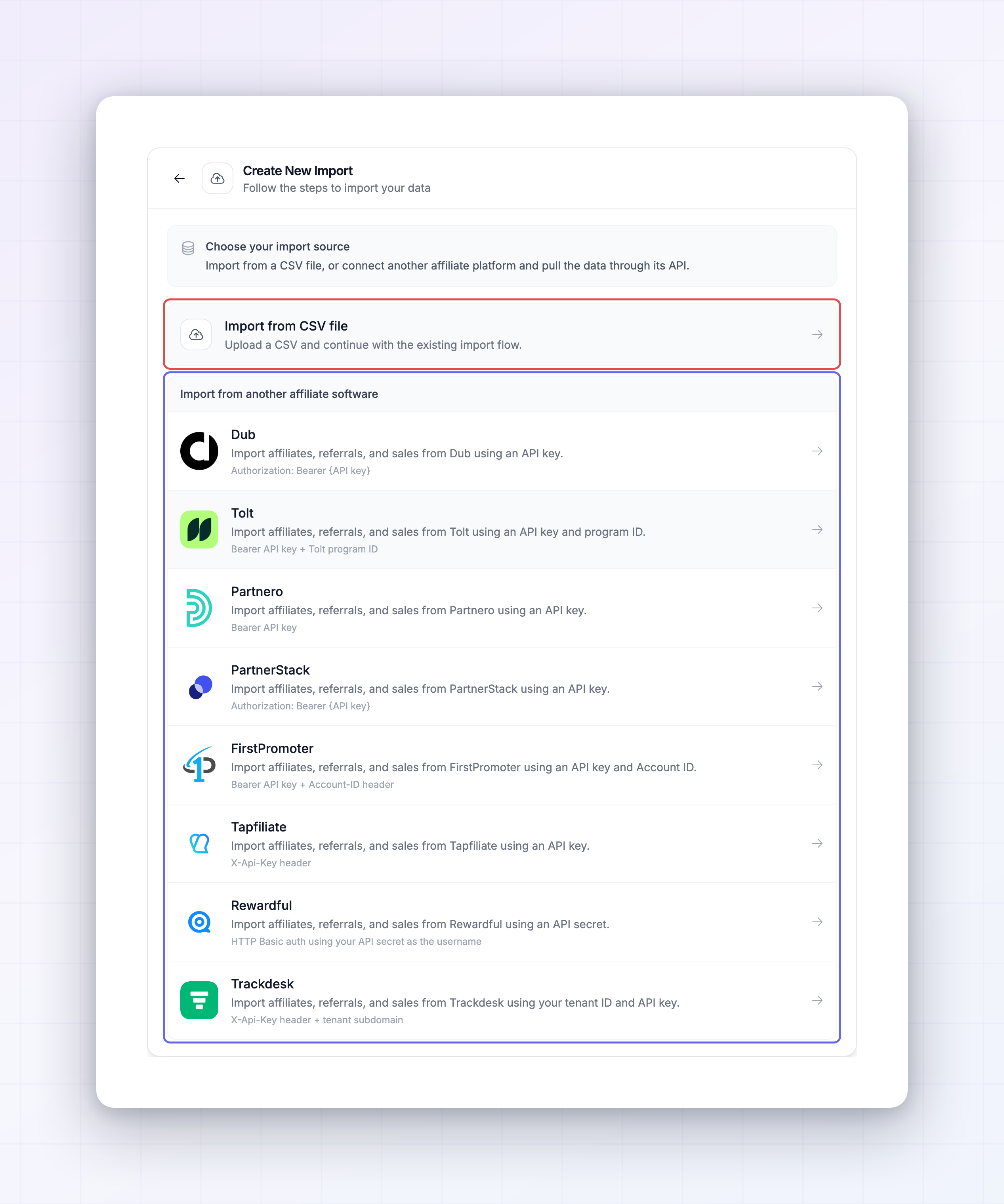
Import from another platform
If you’re switching from another affiliate tool, Referly can pull your affiliates in directly instead of you exporting a file. Connect the platform and Referly brings your affiliates across for you. There are step-by-step guides for each:Rewardful
Migrate from Rewardful.
FirstPromoter
Migrate from FirstPromoter.
Tolt
Migrate from Tolt.
PartnerStack
Migrate from PartnerStack.
Import affiliates from a CSV
If your affiliates are in a spreadsheet, a CSV import is the way to go.Prepare your file
Your CSV needs a column for each affiliate detail. Referly reads these fields:
Each affiliate needs at least a first name, last name, and email. The rest are optional but worth including if you have them.
Upload and map
Upload your CSV, then match each column in your file to the matching Referly field. Referly shows which fields are Required and which are Optional so you know what has to be matched before you can continue.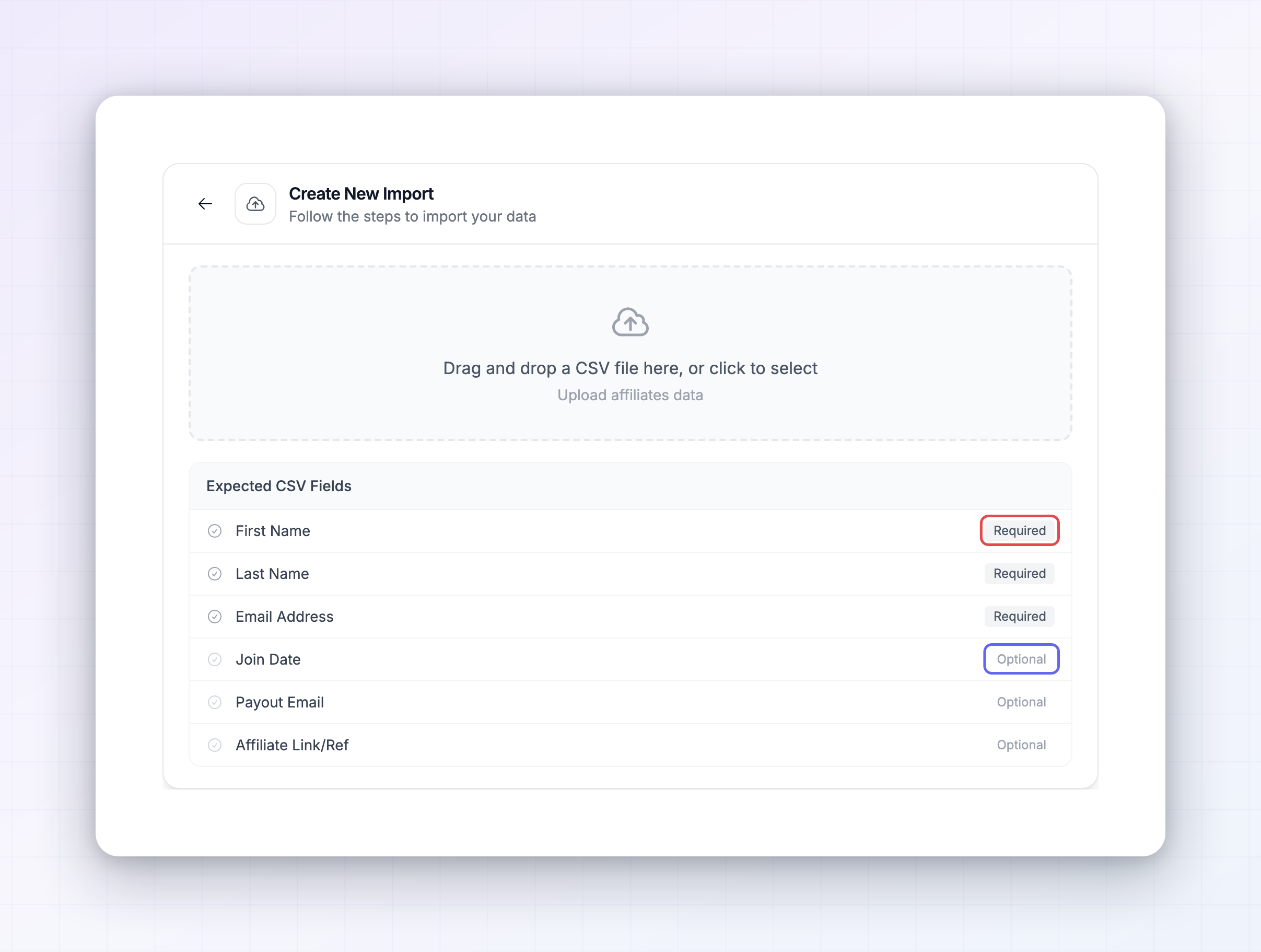
Run it and track progress
Start the import and it runs in the background — you can close the panel and keep working. Every import shows up in the Recent Imports list with its progress and a count of how many affiliates came in and how many were skipped. An affiliate is skipped when a required detail is missing, such as a row with no email. For the full mechanics of CSV imports — preparing your file, mapping columns, and reading the results — see Migrate from CSV.Import affiliates before customers and sales
If you’re also bringing over referred customers and past sales, import your affiliates first. Customers attach to affiliates, and sales attach to customers, so those imports need your affiliates to already be in place — they’re matched by email. Referly won’t let you start a customer or sales import until the affiliate import it depends on has finished. See Migration overview for the recommended order.After the import
Imported affiliates appear in your list like any others, tagged with an Imported source so you can tell where they came from. From there you can organize them into groups, set their commission plan, or filter and message them like the rest of your affiliates.Related
Migrate from CSV
The full guide to importing from a spreadsheet.
Migration overview
Bring affiliates, customers, and sales across in order.
Add affiliates manually
Adding just a few? Create them by hand instead.
Affiliates overview
Where your imported affiliates land.