

Two ways to bring your data in
Every migration starts by choosing where the data comes from. You have two options:- Upload a CSV file. Export your affiliates, customers, or sales from your old tool (or your own spreadsheet) as a CSV, then upload it and match up the columns. This works no matter what you’re coming from. See Migrate from CSV.
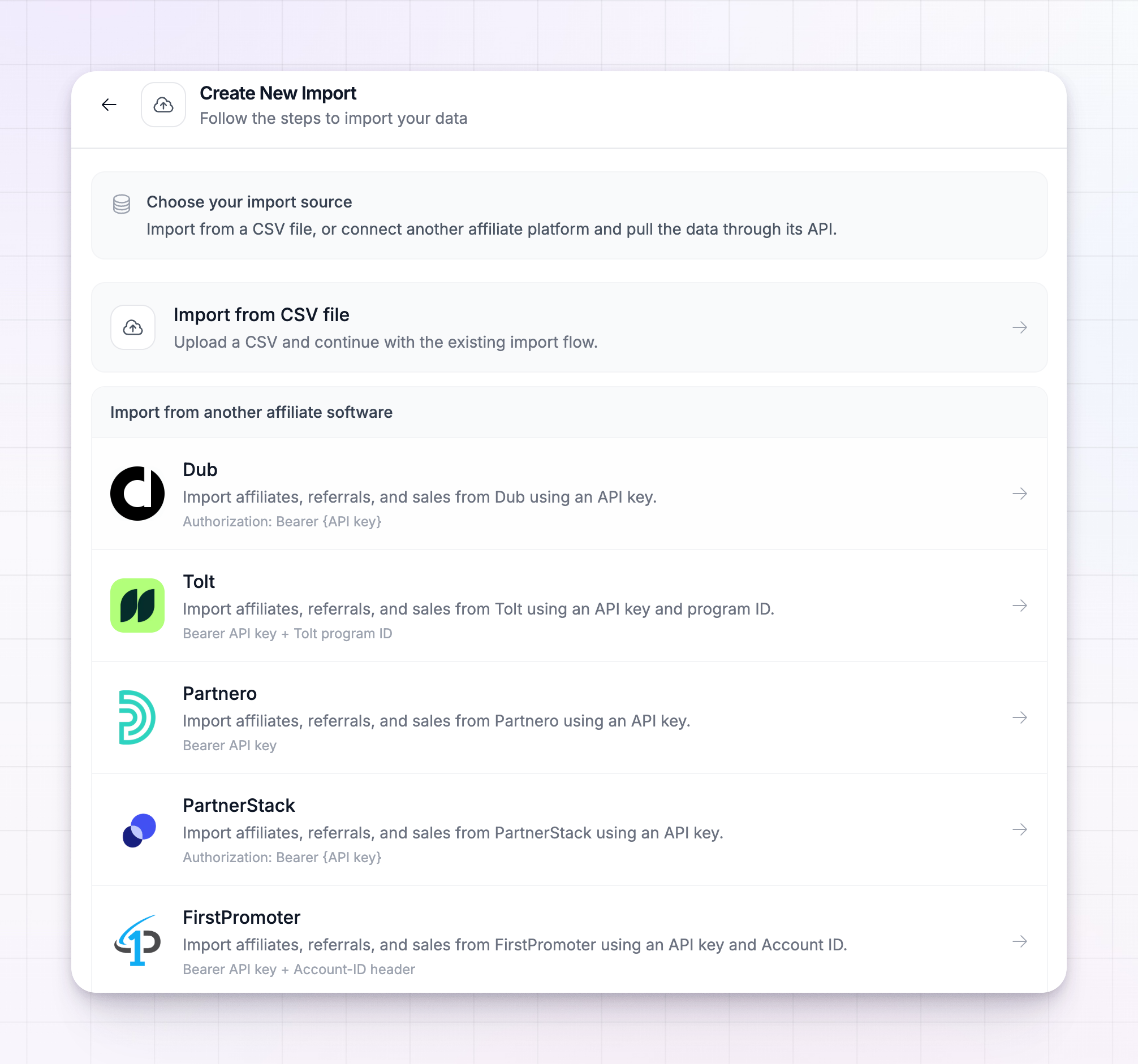
- Connect another affiliate platform. If you’re leaving one of the platforms Referly supports directly, you can connect it and pull your data across through its own connection — no exporting or file wrangling. You provide a key (and, for some platforms, an extra ID) from your old account, and Referly reads the data for you.
Rewardful
Connect with your Rewardful API secret.
FirstPromoter
Connect with your API key and Account ID.
PartnerStack
Connect with your PartnerStack API key.
Tapfiliate
Connect with your Tapfiliate API key.
Tolt
Connect with your API key and program ID.
Partnero
Connect with your Partnero API key.
Trackdesk
Connect with your tenant ID and API key.
Dub
Connect with your Dub API key.
What you can bring across
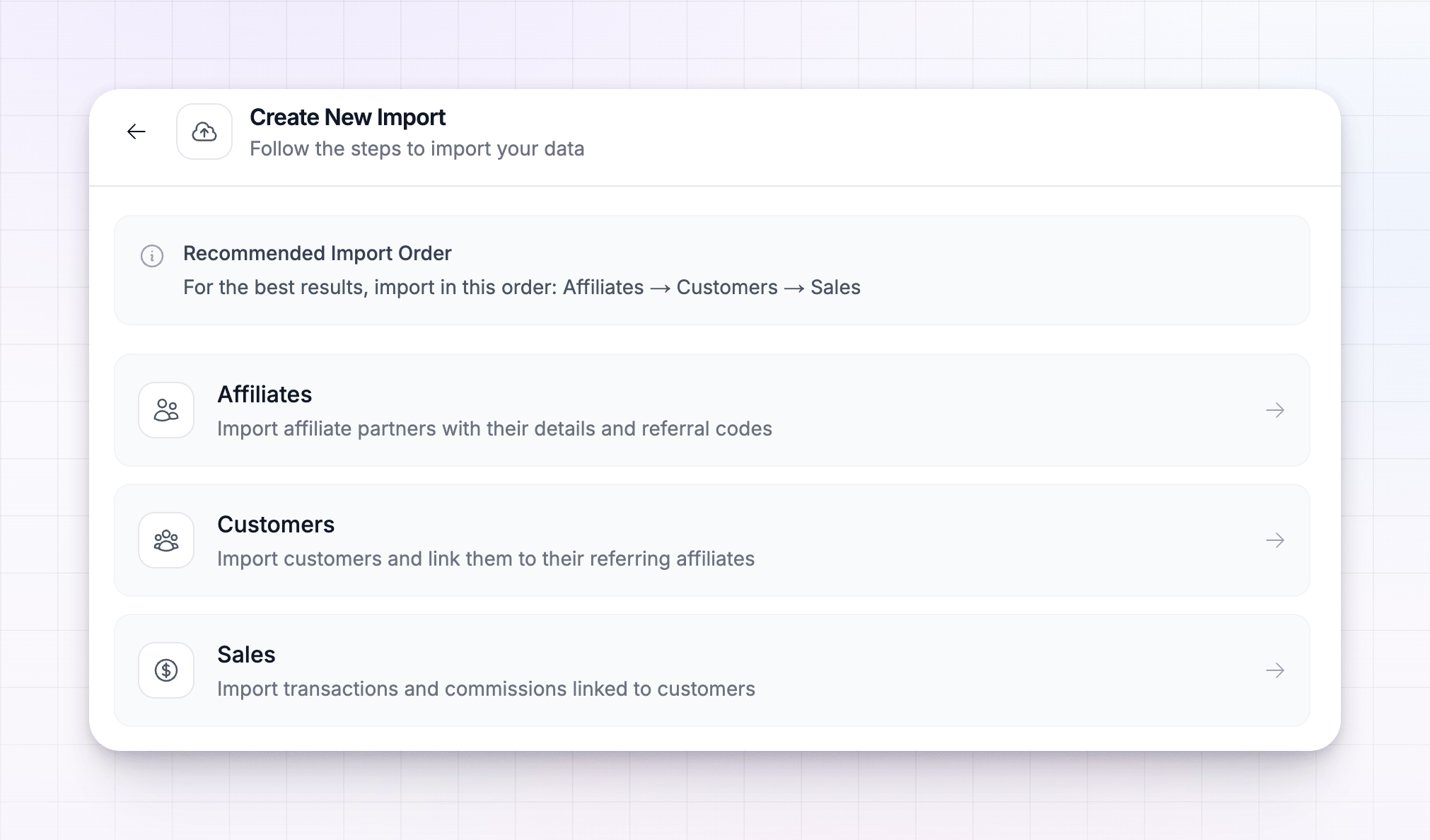
A migration is made up of three kinds of data, and you import them one at a time:- Affiliates — your partners, with their names, emails, and referral links or codes.
- Customers — the people your affiliates referred, each linked back to the affiliate who referred them.
- Sales — past transactions and the commissions attached to them, credited to the right affiliate.
Import in the right order
Order matters, because each layer builds on the one before it. Customers are linked to their affiliates, and sales are linked to their customers, so those affiliates and customers need to exist in Referly first. Always migrate in this order:1
Affiliates first
Bring your partners in so there’s someone for every customer and sale to attach to.
2
Customers next
Import the referred customers. Each one links to the affiliate who referred them.
3
Sales last
Import the transactions and commissions, credited to the affiliates and matched to their customers.
Start an import
You can begin a migration from anywhere in your dashboard:1
Open the import tool
Select the plus (+) button in the top bar, then choose Import Data. You can also select Import from the top of your Affiliates, Customers, or Sales pages.
2
Choose your source
Pick Import from CSV file, or select the platform you’re migrating from.
3
Choose what to import
Pick affiliates, customers, or sales — starting with affiliates, following the order above.
4
Connect or upload, then match your fields
For a CSV, upload the file. For a connected platform, enter your key and save the connection. Referly then shows your data and lines its columns up with the right fields, so you can check the matches before importing.
5
Start the import
Confirm, and Referly begins bringing your data in. Repeat for the next type of data.
Track an import while it runs
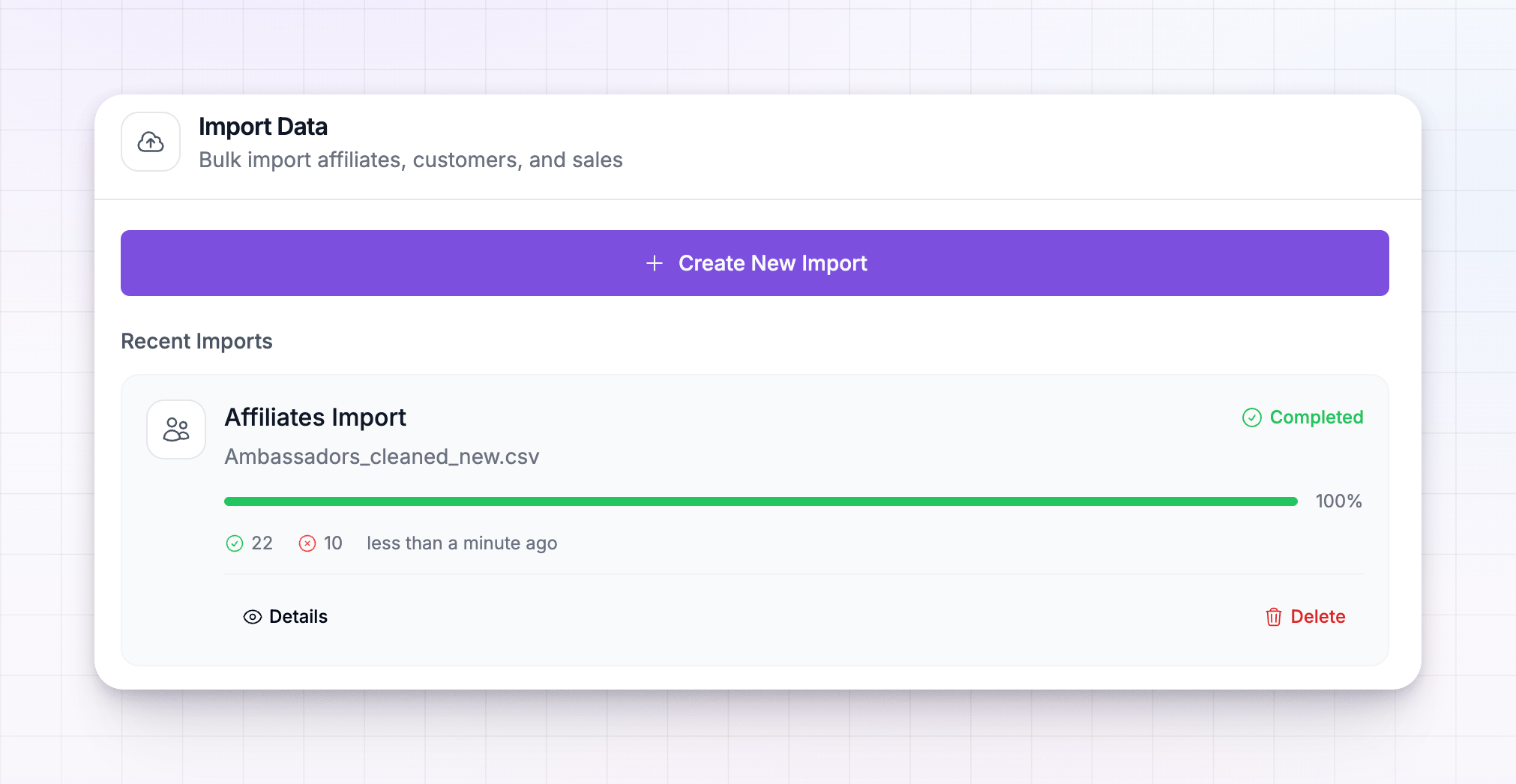
Imports run in the background, so you don’t have to sit and watch. Every import you start appears in the Recent Imports list inside the import tool, each showing its own progress. An import moves through these states:
Each card also shows a progress bar and a running count of how many records came in successfully and how many were skipped, so you can spot problems early. You can pause an import that’s running and resume it later, open Details to see the full breakdown, or delete an import you no longer need.
Take your time and check each import’s results before moving to the next type. Getting affiliates in cleanly first means your customers and sales attach to the right partners automatically.
Related
Migrate from CSV
Import affiliates, customers, or sales from a spreadsheet.
Invite affiliates
Bring new partners into your program by email.
Commission plans overview
Set the terms your migrated affiliates earn on.
Add a sale
Record a one-off sale by hand after you’ve migrated.