

New to migrating in general? Start with the Migration overview for how imports work, then come back here for the Rewardful-specific steps.
Before you start
You’ll need:- Admin access to your Rewardful account, so you can reach its settings and copy your API secret.
- Your Referly program open in the dashboard, ready to import into.
- A few minutes. Larger programs take longer to pull across, but the import runs in the background — you don’t have to wait on the screen.
Get your API secret from Rewardful
Referly connects to Rewardful using your API secret — a single key from your Rewardful account. Here’s how to find it on Rewardful’s side:1
Log in to Rewardful
Sign in to your Rewardful account as an admin.
2
Open Company Settings
Go to your Company Settings page (in Rewardful, this is under your company’s settings — the same page opens at
app.getrewardful.com/company/edit).3
Copy your API Secret
Find the API Secret on that page and copy it. It’s a long string that usually starts with something like
rw_live_. This one value is all Referly needs.If you ever think your API secret has been exposed, contact Rewardful and ask them to rotate it — then reconnect in Referly with the new secret.
Open the import tool and choose Rewardful
1
Open the import tool
In your Referly dashboard, select the plus (+) button in the top bar, then choose Import Data. You can also select Import from the top of your Affiliates, Customers, or Sales pages.
2
Pick Rewardful as your source
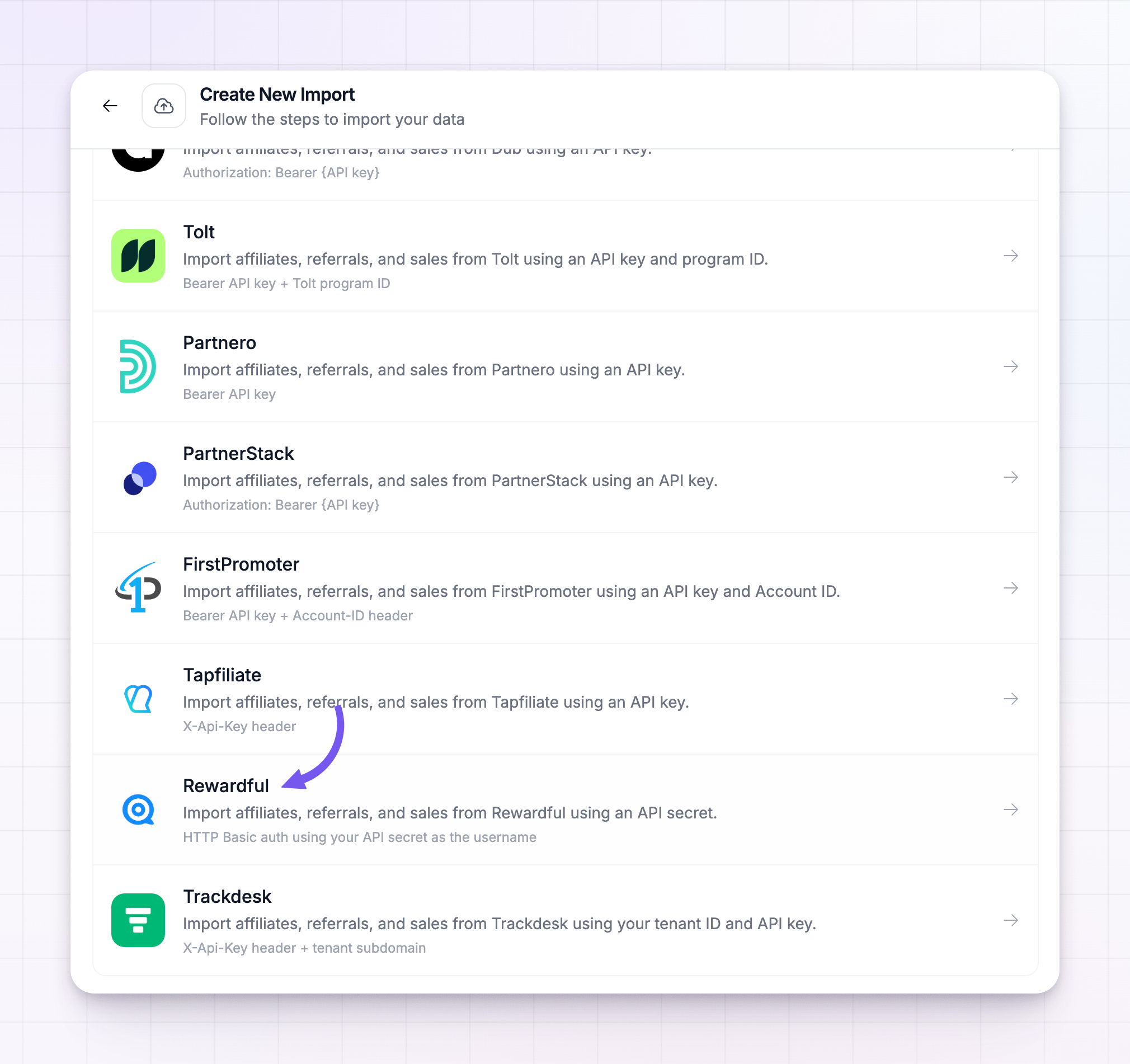
On the Choose your source screen, select Rewardful from the list of platforms.
Connect your Rewardful account
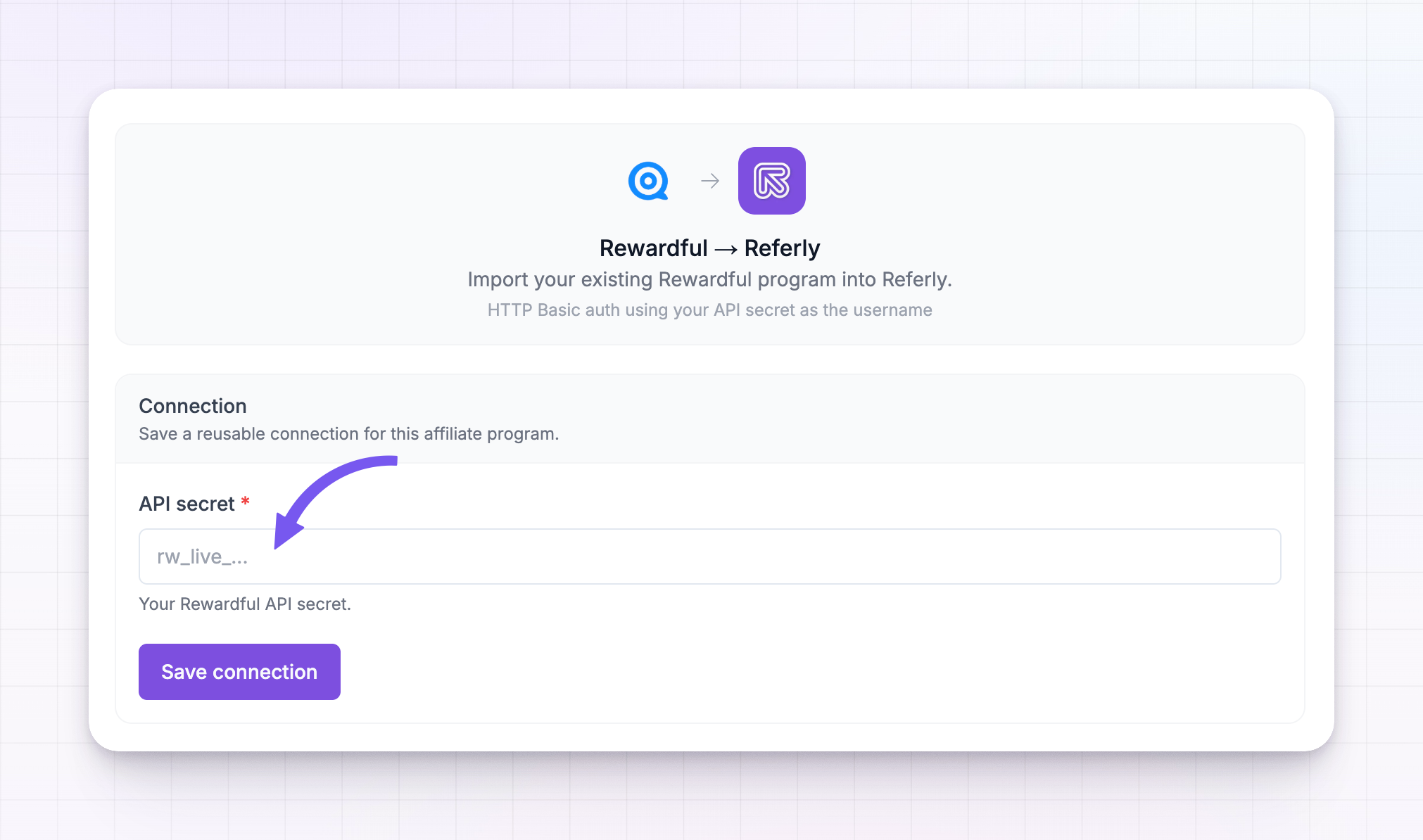
The next screen shows Rewardful connecting to Referly, with a single API secret field.1
Paste your API secret
Paste the API secret you copied from Rewardful into the API secret field. It’s hidden as you type, the same way a password field is.
2
Save the connection
Select Save connection. Referly checks the secret with Rewardful right away. If it works, you’ll see the connection saved with a green Saved connection badge. If it doesn’t, double-check that you copied the whole secret from Company Settings and try again.
 Referly remembers this connection, so the next time you import from Rewardful — say, to bring sales across after your affiliates — you won’t have to enter the secret again. To swap in a different key later, select Replace connection.
Choose what to import
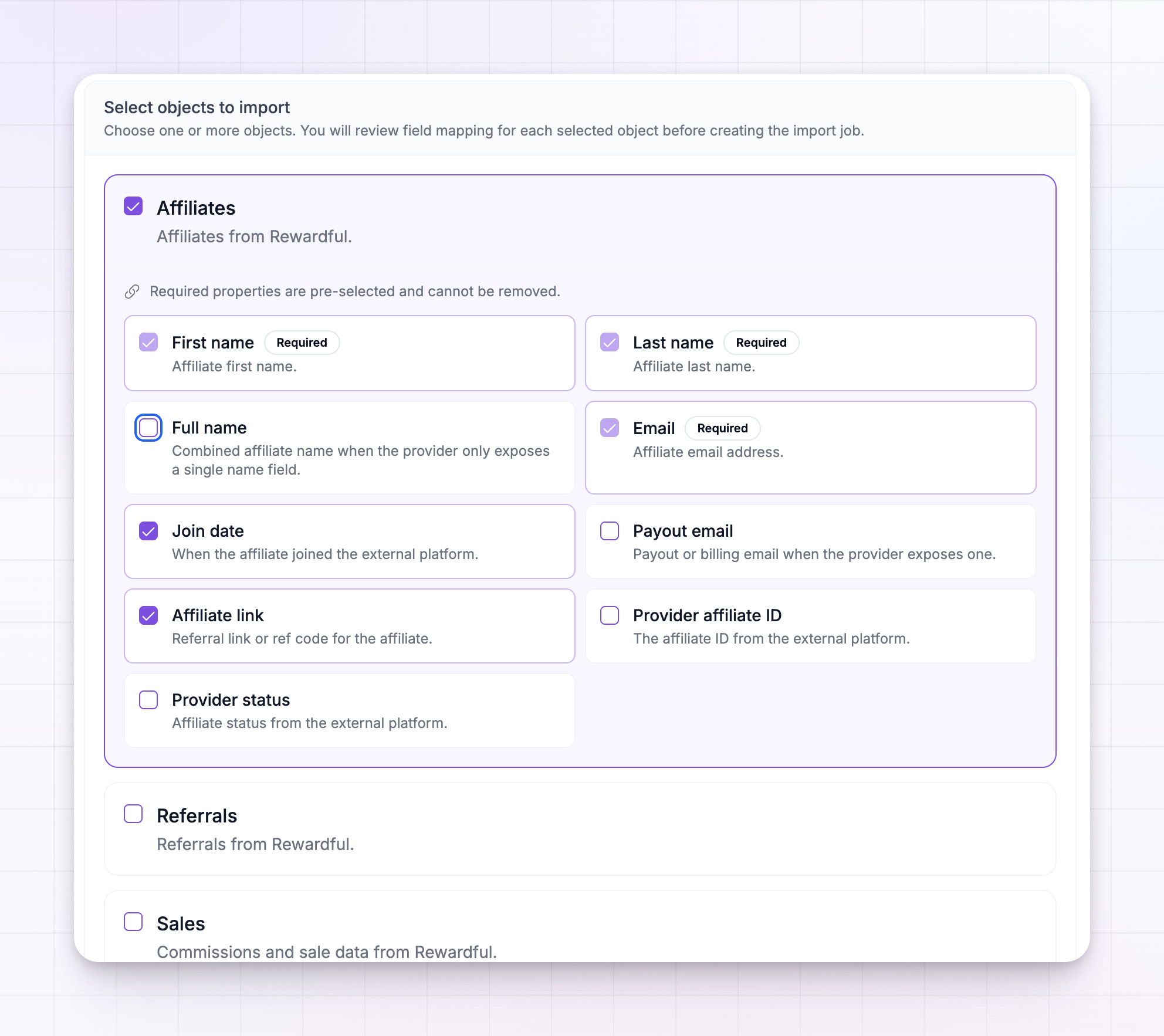
Once the connection is saved, you choose which parts of your Rewardful program to bring over. There are three, and they line up with Rewardful like this:
You can tick one, two, or all three — but the order you import them matters. Referred customers attach to affiliates, and sales attach to customers, so those have to exist in Referly first. Always bring your affiliates over first, then referrals, then sales. See Import in the right order below.
Pick the fields to bring across
When you tick an object, it expands to show every field Referly can pull from Rewardful for it. Each field has a checkbox, so you decide exactly what comes across. A few fields are marked Required — these are the details Referly needs to create the record, so they’re always on and can’t be switched off. Here’s what you can bring for each object.Affiliate fields
Affiliate fields
- First name (required) — the affiliate’s first name.
- Last name (required) — the affiliate’s last name.
- Email (required) — the affiliate’s email address. This is also how Referly links their referred customers and sales back to them.
- Join date — when they joined your Rewardful program, so their history stays accurate.
- Payout email — their PayPal or Wise payout email, when Rewardful has one on file.
- Affiliate link — their referral link, so their existing links carry over.
- Provider affiliate ID — the ID Rewardful used for the affiliate, kept for your reference.
- Provider status — the affiliate’s status in Rewardful (for example, active), kept for your reference.
Referral (customer) fields
Referral (customer) fields
- First name (required) — the customer’s first name.
- Last name (required) — the customer’s last name.
- Email (required) — the customer’s email address.
- Affiliate email (required) — the email of the affiliate who referred them. This is how each customer gets attached to the right partner, which is why affiliates must be imported first.
- Join date — when the referral was first created in Rewardful.
- External user ID — the customer’s ID from Rewardful (or the connected payment account), kept for your reference.
- Provider customer ID — the referral’s ID in Rewardful, kept for your reference.
- Provider status — the referral’s status in Rewardful (for example, lead or converted).
Sale fields
Sale fields
- Customer email (required) — the email of the customer who bought.
- Customer name — the customer’s name.
- Affiliate email — the email of the affiliate credited for the sale.
- Transaction amount (required) — the value of the sale.
- Transaction date — when the sale or charge happened.
- Commission (required) — the commission earned on that sale.
- Paid status — whether the commission was paid, unpaid, or voided in Rewardful, so your payout history stays right.
- Provider transaction ID — the commission’s ID in Rewardful, kept for your reference.
- Provider status — the commission’s status in Rewardful.
Check the field matches
Before anything is imported, Referly shows you a preview of your Rewardful data lined up against the matching Referly fields. This is your chance to confirm everything landed in the right place — that names, emails, and amounts are matched to the fields you’d expect.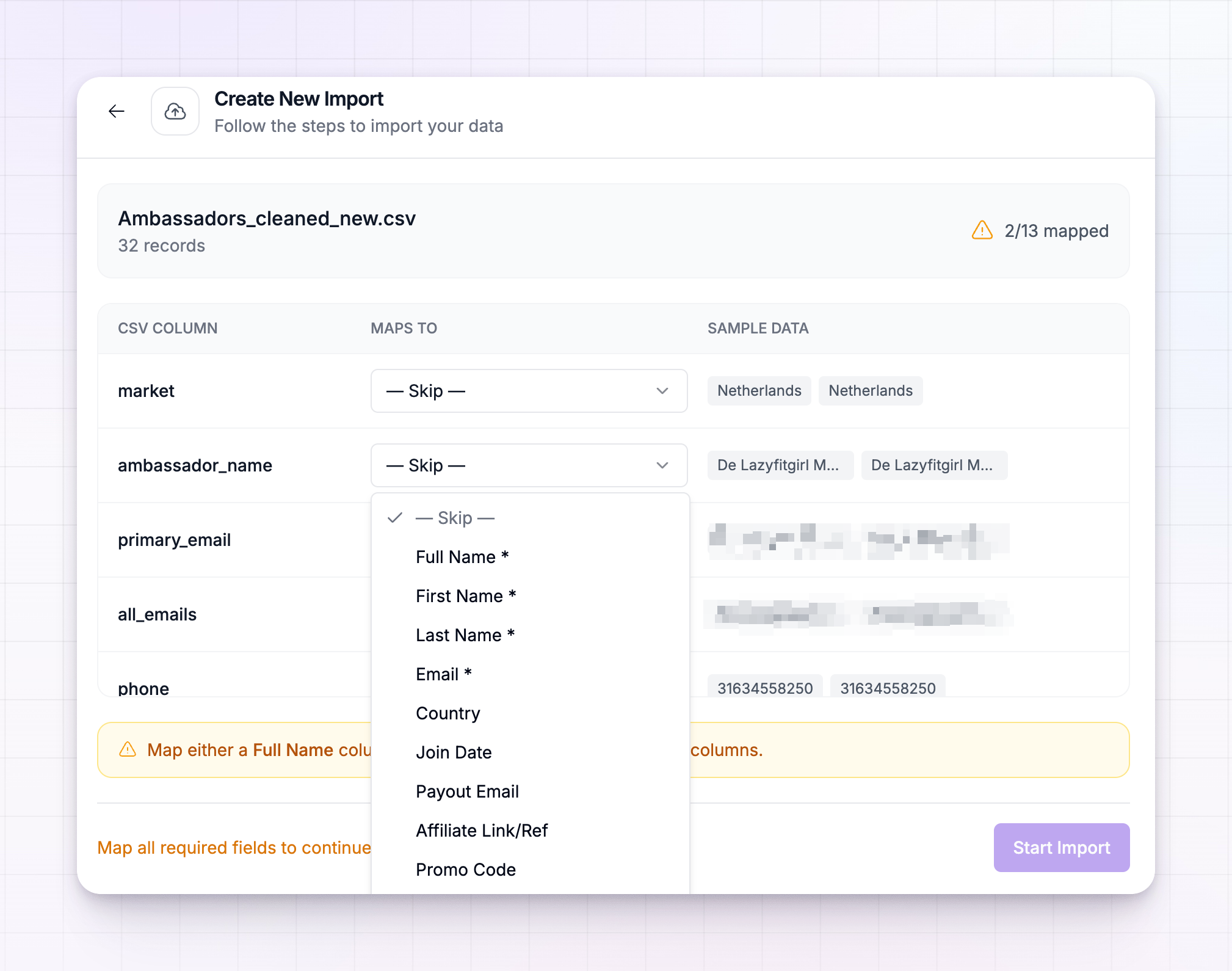 Look the preview over, and when it looks right, confirm to start the import.
Start the import and follow its progress
Imports run in the background, so you can close the panel and keep working. Every import appears in the Recent Imports list inside the import tool, each with its own progress. An import moves through these states:
Each card shows a progress bar and a running count of how many records came in and how many were skipped. A record is skipped when it’s missing a detail Referly needs — for example, a Rewardful referral with no customer email, or a sale with no customer attached. That’s normal; the skipped count just tells you those few couldn’t be brought across.
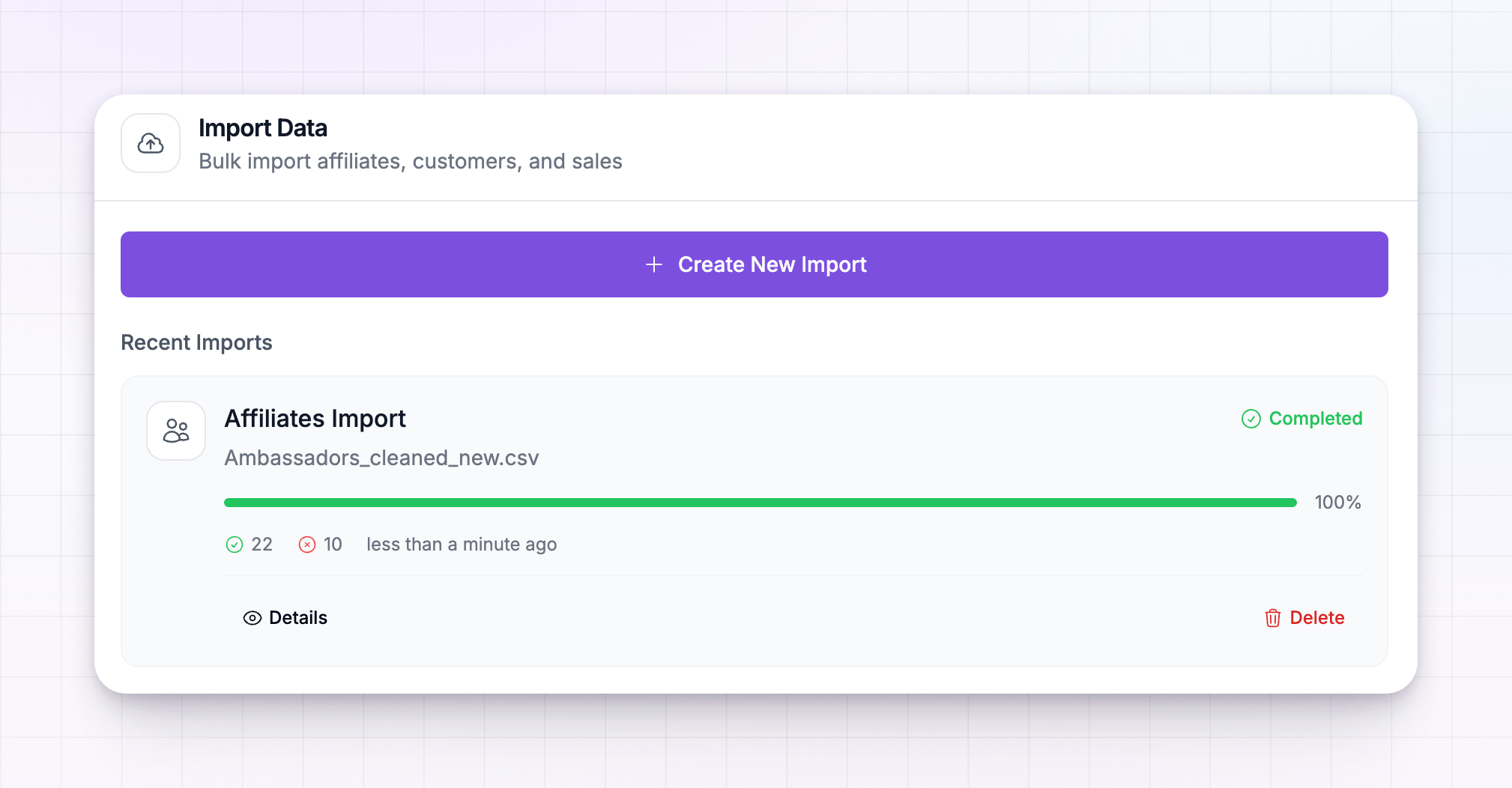 You can pause a running import and resume it later, open Details for the full breakdown, or delete one you no longer need.
Import in the right order
Because referred customers attach to affiliates and sales attach to customers, run your Rewardful imports in this order and let each finish before starting the next:1
Affiliates first
Bring your partners over so there’s an affiliate for every customer and sale to attach to.
2
Referrals next
Import your referred customers. Each one links to its affiliate by email — which only works once those affiliates are already in.
3
Sales last
Import your commissions and sales, credited to the affiliates and matched to their customers.
Related
Migration overview
How imports work and what you can bring across.
Migrate from CSV
Prefer a spreadsheet? Import affiliates, customers, or sales from a file.
Commission plans overview
Set the terms your migrated affiliates earn on.
Invite affiliates
Bring new partners into your program by email.