

Give a bonus to one affiliate
1
Open the affiliate
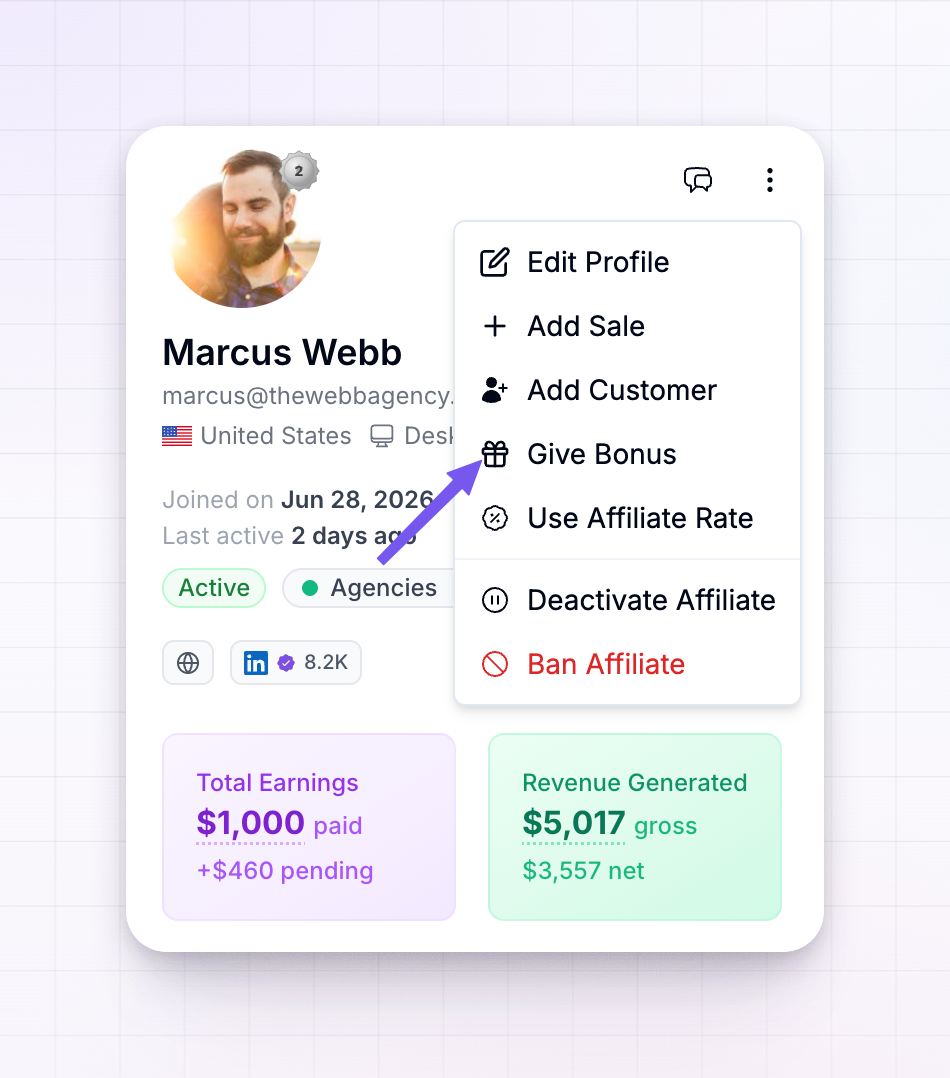
From your affiliates list, select the affiliate to open their detail page.
2
Choose Give Bonus
Open the three-dots actions menu at the top of their profile and select Give Bonus.
3
Enter the amount
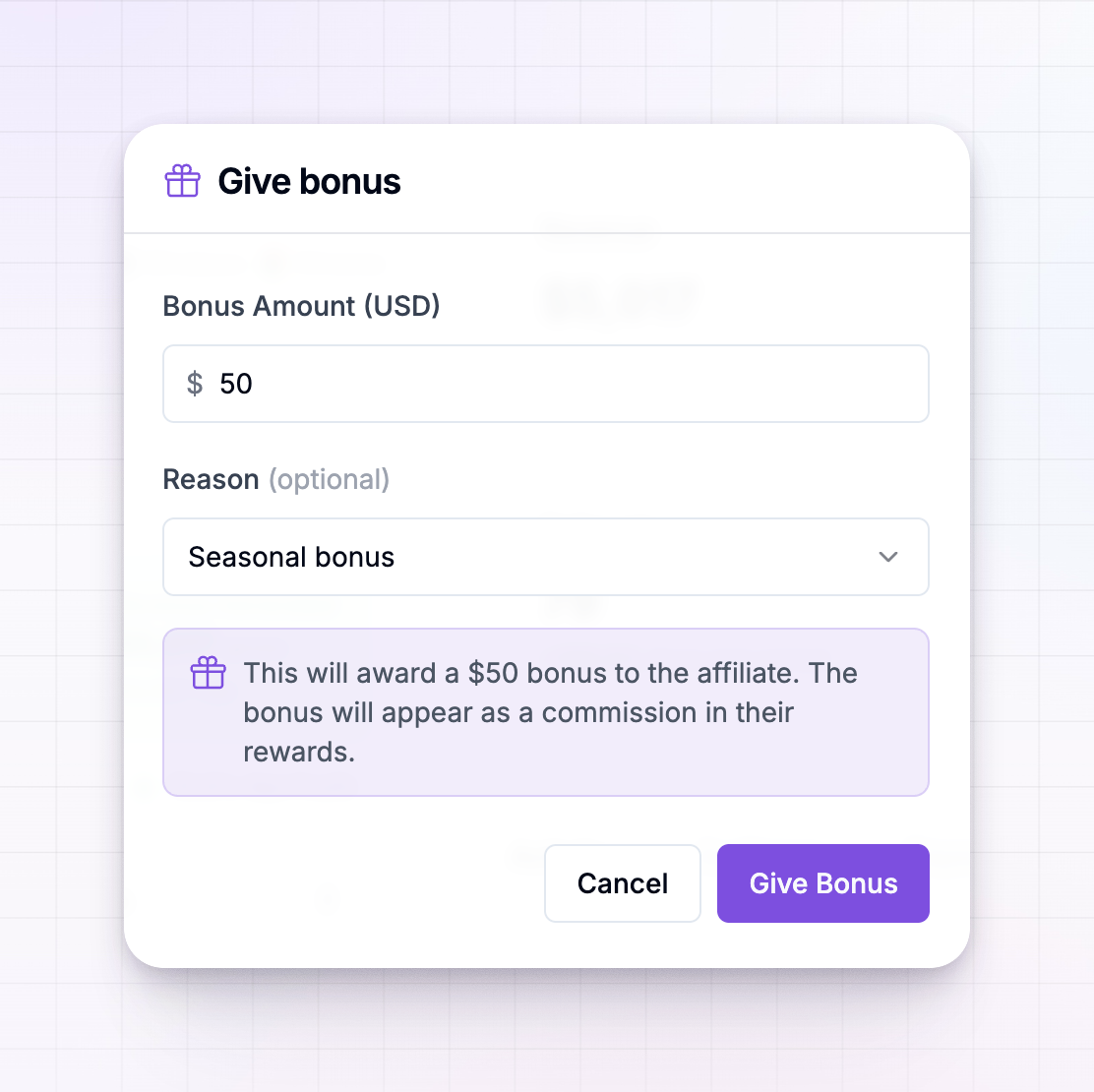
In the Bonus Amount field, type how much to award. It’s in your program’s currency, shown by the symbol in the field.
4
Pick a reason (optional)
Choose a Reason if you’d like to record why — options include performance reward, milestone achievement, seasonal bonus, contest winner, loyalty bonus, and more. Pick Other to type your own. This is optional, but it keeps your records clear.
5
Award it
Select Give Bonus. The affiliate is credited right away.
Where the bonus shows up
The bonus appears as a commission in the affiliate’s rewards, alongside what they’ve earned from sales. That means it flows through the rest of your program the same way a normal commission does — it counts toward what they’re owed and is included when you pay them out. You can see and manage it with your other rewards.Give a bonus to many affiliates at once
When you want to reward a whole group — the top finishers in a contest, say — you don’t have to do it one by one. Select the affiliates in your list with their checkboxes, then choose Give bonus from the selection bar. You set a single amount and reason, and each selected affiliate receives that bonus. See Bulk actions.In a bulk award, every selected affiliate receives the same amount. If a few can’t be credited, Referly tells you how many succeeded and how many didn’t, so nothing fails silently.
Related
Managing bonuses
See and manage bonuses alongside your other rewards.
Bulk actions
Award a bonus to many affiliates in one step.
Performance bonuses
Reward affiliates automatically when they hit targets.
Managing payouts
How earned rewards, including bonuses, get paid out.