

How they appear in your Rewards list
A reward that isn’t tied to a sale doesn’t have a customer, so instead of a name its row shows a purple gift icon. The label tells you which kind it is:- Bonus — a bonus you gave or an affiliate earned. Underneath, the row shows the reason for the bonus, or No reason provided if none was set.
- Content rewards — a reward for content an affiliate submitted.
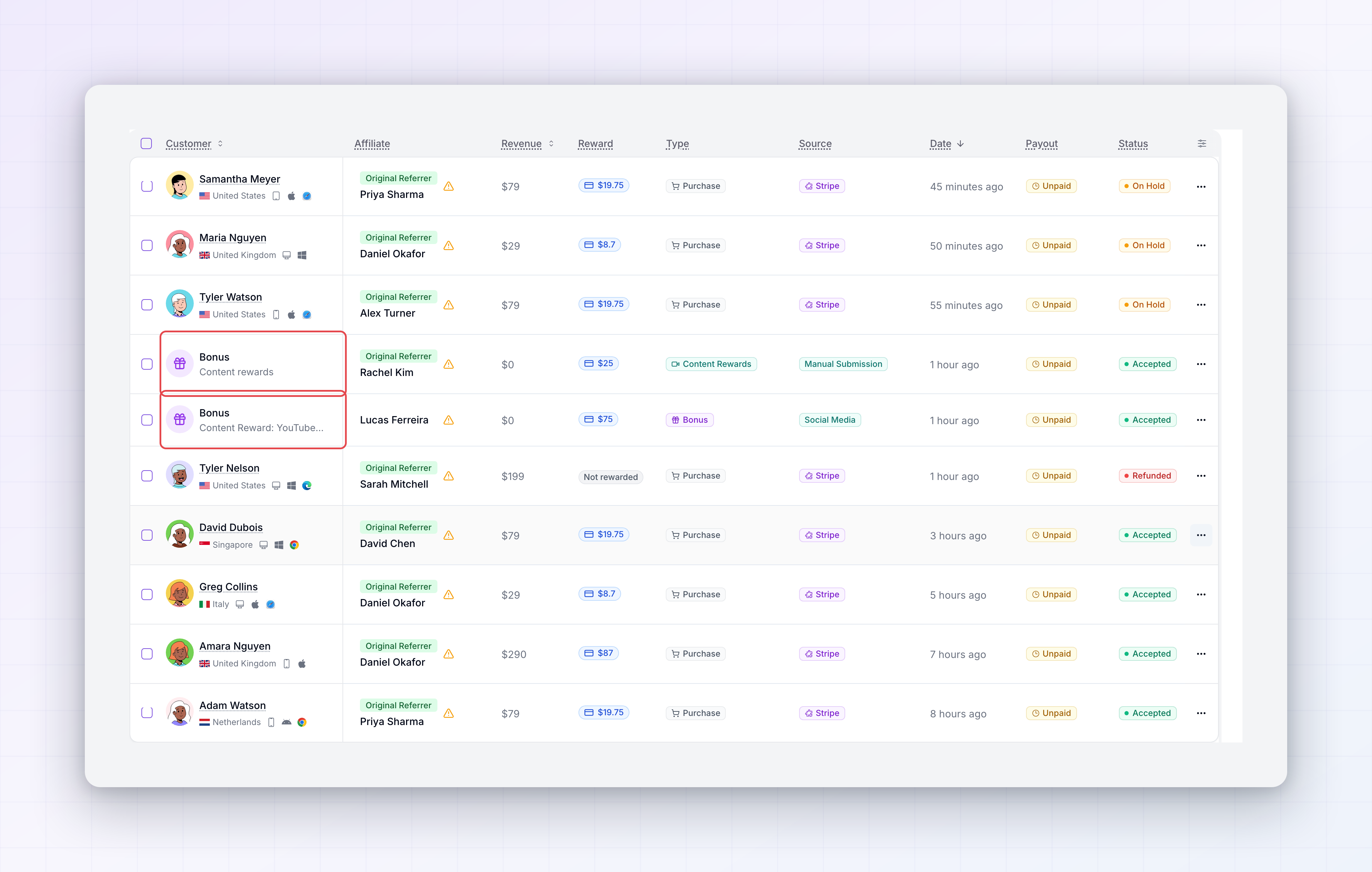 Open one and its detail panel names it the same way, with the reason shown as a Bonus Reason so you have the context behind the payment.
Filter to just bonuses and content rewards
When you want to see only non-sale rewards, use the Type filter above the list. Alongside Sign Up and Purchase, it has Bonus and Content Rewards — pick one to narrow the list to just those. This is handy for checking what you’ve paid out beyond regular commissions, or reviewing a run of content rewards together.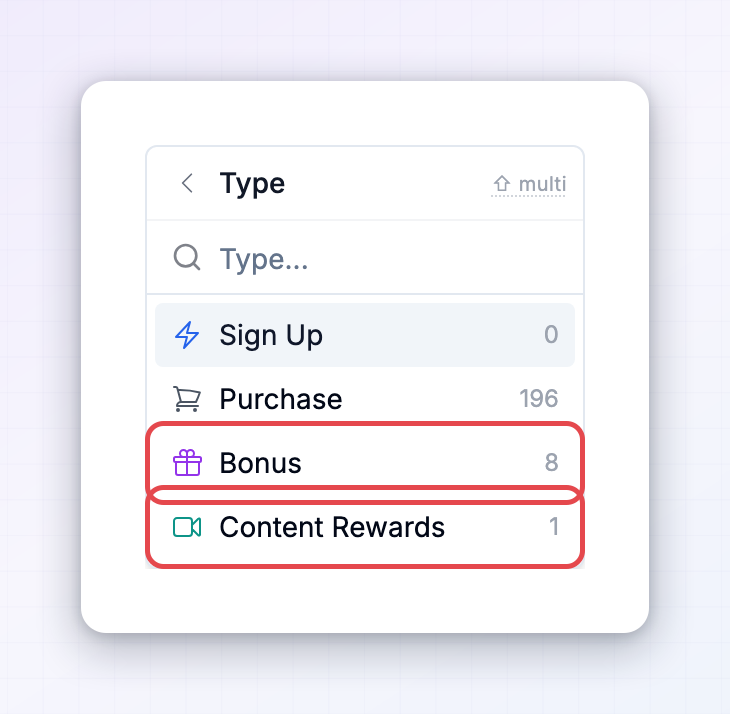
Where bonuses come from
A reward labelled Bonus can be created a few ways:- A bonus you give by hand — award an affiliate a one-off bonus from their detail page. See Give a bonus.
- Performance bonuses — rewards that trigger when an affiliate hits a target you set, like a number of sales or a revenue goal.
- Milestones — rewards for reaching a milestone in your program.
- Contests — prizes for the winners of a contest you run.
Where content rewards come from
A Content rewards entry comes from your content reward campaigns — where you pay affiliates for posts, videos, or other content that meets the criteria you set. When a submission is approved and qualifies, its reward appears in the list like any other.Approving and paying them
Bonuses and content rewards are rewards like any other, so they follow the same path. They carry a status, can sit On Hold waiting for your approval, and are collected into payouts once they’re accepted — exactly as commissions are. Everything in Approve or decline a reward and the Payouts overview applies to them too.Related
Give a bonus
Award an affiliate a one-off bonus by hand.
Performance bonuses
Reward affiliates automatically for hitting targets.
Content rewards
Pay affiliates for the content they create.
Rewards overview
A tour of the Rewards page and every column.