

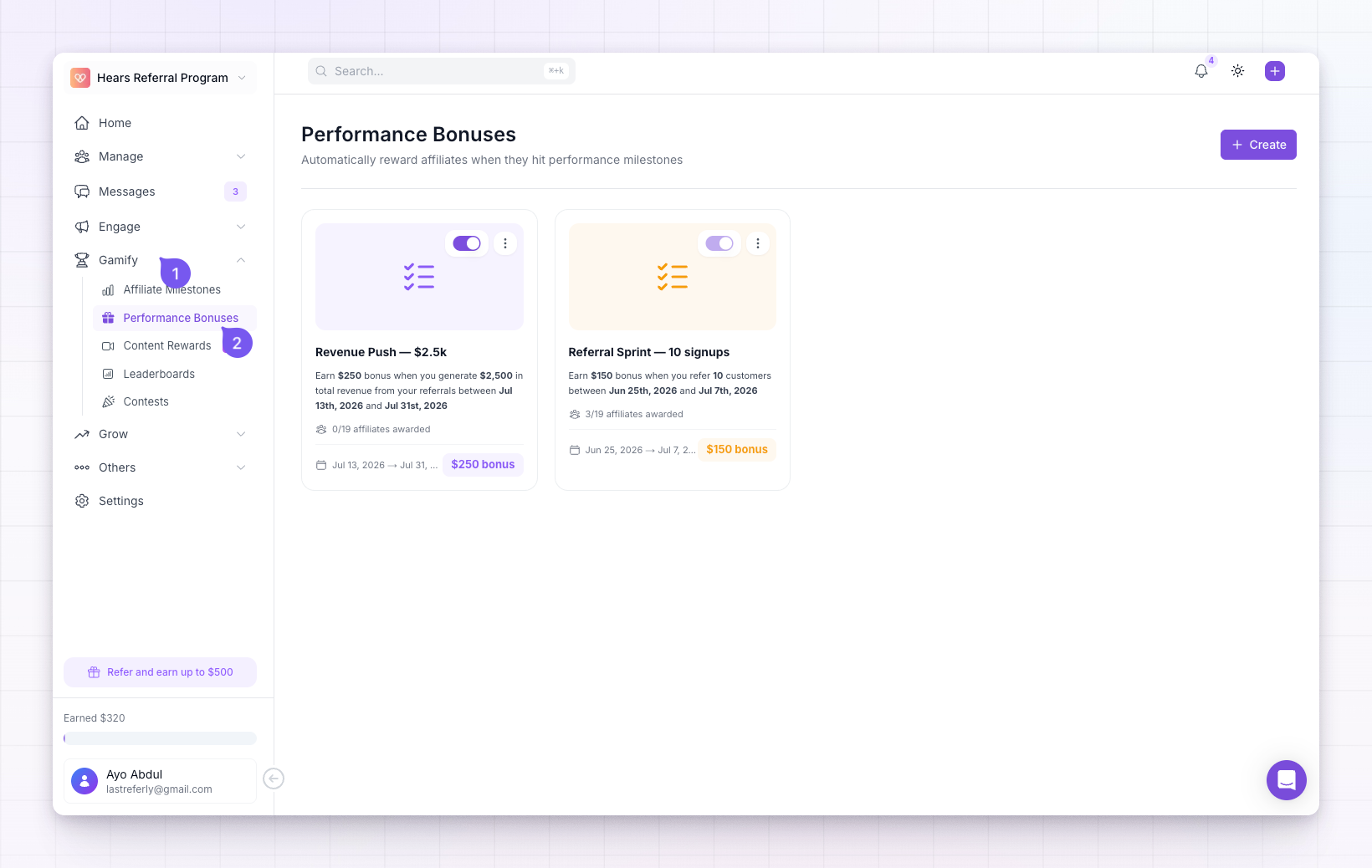
How a performance bonus is defined
Each bonus reads like a sentence — when this activity reaches this amount, pay this bonus. You decide three things:- What counts — the activity you’re rewarding: referrals (customers an affiliate brings in), conversions (purchases those customers make), or revenue (the total they generate).
- The target — how much of that activity unlocks the bonus.
- The reward — the fixed cash amount the affiliate earns for reaching it.
Who can earn it
When you build a bonus you pick its audience: all affiliates, a handful of specific affiliates, or one or more affiliate groups. Only affiliates in that audience can earn it — handy for running a bonus just for a top group or a single partner.What happens when an affiliate qualifies
As soon as an affiliate crosses the target, Referly:- Credits the bonus as an accepted reward in their rewards, alongside their commissions, so it flows into payouts like anything else they’ve earned.
- Sends them a Performance Bonus Earned notification and an email, so they know they hit it.
What your affiliates see
In their portal, affiliates get a Performance Bonuses page that turns the goal into motivation. Bonuses they haven’t finished yet appear under In Progress with a progress bar and a percentage showing how close they are; ones they’ve earned move to Completed with a green badge and the amount they got. It keeps the target in front of them as they work toward it.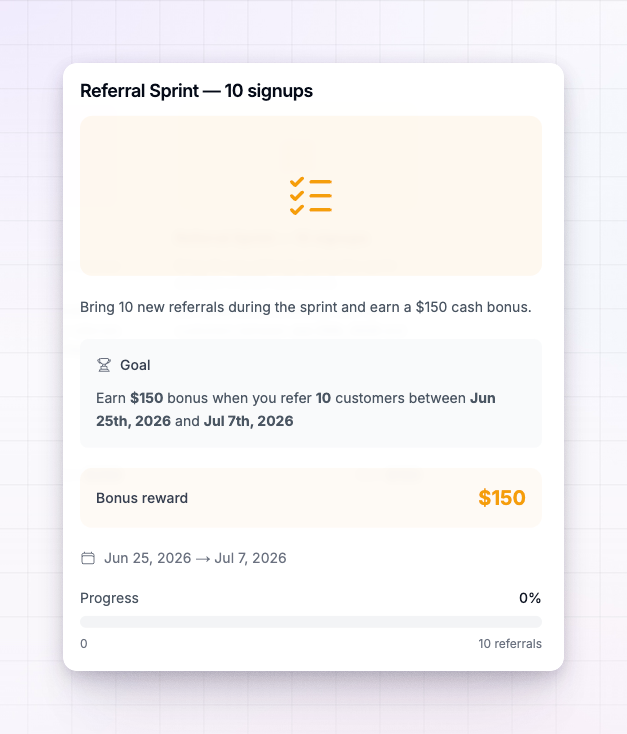
Turning a bonus on and off
Each bonus has a switch on its card. Turn it off to pause it without deleting it — no new bonuses are awarded while it’s off. A bonus whose end date has passed is expired and can’t be switched back on.How this differs from other rewards
Referly has a few ways to reward affiliates beyond commissions, and they’re easy to mix up:- Performance bonuses (this feature) pay a fixed cash amount automatically when an affiliate hits a target.
- Milestones move an affiliate onto a better commission plan when they hit a target — they change ongoing terms rather than paying a one-off amount.
- Give a bonus is a one-off amount you award by hand, whenever you like.
Related
Create a performance bonus
Set the goal, the reward, and who can earn it.
Award a bonus retroactively
Pay affiliates who already met the goal before you created the bonus.
Milestones
Upgrade affiliates to better commission plans as they perform.
Managing bonuses
See earned bonuses alongside your other rewards.