

Select the affiliates you want
Every row in the affiliates list has a checkbox on the left. Tick the ones you want to work with. To grab everyone on the current page, use the checkbox in the header row. The moment you select at least one affiliate, a bar appears across the top of the table showing how many you’ve picked, along with the actions you can run on them.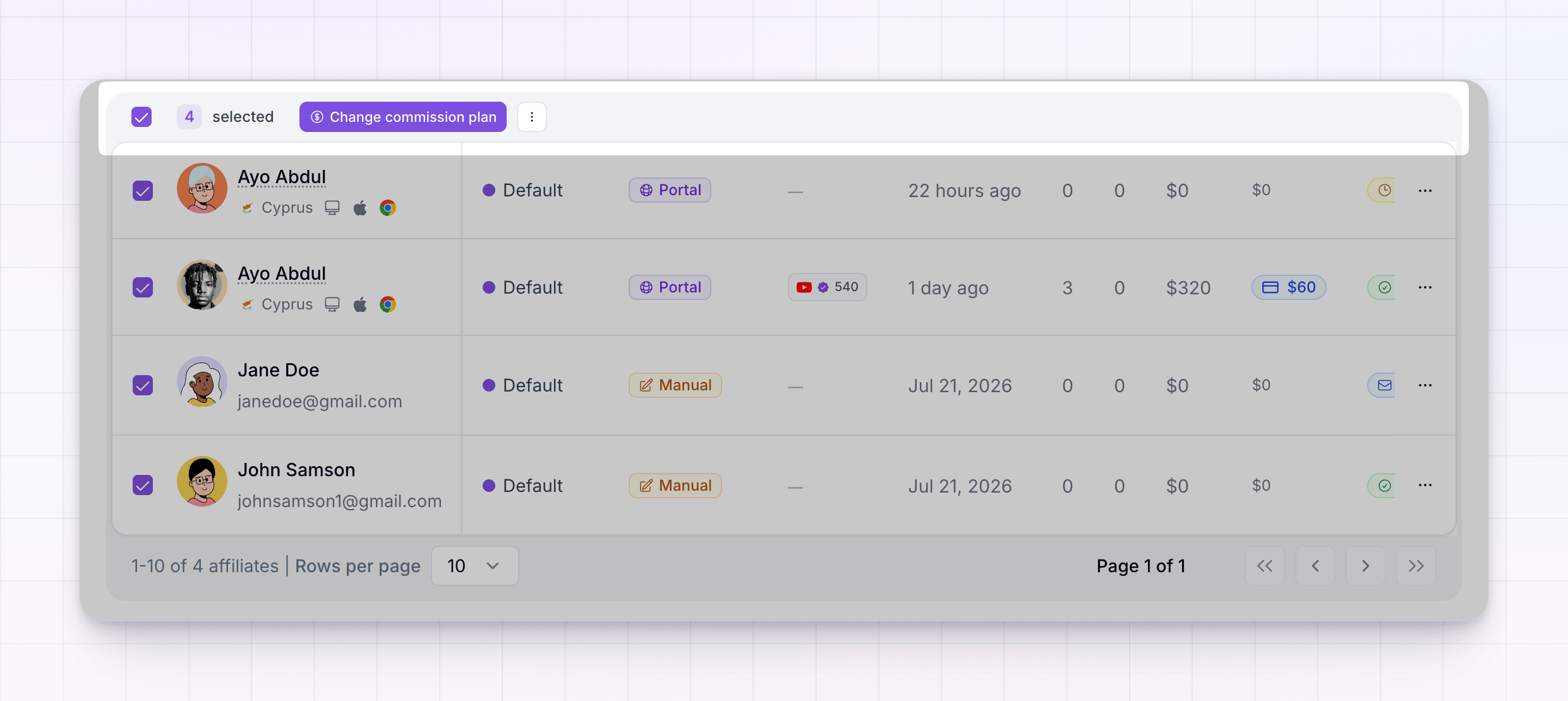
Select everyone that matches
If your list runs to more than one page, selecting the header checkbox only picks the affiliates on the page you’re looking at. To act on your whole list, look for the Select all [number] affiliates link in the bar — it extends your selection to every affiliate that matches your current search and filters, across all pages. To go back to just the visible rows, choose Select visible only.The actions you can run
With affiliates selected, one button and a menu give you everything you can do to the group. Select Change commission plan directly, or open the three-dots menu for the rest.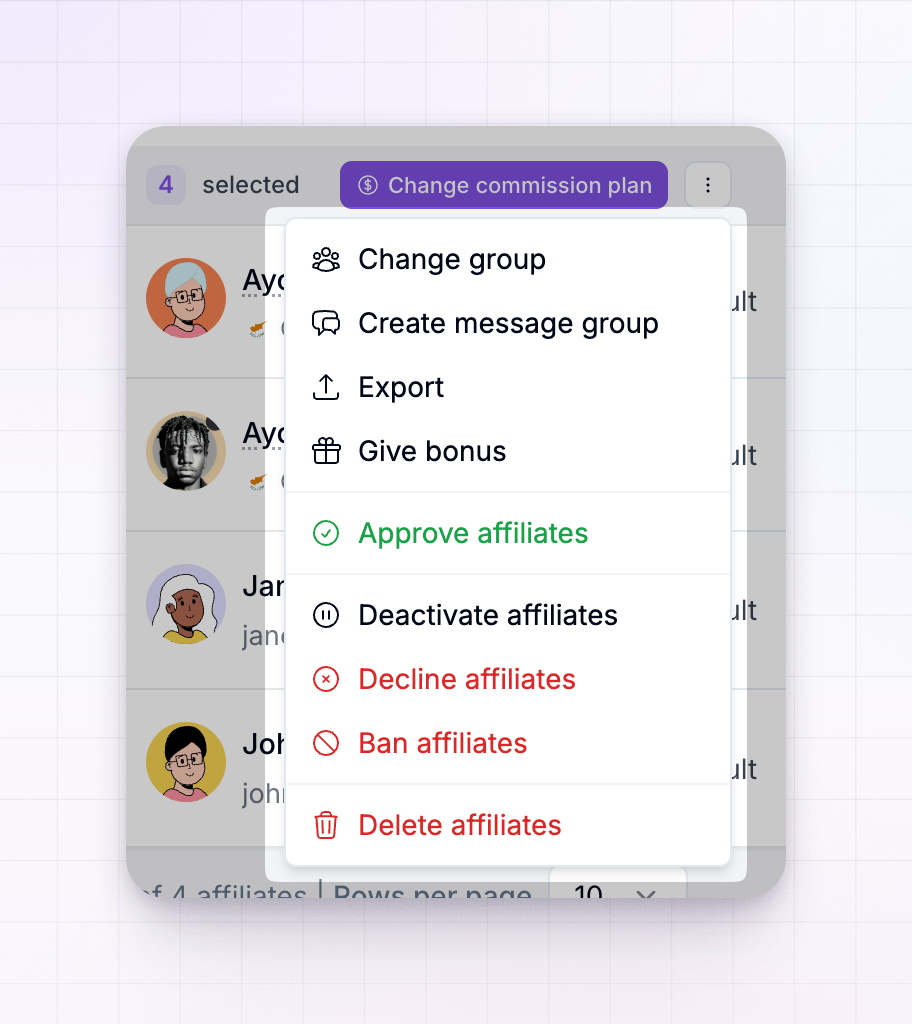 The status actions — approve, reactivate, deactivate, and so on — only appear when they make sense for who you’ve selected. If none of your selection is pending, for example, you won’t see Approve.
Change commission plan
Moves every selected affiliate onto a commission plan you choose. You can also tick Also apply this plan to all existing referrals so their past referrals switch to the new plan too, not just future ones. Note that setting a plan by hand takes those affiliates out of any automatic affiliate-milestone changes. For the full walkthrough, see Change an affiliate’s commission plan.Change group
Assigns the selected affiliates to an affiliate group, so you can organize them and target them with group-specific commissions, links, and messages.Create message group
Starts a group conversation with everyone you’ve selected, so you can message the whole set at once. See Message groups.Export
Downloads the selected affiliates as a spreadsheet (CSV), so you can work with the data outside Referly. Pair this with filters and Select all matching to export a precise segment.Give bonus
Awards a one-off bonus to everyone selected — a quick way to reward a group of top performers. See Give a bonus.Approve affiliates
Approves the selected pending or invited affiliates and sets them to active. They receive approval and welcome emails, and their promo codes are created. This is the fast way to clear an approval queue. See Approve or decline applications.Reactivate affiliates
Brings previously deactivated affiliates back. Their referral links start working again and they can log in and earn on new sales.Deactivate affiliates
Switches off the selected affiliates and disables their active links, while keeping their commissions and payouts intact. This is reversible — you can reactivate them later. See Ban or deactivate an affiliate.Decline affiliates
Turns down the selected pending applicants. They receive a decline notification email.Ban affiliates
Permanently bans the selected affiliates, disables all their active links, and cancels all their pending payouts. You choose a reason for the ban, and this can’t be undone. See Ban or deactivate an affiliate.Delete affiliates
Permanently removes the selected affiliates along with all their referred customers, sales, commissions, earnings, and payout history. This can’t be undone, so reach for deactivate or ban instead unless you’re certain you want everything gone.Related
Filters and columns
Narrow your list to the exact segment before selecting all.
Change an affiliate's commission plan
The full guide to moving affiliates between plans.
Ban or deactivate an affiliate
Pause or remove affiliates, one or many.
Affiliate groups
Organize affiliates into groups you can act on together.