

PROMO30. One coupon can have several promotional codes, and each code can be pointed at a specific affiliate or customer — which is how Referly knows who to credit for the sale.
Coupon vs promotional code
Think of it as two layers:- The coupon is the deal — for example “20% off, forever”.
- The promotional code is a way in to that deal — the words someone enters to get the 20% off.
SARAH20, JAMES20) while managing one discount behind the scenes.
Add a promotional code
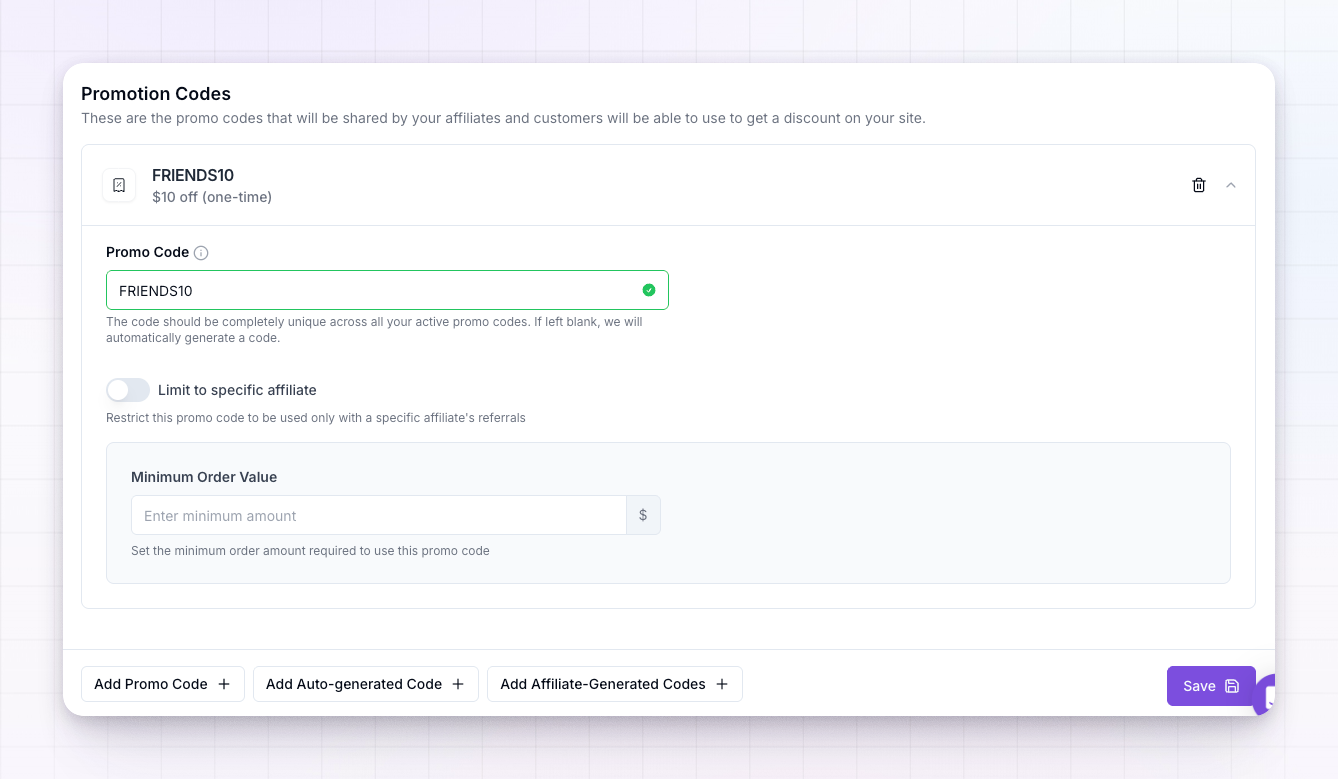
When you create a coupon, scroll to the Promotion Codes section. You can also open an existing coupon from your library and add codes to it there.1
Enter the code
Type the code customers will use — for example
PROMO30. Keep it short and easy to remember or say out loud. Referly checks that the code isn’t already taken.2
Add more if you need them
Add another code to the same coupon whenever you want a second way in — a different code for a different affiliate or campaign, all sharing the one discount.
3
Save
Save the coupon. Each code is created on your connected platform and starts working right away.
Tie a code to an affiliate
To make sure a code credits the right person, turn on Limit to specific affiliate and search for the affiliate. From then on, every order placed with that code is tracked to them and earns them commission — exactly like a referral link would. Leave this off for a general code that anyone can use without crediting a particular affiliate.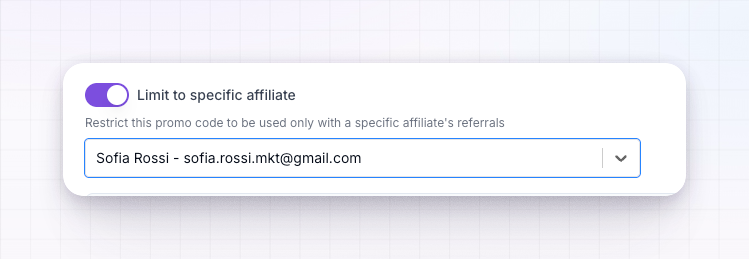
Tie a code to a customer
You can also turn on Limit to specific customer and choose a customer, so the code only works for that one person. This is useful for a one-off deal you’ve agreed with a single buyer, rather than a code you hand to an affiliate to share.Turning a code on or off
Each code can be active or inactive. Deactivate a code to stop it working at checkout without deleting it — handy when a promotion ends but you want to keep the history. You can reactivate it later if the deal comes back.Give every affiliate their own code automatically
Adding codes one at a time works for a handful of affiliates. When you want a unique code for everyone in your program, let Referly build them for you from a pattern — see Auto-generate codes.Related
Auto-generate codes
Create a unique code for every affiliate from a pattern.
Restrict a code
Limit a code by product, order value, or expiry.
Create a coupon
Set up the discount your codes belong to.
Coupons overview
See how coupons and codes fit together.