

What this integration can and can’t track
Because this integration runs through Stripe rather than a one-off notification, it handles the whole life of a customer: the first payment, every renewal, refunds, and cancellations. That’s a genuine advantage over most of the other platform integrations, which only ever hear about the initial sale.
Before you start
You’ll need:- A live Referly program with at least one affiliate to test with. See setting up your program if you haven’t got that far.
- A Pickaxe portal with at least one paid access group set up.
- A Stripe account already connected to Pickaxe, so you can charge for access.
- Admin access to your Pickaxe portal’s settings.
Pickaxe has renamed things more than once, moving from
pickaxeproject.com to pickaxe.co and using both “Studio” and “Portal” for the thing you sell access to. The tab names below match their current user manual. If a label has shifted since, you’re looking for the place that holds custom header code and the place that connects Stripe.Add the Referly tracking script to your portal
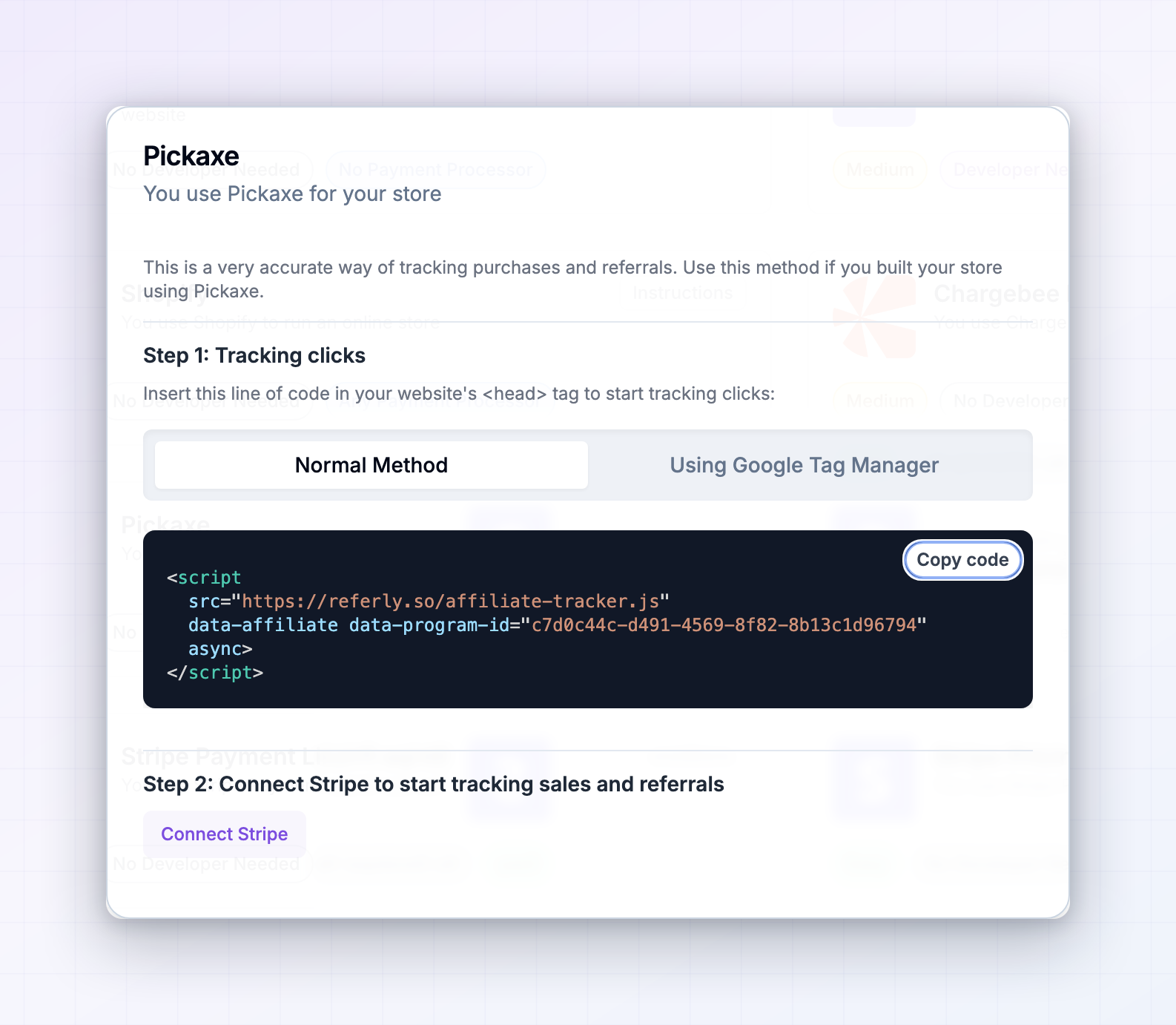
Unlike some platforms, Pickaxe lets you add your own code to the pages it hosts. That’s what makes this integration so short: the script can live right where your customers actually are. Copy the script from Step 1: Tracking clicks in the instructions window. Your program’s own identifier is already filled in whereYOUR_PROGRAM_ID appears here:
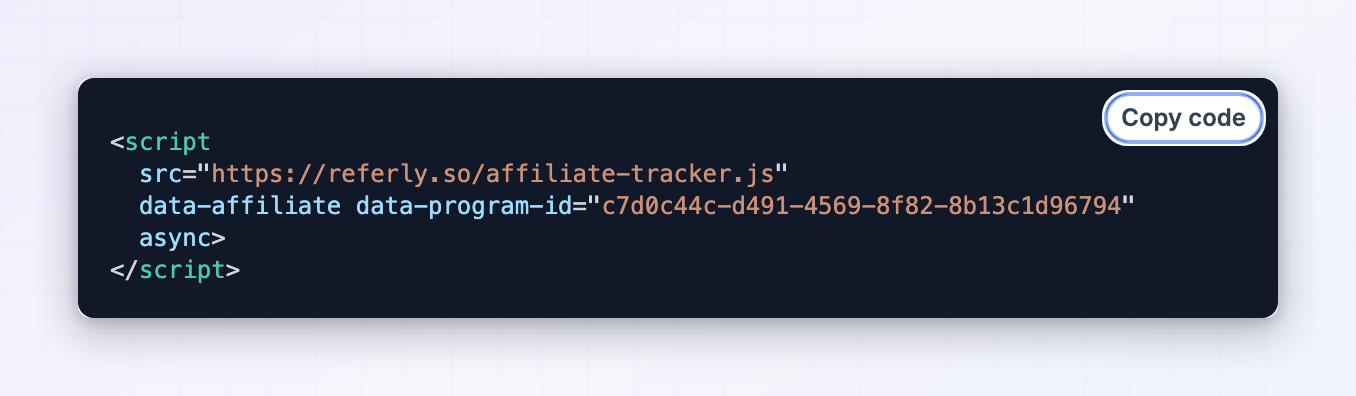 Now put it into Pickaxe:
1
Open your portal
In Pickaxe, open the portal you sell access to.
2
Go to the Design tab
Select the Design tab. Alongside the colours, fonts, and logo settings, this is where Pickaxe lets you add custom code.
3
Find the custom code section
Look for the option to add custom code in the header. This is the same place people put analytics and ad tracking.
4
Paste the script and save
Paste the tracking script into the header code box and save. Use the header rather than the footer, so tracking starts as early as possible in the page load.
Where your affiliates should send traffic
The script lives on your portal, so affiliate links should point at your portal.
Affiliate links look like
https://your-portal-address/?ref=their-code. Your affiliates get these from their own dashboard, so they don’t need to build them by hand.
Connect Stripe to Referly
Pickaxe takes payment through Stripe, and Stripe is where Referly reads your revenue from. Without this step you’ll see clicks and nothing else. In the instructions window, go to Step 2: Connect Stripe to start tracking sales and referrals and select Connect Stripe. You’ll be sent to Stripe to authorise the connection, then returned to Referly.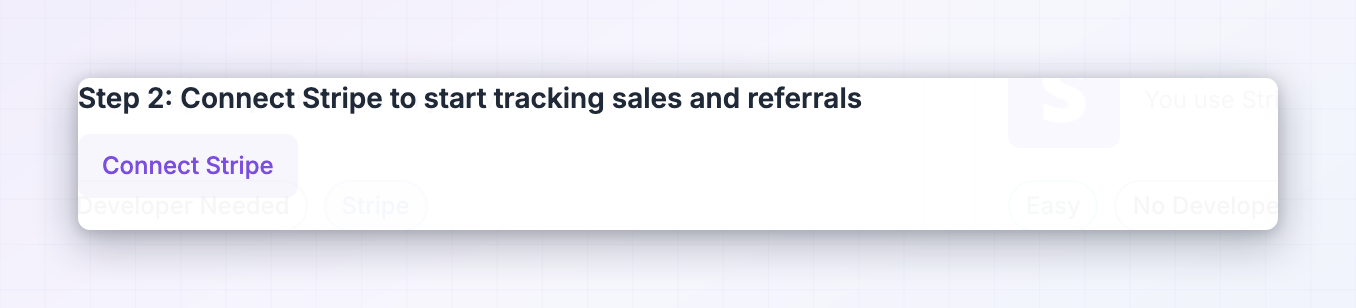 To check which account Pickaxe uses, open the Access tab in Pickaxe, open the access group you charge for, and look at Monetization and Upgrade, where your Stripe connection is shown. Pickaxe’s own walkthrough is How to set up monetization in Pickaxe Studio with Stripe.
Referly also follows whichever Stripe mode your program is set to. If your program is in test mode, live payments won’t be recorded, and the other way round. Worth checking before you test. For more on what Referly reads from Stripe, see the Stripe integration.
To check which account Pickaxe uses, open the Access tab in Pickaxe, open the access group you charge for, and look at Monetization and Upgrade, where your Stripe connection is shown. Pickaxe’s own walkthrough is How to set up monetization in Pickaxe Studio with Stripe.
Referly also follows whichever Stripe mode your program is set to. If your program is in test mode, live payments won’t be recorded, and the other way round. Worth checking before you test. For more on what Referly reads from Stripe, see the Stripe integration.
Test it end to end
Run a real payment through before telling affiliates the integration is live.1
Grab a real affiliate link
Open Affiliates in the left sidebar of Referly, pick an affiliate, and copy their referral link.
2
Open it in a private window
Use a private or incognito window so no old tracking interferes. Land on your portal and let the page finish loading. This is the moment the referral is recorded.
3
Sign up and pay for a plan
Go through your normal sign-up and buy access to a paid group, using an email address you haven’t used before. If you can, use a low-priced plan or a full-discount coupon rather than a live card charge.
4
Check Referly
Open Customers in the left sidebar. The buyer should appear within a minute, credited to the affiliate whose link you used, with the amount they paid and its commission.
5
Check the amount and currency
Compare the figure against what Stripe actually took. They should match.
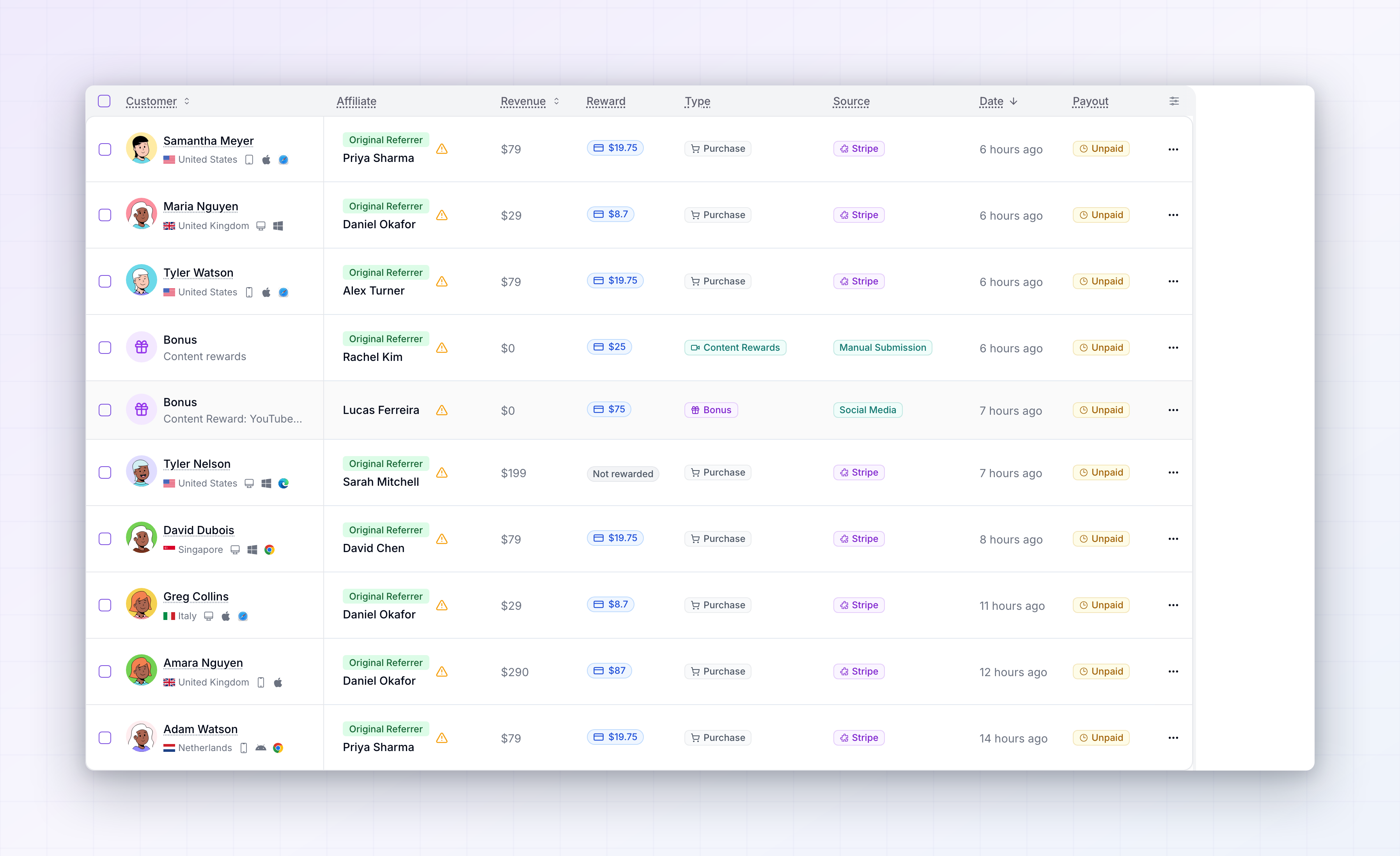
When the test payment appears under Customers against the right affiliate with the right amount, you’re done.
How Referly decides who gets the credit
When a visitor lands on your portal through an affiliate link, Referly records the click and stores it in their browser for the length of your cookie window. It also hands that referral to Pickaxe straight away, so Pickaxe has it ready. When the visitor pays, Pickaxe attaches the referral to the Stripe payment it creates. Referly, watching your connected Stripe account, sees the payment arrive with a referral on it and credits the affiliate behind it. Because the customer is now linked to that affiliate in Stripe, every renewal, refund, and cancellation that follows is matched up too. Once someone is credited to an affiliate, that credit stays with them. Later clicks from other affiliates don’t take it over.Limitations to be aware of
- Free sign-ups aren’t recorded. Nothing reaches Referly until a payment is made, so you can’t pay affiliates per lead through this integration.
- The visitor must pay in the browser they clicked in. Clicking on a phone and paying on a laptop won’t match.
- The Stripe account has to be shared. Pickaxe and Referly must be pointed at the same one.
- Usage inside your portal is invisible. Referly sees payments, not which tools people used or how often.
- Plan upgrades appear as payments, not as plan changes, so your reports show the money rather than the movement between tiers.
- Embedded portals need testing. The tested setup is a portal hosted by Pickaxe or on your own custom domain. If you embed yours elsewhere, run the end-to-end test before relying on it.
- Ad blockers and strict privacy settings stop the tracking script for a small share of visitors, as with any affiliate tool.
Troubleshooting
Clicks are counted but no sales ever appear
Clicks are counted but no sales ever appear
Almost always the Stripe connection. Check that Referly is connected to the same Stripe account Pickaxe charges through, and that your program’s test-or-live mode matches the payments you’re expecting.
Nothing is tracked at all, not even clicks
Nothing is tracked at all, not even clicks
The script isn’t running on your portal. Open the Design tab in Pickaxe, confirm the tracking script is in the header code box, and confirm you saved. Then load your portal with an affiliate link on the end and check that a click shows up in Referly.
Sales appear but aren't credited to any affiliate
Sales appear but aren't credited to any affiliate
The payment reached Referly without a referral attached, which means the visitor wasn’t recognised on the portal before they paid. Check the script is in the header rather than the footer, and that affiliates are linking to a page that has it.If people arrive on your marketing site first and click through to the portal, the script needs to be on both.
The wrong affiliate got the credit
The wrong affiliate got the credit
The customer most likely visited on another affiliate’s link earlier. The first affiliate to refer someone keeps the credit for the length of your cookie window. You can move a referral to a different affiliate from the customer’s page, described in managing referred customers.
Renewals aren't producing commission
Renewals aren't producing commission
Check your commission settings rather than the integration. Recurring commission is something you turn on in your program, and it’s covered in the commissions overview.
I refunded a customer but the commission is still there
I refunded a customer but the commission is still there
Refunds are recognised, but how the commission is handled depends on your settings and whether the reward has already been approved or paid out. See handling refunds.
Related
Stripe
Connect the Stripe account Pickaxe charges through.
Commissions overview
Set recurring commission for subscription revenue.
Refunds
Handle commission on money you’ve given back.
All integrations
See every platform Referly connects to.