

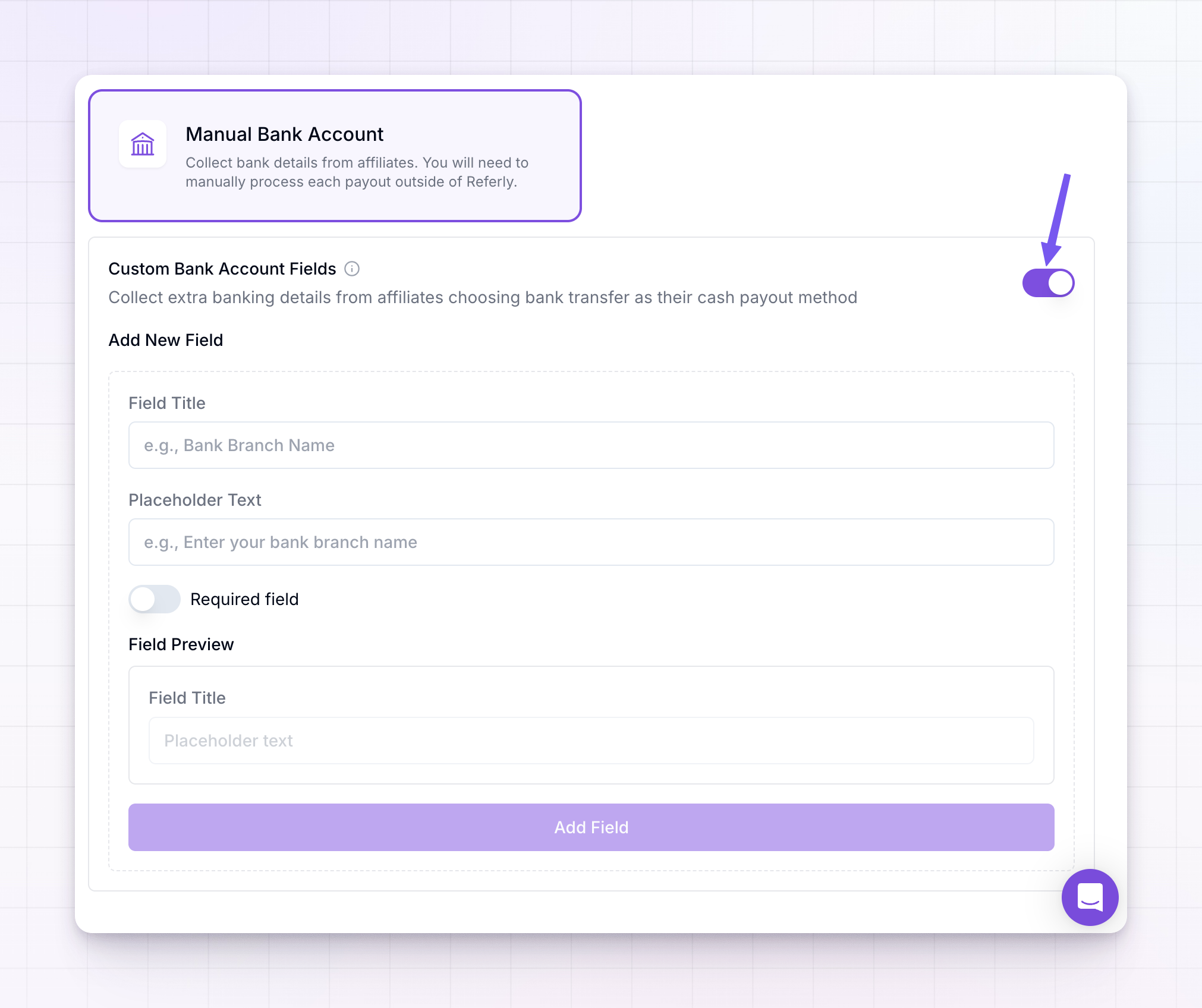
Turn on custom fields
In the Custom Bank Account Fields panel, switch on the toggle to start collecting extra banking details. With it off, affiliates only fill in the standard bank fields. With it on, any fields you add appear on the bank details form affiliates complete when they choose bank transfer.Add a field
Under Add New Field, describe the detail you want to collect:- Field Title — the label the affiliate sees, for example
Bank Branch NameorSWIFT / BIC. - Placeholder Text — the greyed-out hint shown inside the empty box, for example
Enter your bank branch name. - Required field — turn this on if an affiliate must fill it in before they can save their bank details.
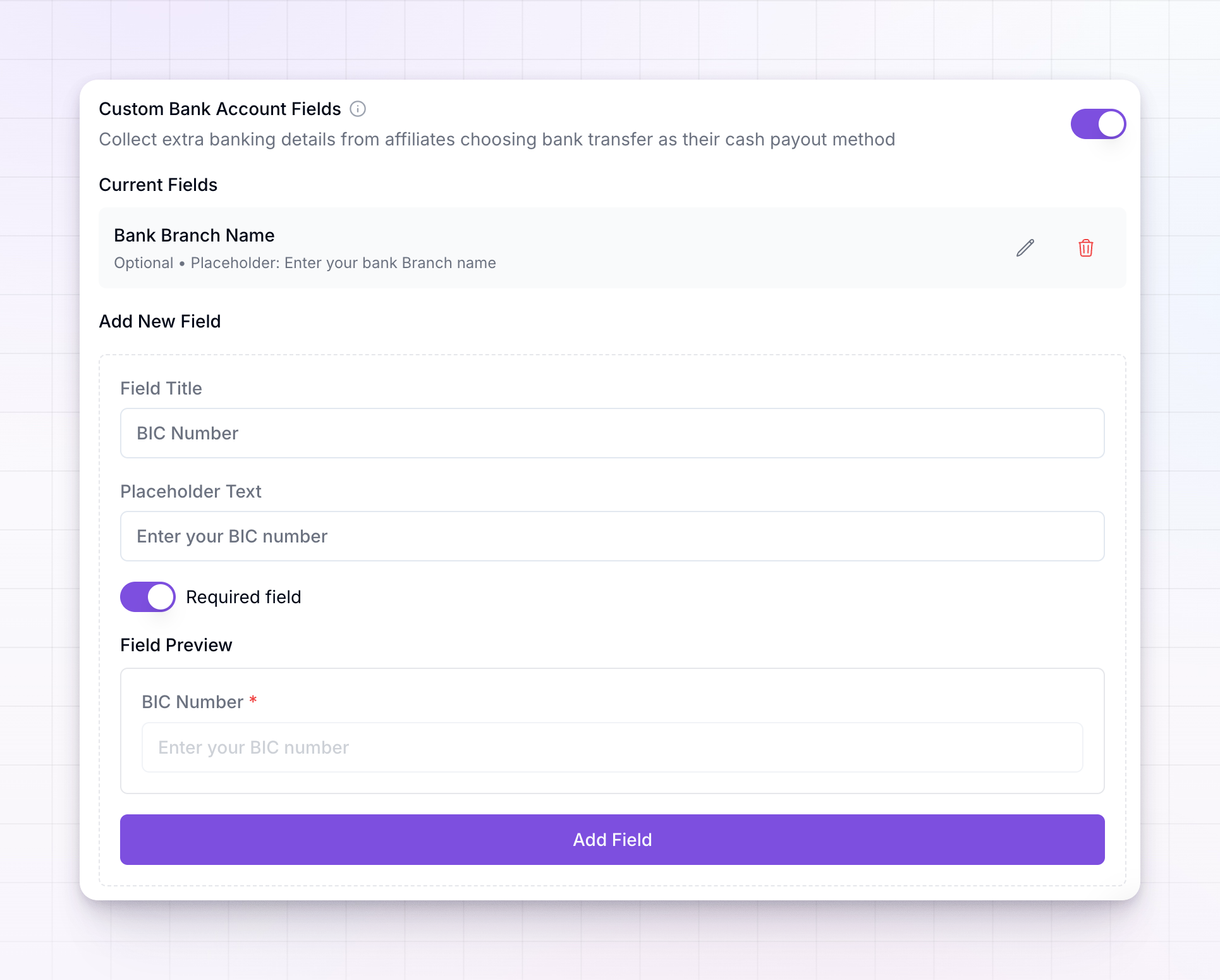
Edit or remove a field
Every field you’ve added is listed under Current Fields, showing its title, whether it’s required, and its placeholder.- Select the pencil icon to change a field’s title, placeholder, or required setting, then save.
- Select the trash icon to remove a field. You’ll be asked to confirm, and removing a field can’t be undone.
Related
Payout methods
Turn on manual bank transfer and other payout methods.
Export payouts
Download bank payout details as a CSV to make transfers.
Payout batches
Review and pay batches once details are collected.
Payouts overview
See how the whole payout process fits together.