

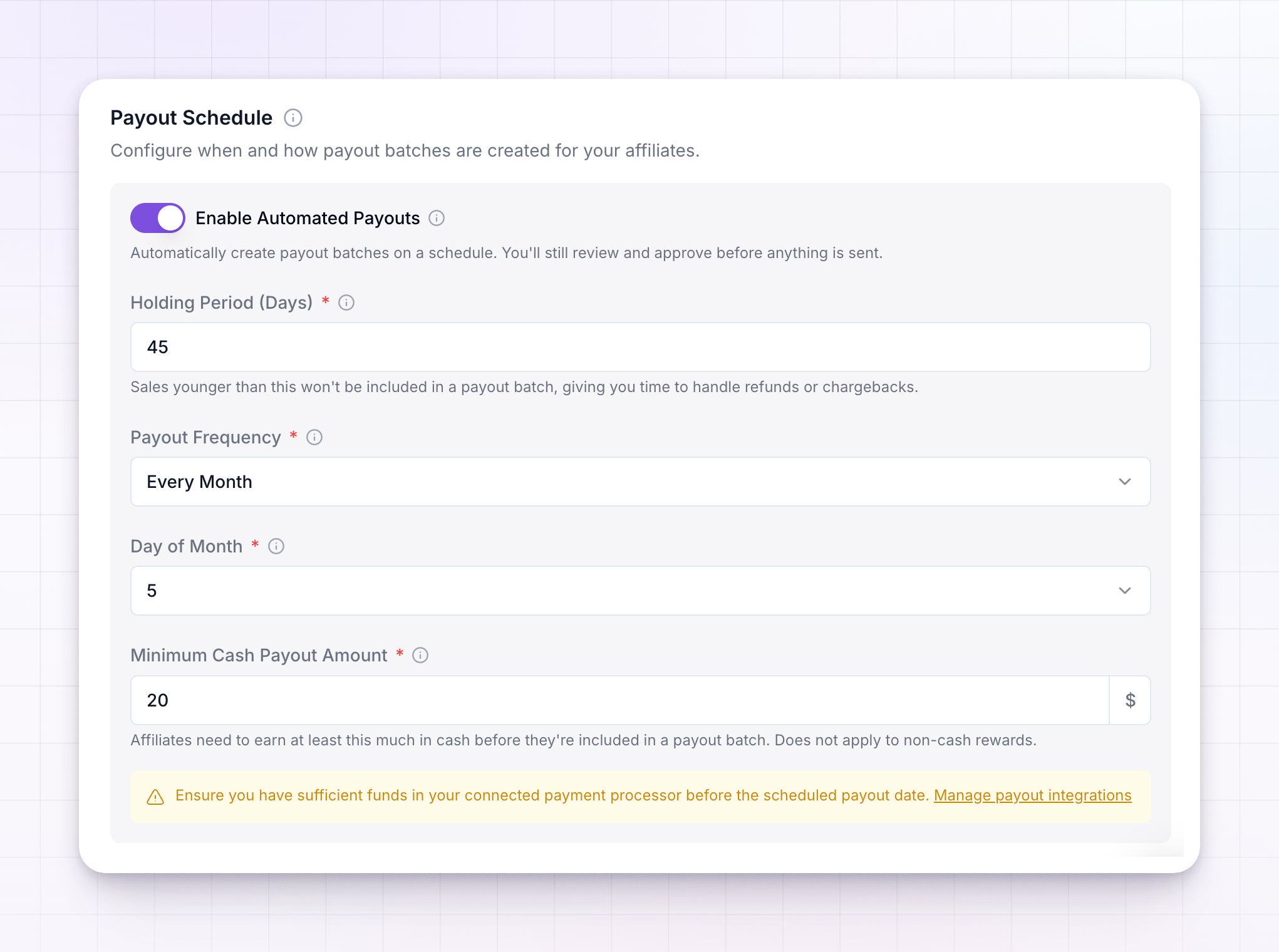
Turn on automated payouts
The schedule runs on Enable Automated Payouts. When it’s on, Referly creates payout batches for you on the frequency you set, for both cash and non-cash rewards. When it’s off, no batches are created automatically and you create them yourself. Automating creation doesn’t take money out of your hands. You still review and approve each batch before anything is sent — automation just prepares the batch for you.Automated payouts are a paid feature. If it’s locked, you’ll see an upgrade prompt on the toggle. Once it’s on, the holding period, frequency, and minimum-amount fields appear.
Set the holding period
The Holding Period (Days) is the number of days a commission is held before it becomes eligible for payout. If you set it to 30, a commission earned today won’t be included in a batch until 30 days have passed. The point of the holding period is protection. It gives you time to handle refunds, chargebacks, or fraudulent orders before that money leaves your account, so you’re not paying out on a sale that later reverses. Sales younger than the holding period simply wait — they’ll be picked up by a later batch once they’ve aged past it. Set it to a number that matches your refund window. Thirty days is a common starting point; shorten it to pay affiliates faster, or lengthen it if your refunds tend to come in later.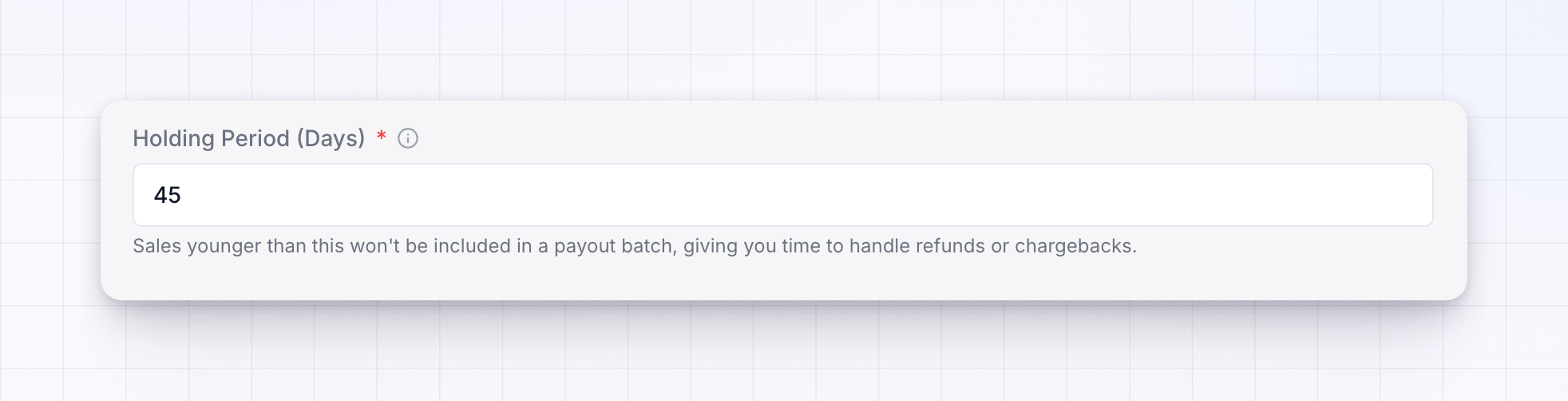
Choose how often affiliates are paid
Payout Frequency controls how often a new batch is created. Each new batch collects all the eligible earnings since the last one. There are three options, and each one asks for a bit more detail:- Every Month — pick the Day of Month (1 to 31) the batch is created.
- Every Week — pick the Day of Week the batch is created.
- Every Day — choose which days count as Active Payout Days. Turn off any days you want to skip, for example weekends.
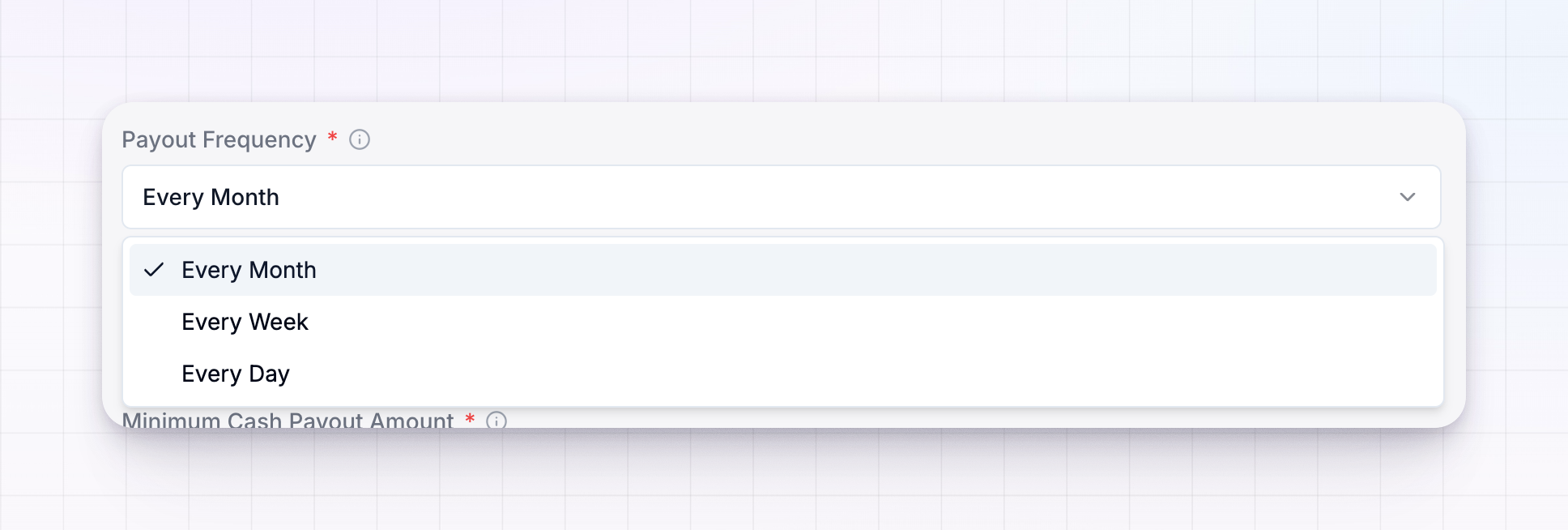 Pick the cadence that fits your program. Monthly keeps fees and admin low; weekly or daily pays affiliates sooner, which some affiliates prefer.
Keep funds ready
Because batches are created on a schedule, make sure the account you pay from has enough funds before each scheduled date. If you’re managing payouts yourself, that’s your connected Wise, PayPal, or bank balance. The schedule section shows a reminder about this, with a link to manage your payout integrations.The holding period and frequency decide when affiliates are paid. How much they must reach before they’re included is set separately — see Minimum payout amount.
Related
Minimum payout amount
Set the threshold an affiliate must reach to be paid.
Payout batches
See how scheduled batches are reviewed and paid.
Payout batch statuses
Follow a batch from Preparing to Paid.
Payouts overview
How commissions become payable earnings.