

These settings control what you are told, not what your affiliates are told. Emails sent to affiliates — welcome messages, approval notices, sale alerts — are managed separately under your program’s email settings.
Email notifications
Go to Settings, open Program details, and select Email notifications. The page is headed Your Notifications — “Emails sent to you about program activity”.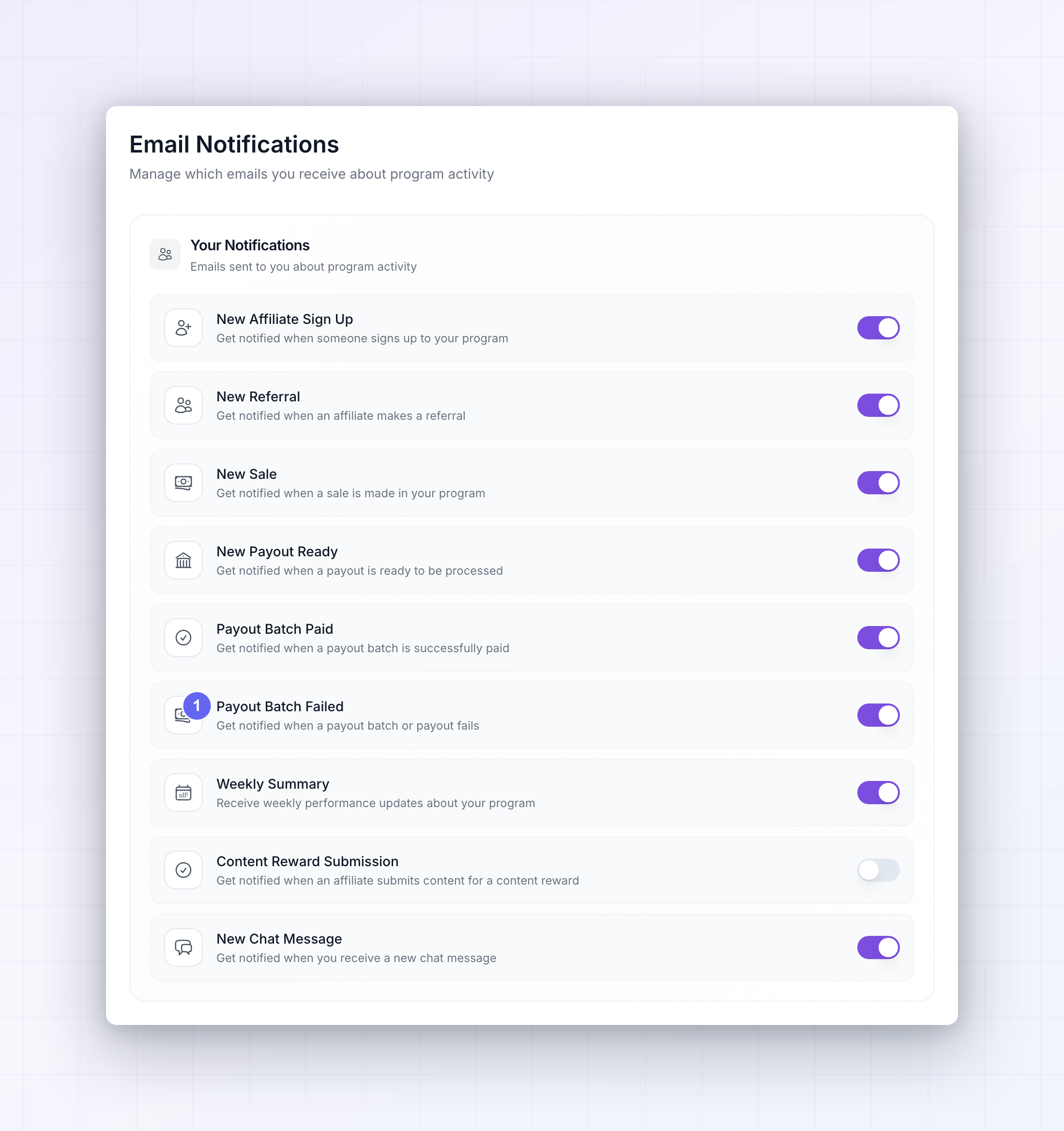 Each row is one kind of event with a switch beside it:
Choosing what’s worth an email
Referly’s defaults are deliberately quiet, and they’re a good starting point. Payout Batch Paid, Payout Batch Failed, and New Chat Message are on; the activity notifications are off. The reasoning is worth borrowing. Email is best for things you must act on or must not miss:- Keep the payout emails on. Payout Batch Failed in particular is the one email you can’t afford to miss — a failed batch means affiliates aren’t paid and you probably won’t notice from the dashboard.
- Turn on Weekly Summary if you’d rather read one digest than watch the numbers daily. For most programs this is the single most useful email here.
- Leave the per-event emails off once you have volume. New Sale and New Referral are genuinely exciting in the first weeks of a program, and unbearable at fifty sales a day. Watch them in the dashboard instead.
- Turn on New Affiliate Sign Up if you approve affiliates by hand. If people are waiting on your approval to start promoting, knowing promptly matters. If you approve automatically, it’s just noise.
- Turn on Content Reward Submission if you run content rewards, since submissions sit waiting for your review.
In-app notifications
Go to Settings, open Program details, and select In-app notifications — “Choose which notifications appear as slide-in toasts”. These appear briefly in the corner of the dashboard while you’re working.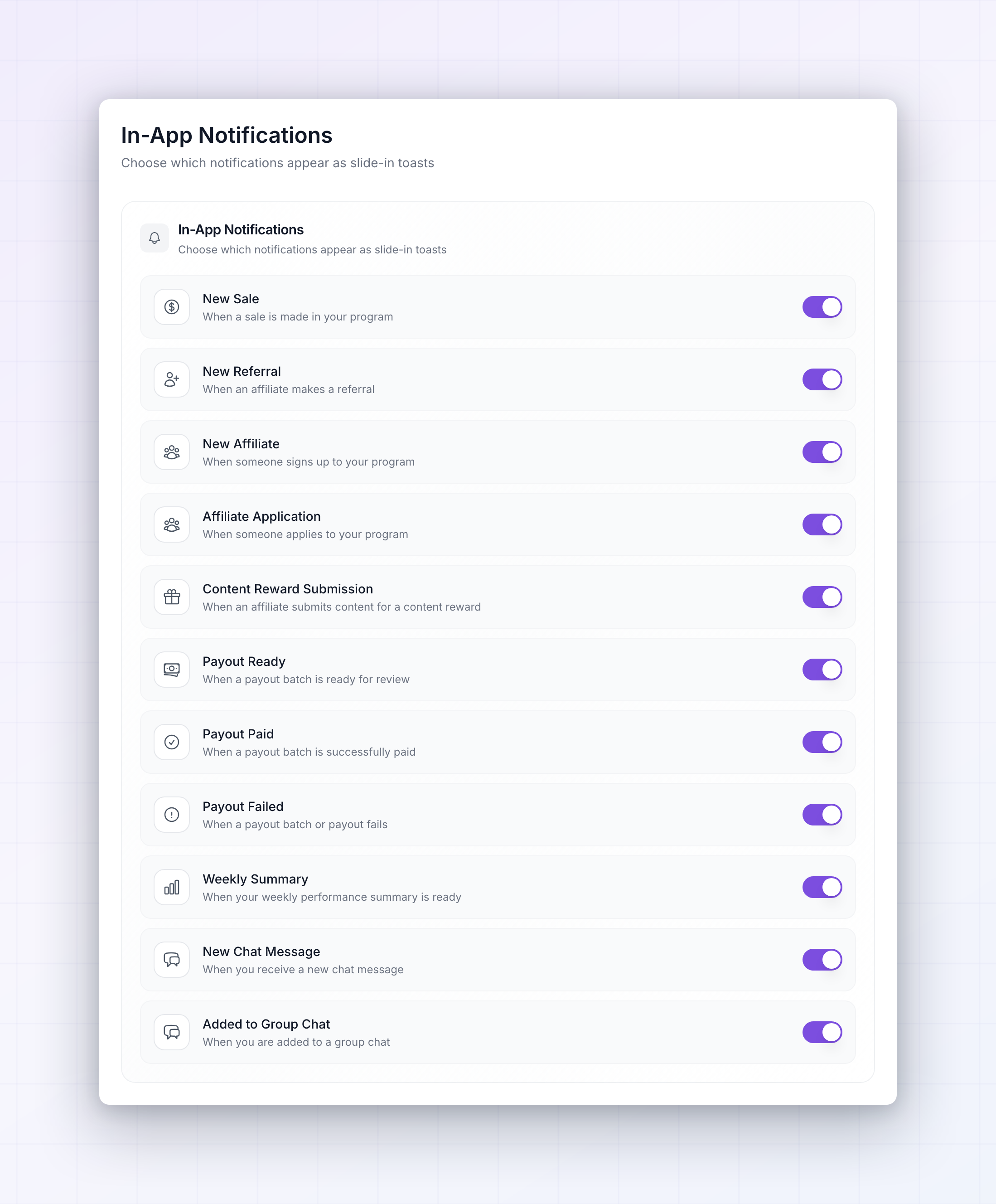
These are all on by default, which suits most people. A toast costs you nothing when you’re not in the dashboard and disappears on its own when you are, so the case for switching them off is much weaker than for email.
The exception is a high-volume program. If New Sale toasts are firing constantly while you’re trying to work, turn that one off and leave the rest — the sales are still in your dashboard whenever you want them.
How the two pages work together
They’re separate channels for the same events, so you can pick a different level of interruption for each. A sensible pattern for most programs:- Email for things that need you even when you’re not logged in — failed payouts, the weekly summary, and chat messages from affiliates.
- In-app for everything else, where seeing it while you’re already working is enough.
Related
Payout settings
Set the schedule that drives your payout notifications.
General program settings
Decide whether affiliates and rewards are approved automatically.
Affiliate groups
Segment affiliates and give each group its own terms.
Fraud prevention
Hold suspicious rewards for review before they’re paid.