

How this differs from managing payouts yourself
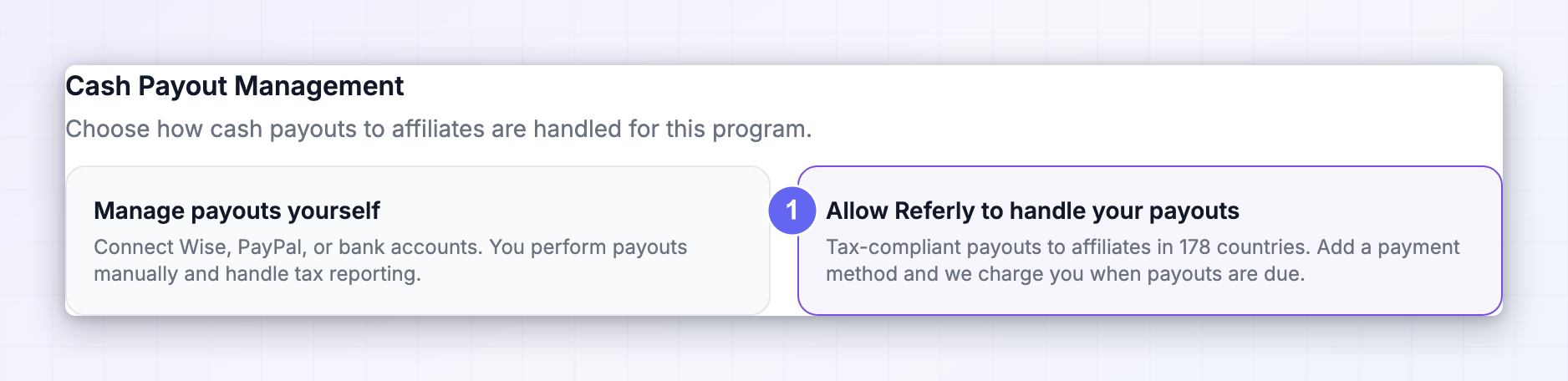
You pick between the two under Program Settings → Program details → Payout settings, at the top under Cash Payout Management. See Manage payouts yourself or let Referly handle them.
What Referly Payouts can and can’t do
What it does:- Pays affiliates in 178 countries without you holding accounts in any of them.
- Removes the setup entirely — no API keys, no business verification with a third party, no balance to keep topped up.
- Generates a downloadable invoice for every batch you pay.
- Shows you the exact amount you’ll be charged, broken down, before you commit.
- Can run completely hands-free if you turn on automatic payouts.
- Pays affiliates in their local currency, straight into their own bank account.
- It isn’t free. There’s a Referly service fee on each payout, plus processing costs, and the percentage differs between card and bank. You see the exact figures before paying.
- It can’t pay an affiliate who hasn’t connected a bank account. They have to do this themselves in the affiliate portal, and their account has to meet Referly’s requirements.
- It isn’t instant. Bank charges take up to four days to reach Referly before affiliates are paid. Affiliates are told to expect 7 to 10 business days depending on their country.
- It can’t be combined with Wise or PayPal on the same program. Choosing Referly Payouts replaces the self-managed methods, and your affiliates’ options change accordingly.
- It may not be available to you. If an agency manages your program, they can turn Referly Payouts off, leaving only the self-managed option.
This choice only affects cash payouts. Coupons and credits are always delivered by Referly automatically either way. See Non-cash rewards.
Before you start
1
Admin access to your program
You need to be able to open Program Settings.
2
A card or business bank account
Whichever you’d rather be charged on. You can add both and switch between them.
3
Referly Payouts available on your program
If the option doesn’t appear, an agency has turned it off for your program — contact them.
4
Affiliates who can connect a bank account
They’ll need a checking account in their local currency, in their own name.
Step 1: Switch your program to Referly Payouts
1
Open your payout settings
Go to Program Settings → Program details → Payout settings. More on this page in Payout settings.
2
Find Cash Payout Management
It’s at the top of the page, with two cards.
3
Select Allow Referly to handle your payouts
The card describes it as “Tax-compliant payouts to affiliates in 178 countries. Add a payment method and we charge you when payouts are due.”
4
Save
The page changes — the Wise, PayPal, and bank cards are replaced by a Payment methods section.
Step 2: Add a payment method
Until you add one, you’ll see “No payment methods yet” with a prompt to add a card or bank account Referly can charge when payouts are due. Select Add payment method. You get two choices, each showing its fee percentage on a badge.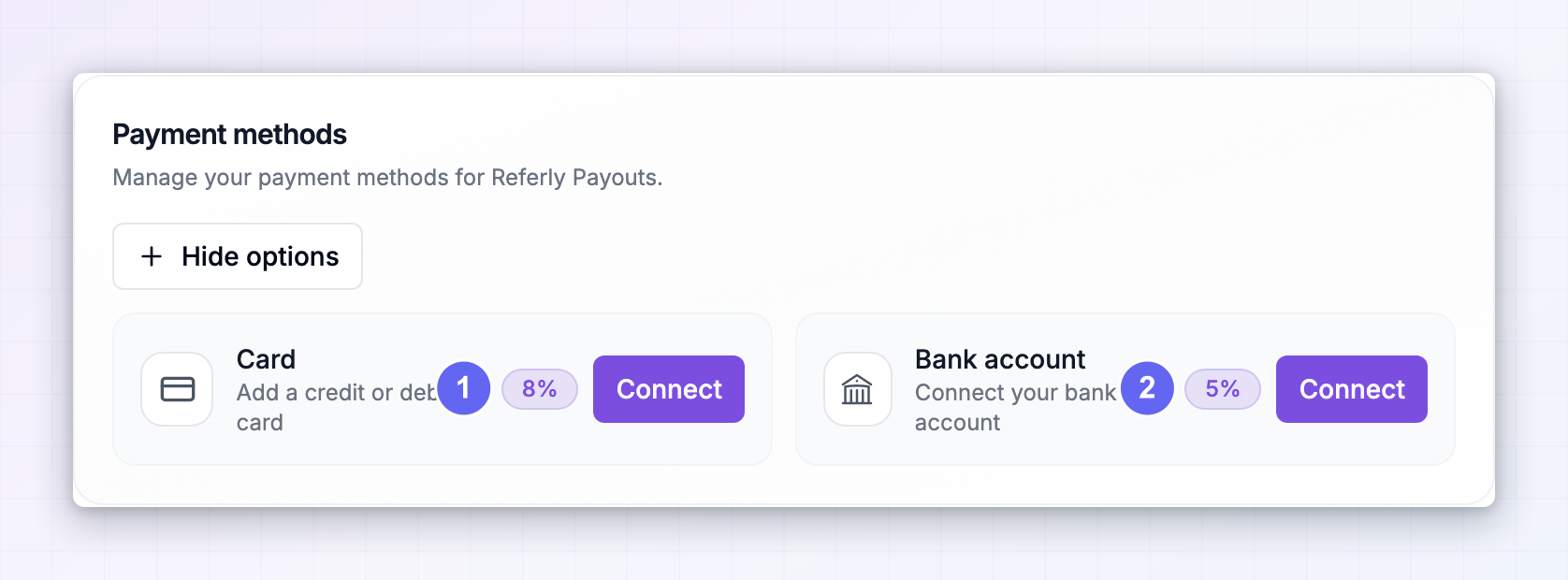
Add a card
1
Select Connect on the Card option
Described as “Add a credit or debit card”.
2
Enter your card details on the secure page
Referly sends you to a hosted payment page to collect them. Your card number never touches Referly.
3
You're returned to your payout settings
The card appears under Your payment methods with a green Connected badge and its fee percentage.
Connect a bank account
1
Select Connect on the Bank account option
Described as “Connect your bank account”.
2
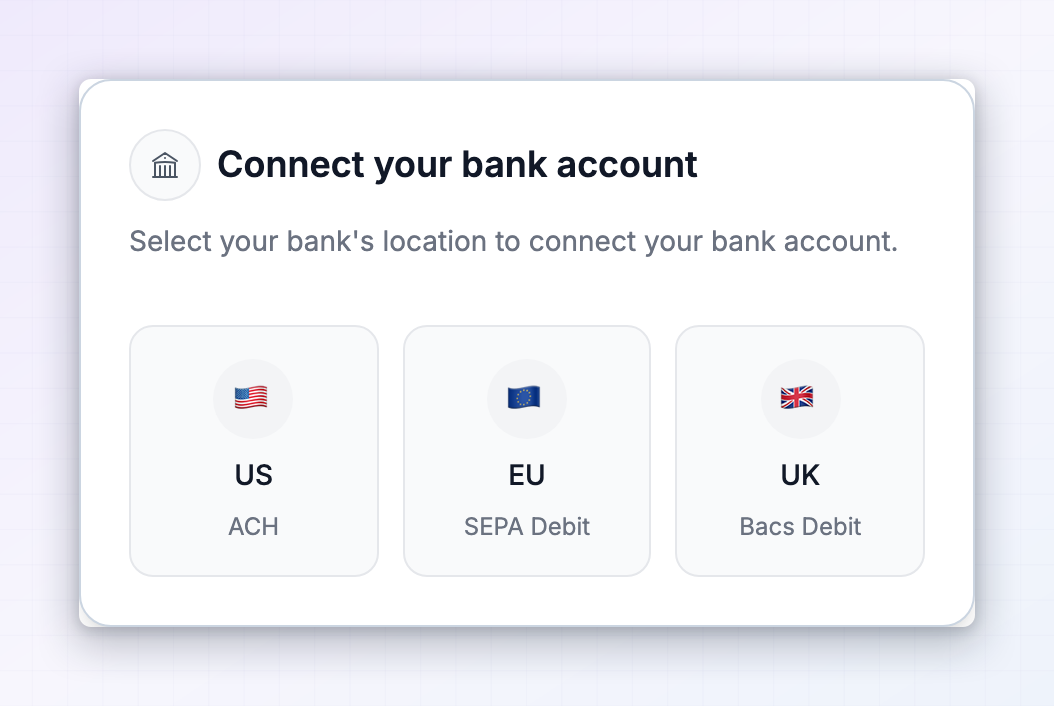
Choose where your bank is
A dialog titled Connect your bank account asks you to “Select your bank’s location”. There are three options: US (ACH), EU (SEPA Debit), and UK (Bacs Debit).
3
Complete the hosted bank setup
You’re taken to a secure page to link the account. Depending on your bank and country, this is either an instant login to your online banking, or entering your account details and confirming them.
4
Verify the account if asked
Some banks are verified with small test deposits that take a day or two to appear on your statement. You then enter the amounts to confirm. Until that’s done, the account can’t be charged. You can carry on setting everything else up while you wait.
5
You're returned to your payout settings
The account appears under Your payment methods, marked Connected.
Your choice of Referly Payouts is saved before you’re sent off to connect a payment method, so you won’t come back to find the program reset to self-managed.
Step 3: Pick your default payment method
If you’ve added more than one, choose which gets charged under Default payment method. You can also select Set default next to any method in the list. Remove one with the bin icon — Referly asks you to confirm.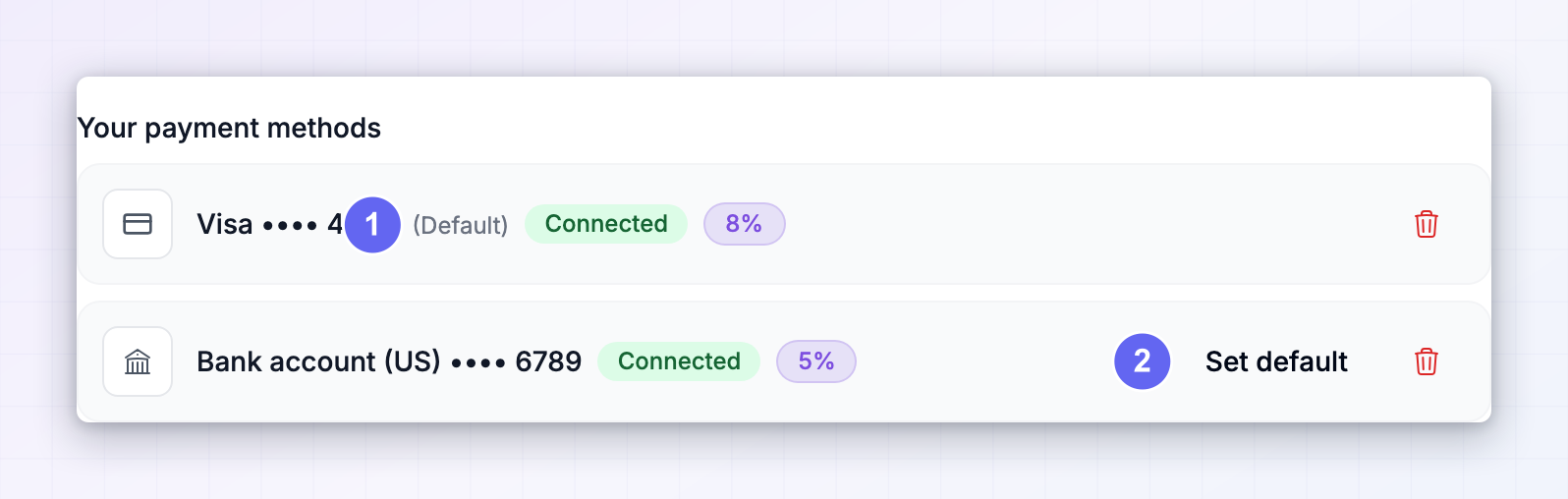
Step 4: Decide whether payouts run automatically
By default, a batch waits for you to review and pay it. Turn on Automatically perform payouts and new batches are charged and sent to affiliates without anyone clicking Pay. Combined with a payout schedule, this makes affiliate payments completely hands-off.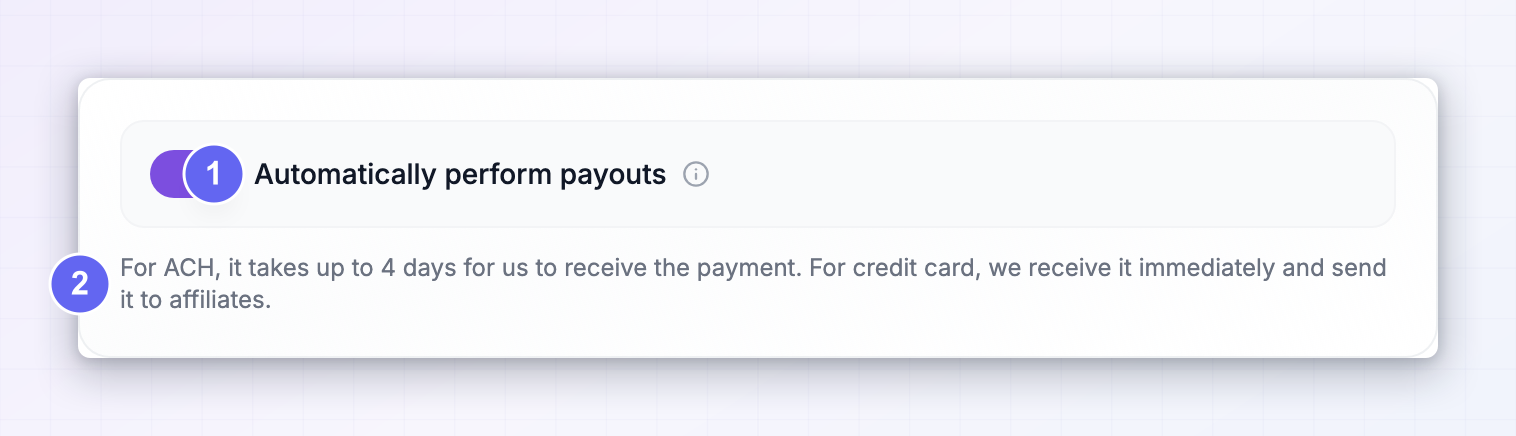
What your affiliates do
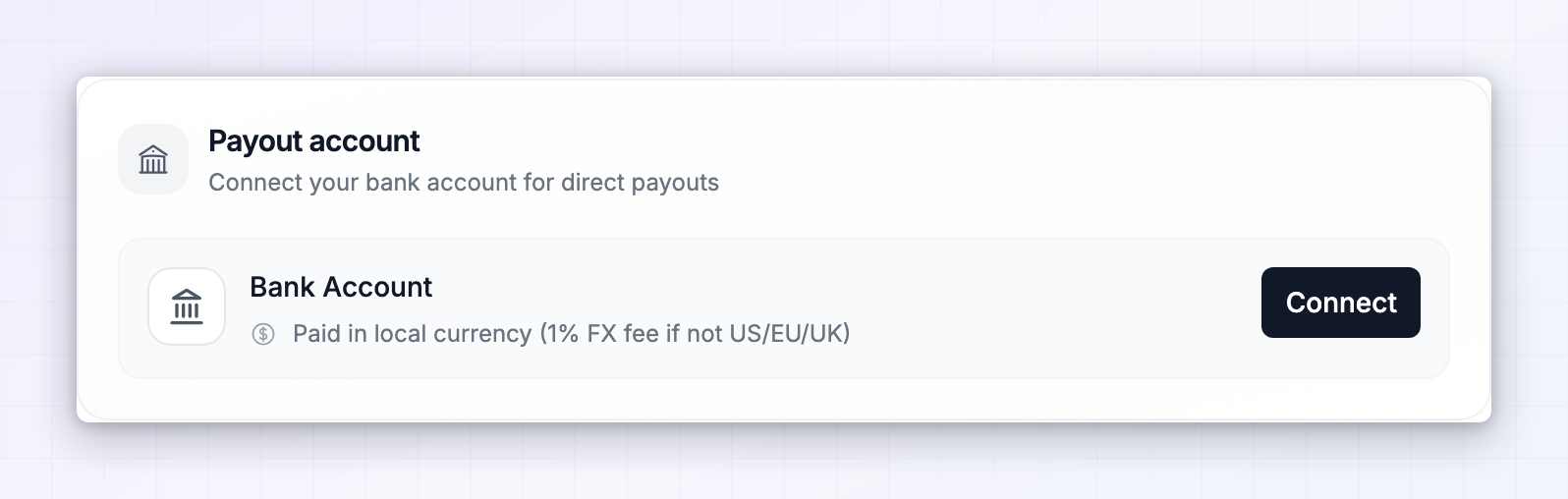
Affiliates can’t be paid until they’ve connected a bank account. This happens in the affiliate portal under Settings → Payouts → Cash payouts, in a section called Payout Account.Connect a bank account
1
They select Connect
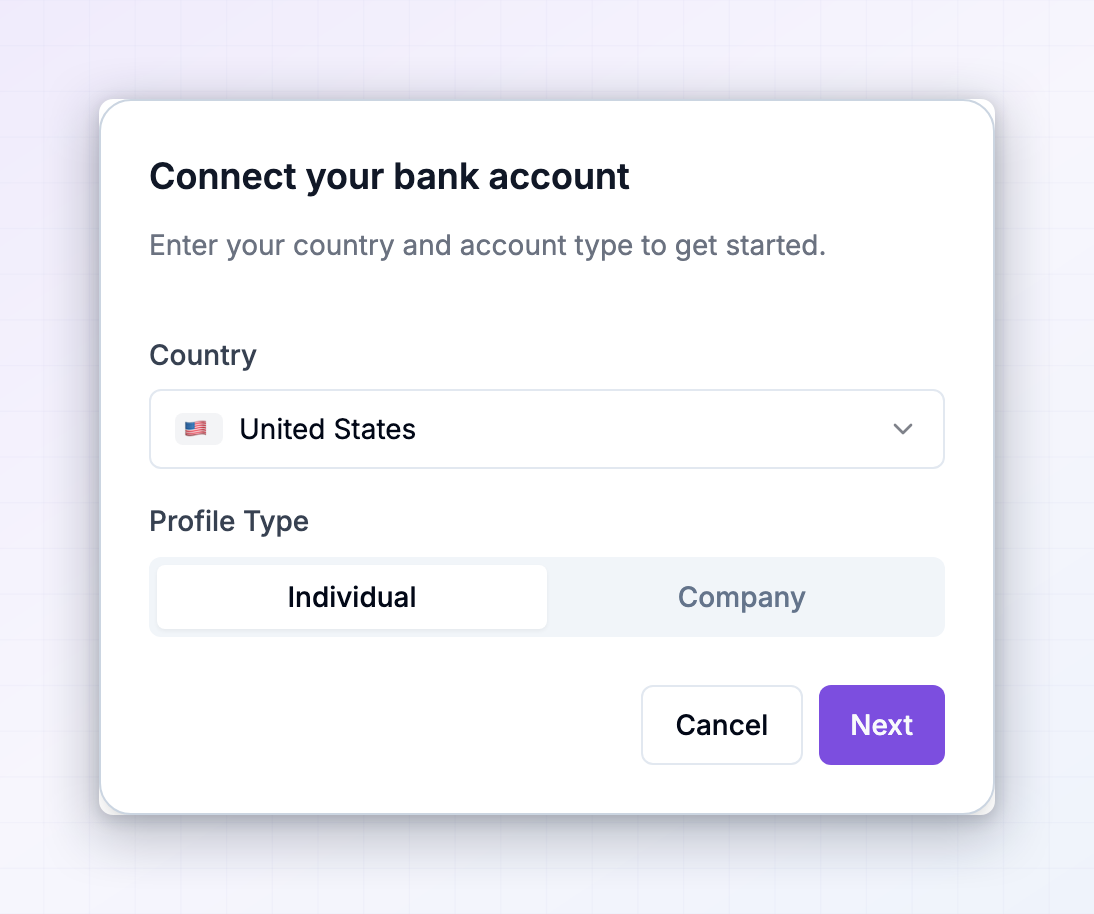
A dialog opens titled Connect your bank account, asking them to “Enter your country and account type to get started.”
2
They choose their country and profile type
Individual or Company. Companies also enter a Legal company name.
3
They review the terms
A Terms and conditions step spells out that they’re authorising Referly to collect their bank details, that payouts are made in their local currency with a 1% fee if their bank isn’t in the US, EU, or UK, and that payouts typically arrive within 7 to 10 business days. They tick I accept the terms and conditions.
4
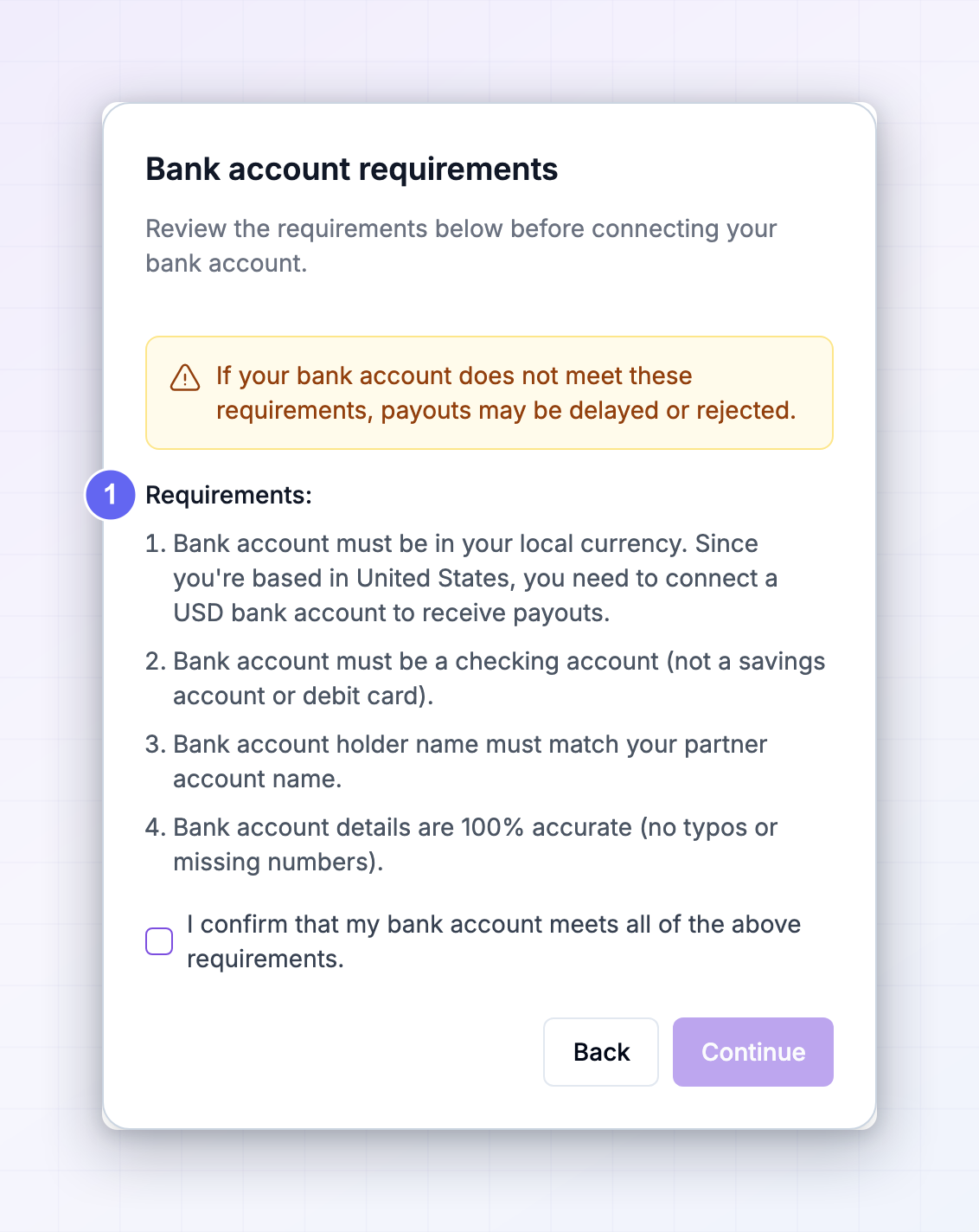
They confirm their account meets the requirements
A Bank account requirements step, covered below.
5
They enter their bank details on a secure page
Referly sends them to a hosted page. When they come back, their payout account shows as Connected and Ready to receive payouts.
The requirements their account has to meet
This step exists because a wrong account is the single biggest cause of delayed payouts. Affiliates are asked to confirm all four:- The account is in their local currency. Someone in Germany needs a Euro account, not a US Dollar one.
- It’s a checking account — not a savings account and not a debit card.
- The account holder name matches their affiliate account name.
- The details are completely accurate, with no typos or missing digits.
What affiliates pay
Affiliates see an estimate of the fees deducted from their payout, with a breakdown they can hover over:
The portal states a 1% fee applies where the affiliate’s bank isn’t in the US, EU, or UK.
Pay a batch
Review the charge breakdown
Open the batch and select Pay Now. The Pay for Referly payout dialog asks you to “Charge your payment method to fund this batch”, and breaks down what you’re paying:
Pick which payment method to charge from the selector, then check the total.
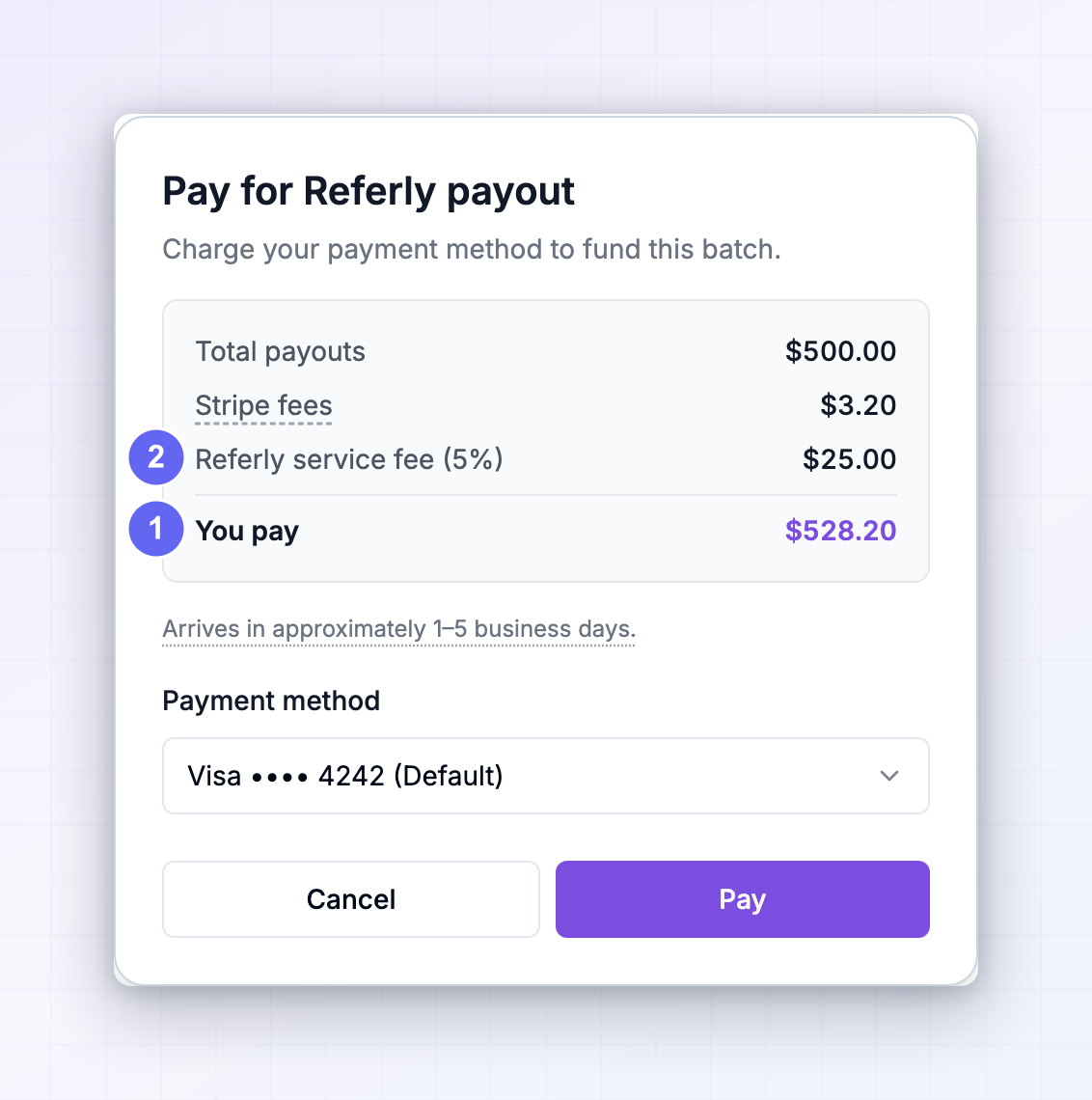
You won’t always see a Stripe fees line. Where Referly’s service fee already covers the processing costs on that payout, Referly absorbs them instead of billing them separately. Hovering over the line explains which applies to your payout.
Pay
Select Pay. Referly charges your payment method and starts distributing the money. You’ll see Payment Successful, with the total charged, the number of affiliates, and a Download Invoice button. The confirmation notes that payouts are being processed and estimates arrival within 1 to 5 business days.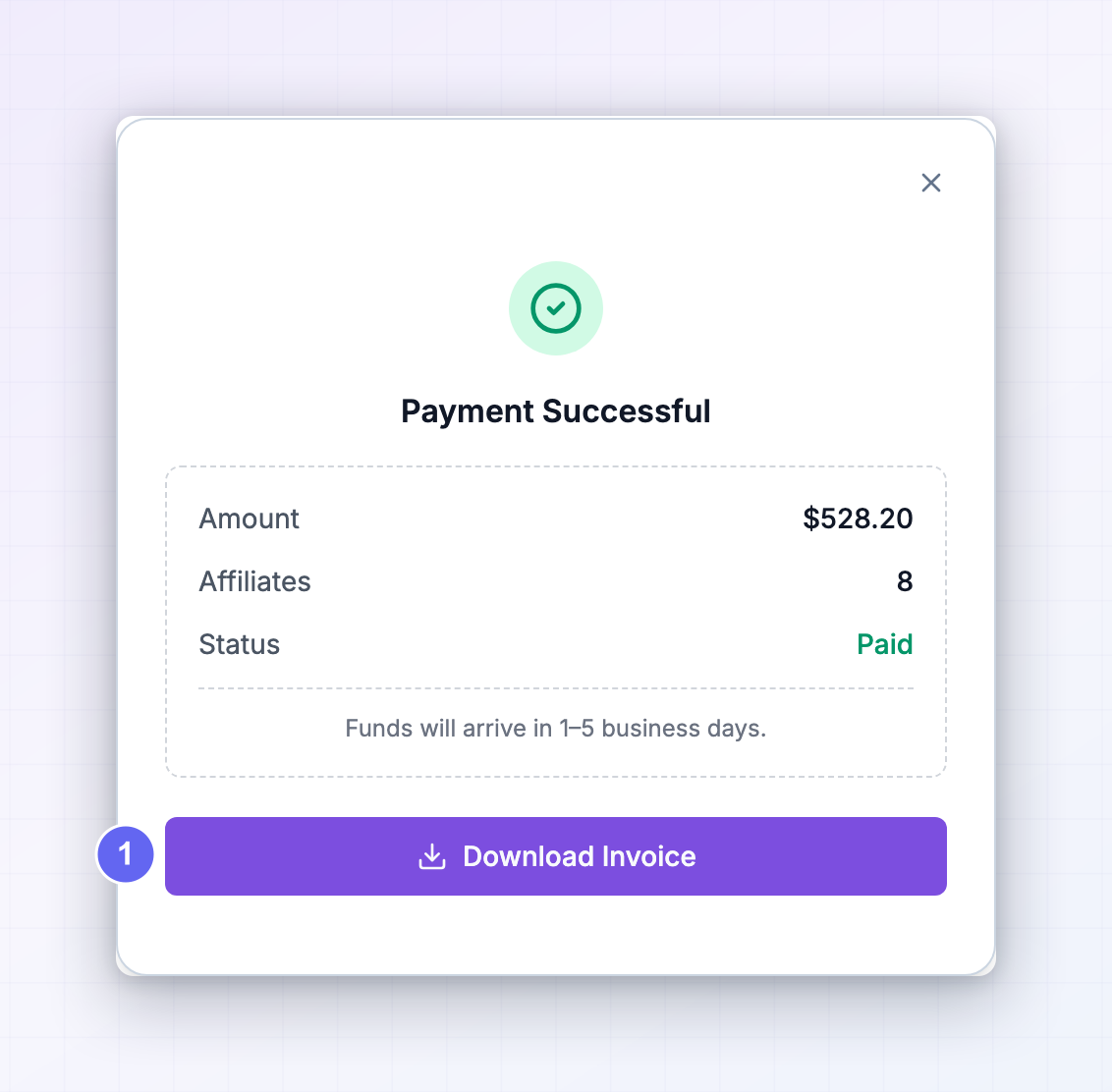
Your affiliates are told to expect 7 to 10 business days depending on their country. When someone asks, quote the longer figure — it accounts for slower destinations and bank processing at the other end.
Follow the payout through
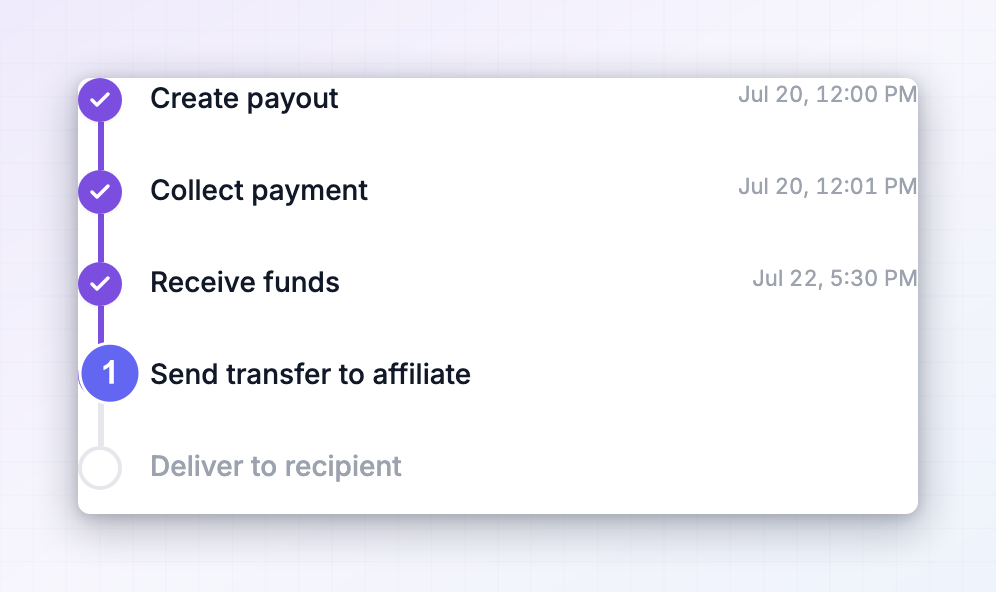
Each payout has a timeline showing exactly where it is:
If a stage fails, the timeline shows where and gives you a retry option. See Batch statuses and Failed payouts.
Fees
- What you’re charged. A Referly service fee on each payout, plus processing costs where they apply. The percentage is different for card and bank, and it’s shown on a badge next to each method when you add it, and again in your list of payment methods.
- Card versus bank. Card carries the higher percentage but clears immediately. Bank is cheaper but takes up to four days to reach Referly before affiliates are paid.
- Where to check. The exact percentages for your account are shown in the dashboard — Referly displays them next to each payment method rather than in a fixed price list, because they can differ by account. Always read the You pay total before confirming.
- What affiliates pay. Separate from your fee. Deducted from their payout, broken down in their portal, as described above.
Invoices, tax, and compliance
Every batch you pay through Referly Payouts generates an invoice you can download from the payment confirmation, and again later from the batch. This is the main practical reason programs move to Referly Payouts: paying dozens of affiliates across different countries yourself means collecting the right paperwork from each of them. Referly Payouts produces compliant documentation as part of the payout. You still set your own legal entity details, which is what appears on those documents. See Tax and invoices.Switching between Referly Payouts and self-managed
You can change your mind at any time under Cash Payout Management. Two things to know:- Your affiliates’ options change. On self-managed they choose between the methods you’ve enabled — Wise, local bank, PayPal, or manual bank details. On Referly Payouts they connect a bank account through Referly instead. Anyone who hasn’t connected one won’t be payable until they do.
- Deal with outstanding batches first. Pay or clear anything in flight before switching, so no batch is left half-processed under a method the program no longer uses.
Troubleshooting
Related
Self-managed vs Referly Payouts
Compare the two approaches before you commit.
Payout methods
Every way you can pay affiliates in Referly.
Tax and invoices
Legal entity details and the paperwork Referly generates.
Payout schedule
Control when payout batches are created.
Payout batches
How batches are built, reviewed, and paid.
Failed payouts
What to do when a payout doesn’t reach an affiliate.