 A setup guide
Affiliate Marketing for Shopify
Set up your program in an afternoon
Install the app, give each partner a discount code, and pay per order. No theme edits and no developer.
To set up affiliate marketing on Shopify: install an affiliate app, decide your commission rate, generate a personal discount code and tracking link for each partner, recruit your first partners from your own customer list, and pay them per order. Referly does all five, and also tracks sales you make outside Shopify.
14-day free trial · Full access from day one · Cancel anytime
What is in this guide
- 01Install the Referly app from the Shopify App Store
- 02Connect your store and verify the tracking script
- 03Set your commission
- 04Generate a discount code for each partner
- 05Invite your first partners

One code in Shopify, the same code earning in Referly.
Before you start
Shopify has discounts. It does not have a program.
Shopify will happily make you a code. Four things it will not do are what turn codes into a program.
A Shopify discount code
Shopify makes this in thirty seconds, and stops there.
What is missing
Attribution
Which partner earned which order.
Holding period
Waiting out your return window before paying.
Tax forms
W-9, W-8BEN and W-8BEN-E, collected and stored.
Payouts
Forty partners, nine countries, one batch.
A partner program
Those four, plus the code, running on their own.
The outcome
What you will have when you are done
01A partner portal in your colours
At partners.yourstore.com, in any of 15 languages.
From Business
02A code and a link per partner
Both, for everyone, attributing to the same person.
03Orders attributed from both
Shopify reports the order, Referly matches it.
04Refunds reversed automatically
A returned order takes its commission back.
05One payout batch
PayPal, Wise, bank, store credit, or Referly Payouts.
From Business
The setup
Five steps to a live Shopify affiliate program
Short sentences, literal instructions. If you already have a store, this is about an afternoon.
0 of 5 done
Tick them off as you work through the steps below.
Ready to start step one?
Create the program first, then install the app into it. Both take a couple of minutes.
14-day free trial · Cancel anytime
Step 01
Install the Referly app from the Shopify App Store
Install the Referly app from the Shopify App Store and approve the scopes it asks for. No theme code is edited and no developer is needed.
It asks to read orders and products, and to write discounts, which is what lets it mint a code per partner. Nothing is added to your theme's Liquid.
No theme editsUninstalling removes the script cleanlyBilled separately from ShopifyStep 02
Connect your store and verify the tracking script
Connect the store to your Referly program and check that the tracking script reports as verified before you invite anyone.
The integration screen runs a live check and flips to VERIFIED when the script reports. Do this before step four: a code minted before the script verifies still tracks orders, but link clicks will not attribute.
Live check, not a checklistShopify native URL redirects, so tracking survives a theme change60-day default cookie window, configurableStep 03
Set your commission
Choose a percentage or a flat amount per order, and decide whether shipping and tax come off before the commission is calculated.
Most stores start with one percentage for everyone and add per-product or per-partner rates later. Deducting shipping and tax is a switch, and it is usually the difference between a rate you can afford and one you cannot.
Percentage or flat, per orderDeduct shipping and tax firstPer-product and per-partner rates from BusinessStep 04
Generate a discount code for each partner
Create a rule that mints a personal discount code per partner, with your prefix and whatever restrictions you need.
The code is a real Shopify discount, so your own combination rules apply to it. Restrict it to first-time orders to stop it earning on customers you already had.
Your prefix, built from name or random charactersFirst time order only, minimum order, expiry, max usesAuto-generation is from businessStep 05
Invite your first partners
Import your customer list or share a signup link, then approve the partners you want. Your best affiliates are usually people who already bought from you.
Import a CSV, or publish a signup page and approve applications as they arrive. Different partner types can have their own signup link and their own commission plan.
CSV import or a public signup linkApprove manually or automaticallyGroups with their own plans from Business
Then the money part
An order lands, the commission is calculated, and it waits. You set a holding period so a return inside your window reverses the commission before it is paid, a payout term, and a minimum threshold so you are not sending $3 transfers.
- Holding period
- Yours to set
- Payout terms
- NET_0 to NET_60
- Minimum threshold
- Per program
- Refunds
- Reversed automatically
- Default cookie window
- 60 days
- Automated payouts
- From Business
Shopify specifics
The Shopify details that actually matter
Four things a merchant asks about that a generic guide never covers.
Auto-apply from a short link
The partner shares one URL and the discount is already in the cart.
Native URL redirects
Tracking rides Shopify's own redirect layer, so a theme change cannot break it.
Store credit as a reward
Pay partners in Shopify store credits. The money stays in the store.
Add-to-cart tracking
Product, variant, quantity and price, with a middle step in the funnel report.
- Partner shares one URLrefly.to/maya
- Store loads?discount=MAYA20
- Discount already in the cart-$29.60
Choosing a tool
Most Shopify affiliate apps only work on Shopify
Four things that decide it, and where each tool lands.
 Referly
 A Shopify-only app
 A link-only tool
Discount-code orders
- Tracked
- Tracked
- Usually not
A Stripe checkout or a WooCommerce store on the same brand
- Same program
- Not supported
- Stripe only
Fee on your referral sales
- 0%, every plan
- UpPromote charges 1 to 2%
- Varies
A free tier
- None
- UpPromote and BixGrow have one
- Varies
When a Shopify-native app is the better buy
Selling only on Shopify and never anywhere else? A Shopify-native app installs faster and several have a genuine free tier. Referly does not. What the difference buys is one program across every storefront and checkout you run, and no percentage taken off your referral sales.
Customer stories
Shopify stores running this today
Moov's quote below is its five-star review on the Shopify App Store listing itself.



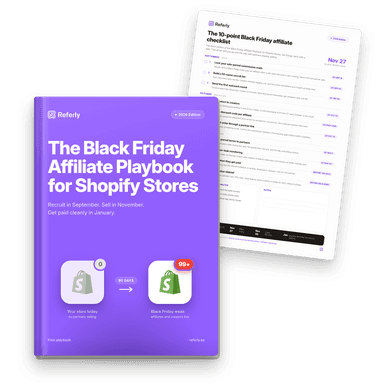
Free playbook · 2026 edition
Running affiliates through Black Friday?
The 90-day Black Friday plan for Shopify stores: recruit in September, seed creators in October, guard your codes in November, pay out cleanly in January. With a 10-point checklist you can read without giving an email.
Get the Black Friday Affiliate PlaybookCost
One flat price. 0% of your sales.
Placed after the instructions on purpose. Startup is $75 a month and covers $10,000 of affiliate revenue, Business is $149 and covers $30,000.
FAQ
Questions during setup
What Shopify merchants ask while they are working through it.
14-day free trial · Full access from day one · Cancel anytime
No. The Shopify app installs the tracking without any Liquid changes, and the integration screen runs a live check so you can see it reporting before you invite anyone. Uninstalling removes it cleanly.
Keep reading
Roundup
The best Shopify affiliate apps, compared
ReadIntegration
What the Shopify integration tracks, exactly
ReadSelling elsewhere too?
Affiliate software for ecommerce
ReadGuide
How to recruit your first affiliates
ReadFeature
Coupon tracking, in detail
ReadAlternatives
The UpPromote alternatives worth a look
ReadGlossary
What a referral program is
Read